Identify
Coding resources
The coding resources we used to help our team code and learn to do new things include the PyBricks documentation, the Python documentation, and a website called Grok that lets each team member learn Python from whatever skill level, beginner to advanced.
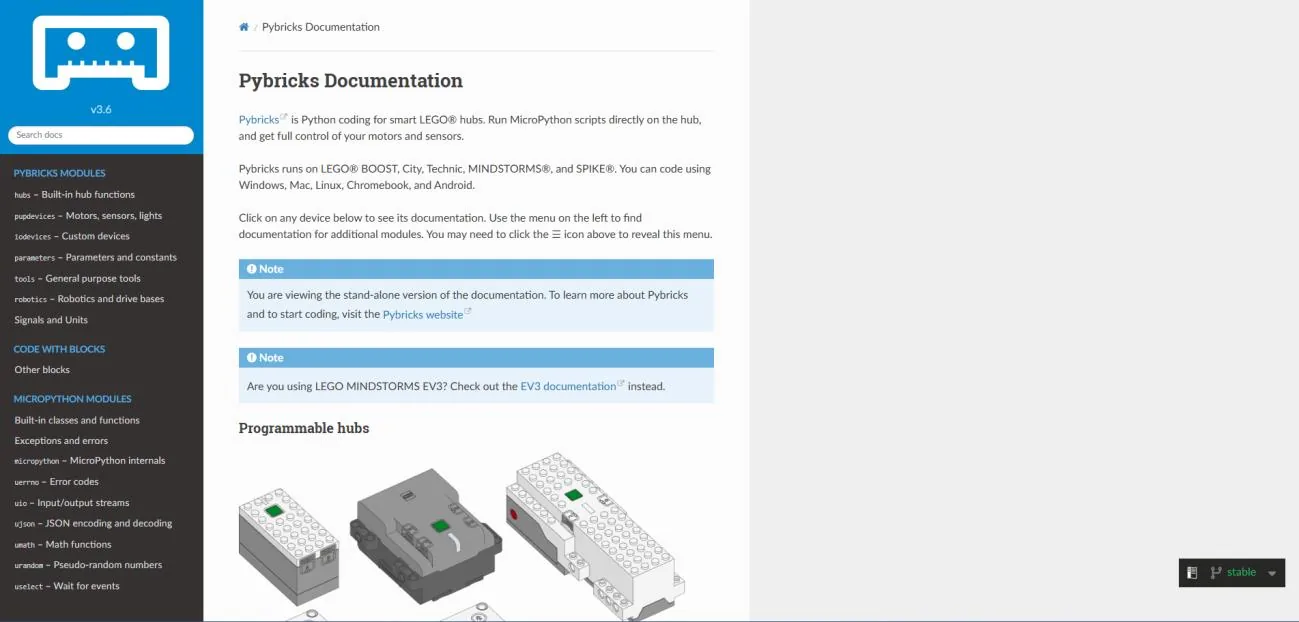
PyBricks documentation allowed us to explore the potential of using PyBricks. It showed that PyBricks had much more potential in controlling the robot, including PID, and let us directly control the circuitry of the robot, which helped us add more power and load into motors and reach faster motor speeds. The benefits over the standard bricks:
- It runs directly on the hub itself rather than relying on a tablet or computer, which is more reliable and faster because it does not need to rely on external sources.
- It provides advanced models like drivebase and gyro drive base, which deliver extremely accurate navigation.
- It supports Python and block code, which helps us learn programming and software engineering at a young age.
- Many teams around the world use PyBricks for FLL and have been successful, such as the Monongahela Cryptid Cooperative (Team 45775) and Noddin Robotmakers (Team 60215).
The Python documentation let us understand, explore and effectively use Python through detailed explanations of its syntax, functions, libraries and modules, along with examples and guidelines. Grok Learning helps people learn coding through interactive, curriculum aligned courses, competitions and resources.
Engineering resources
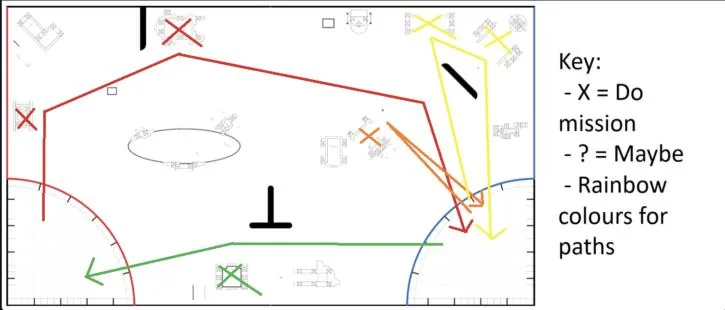
We watched YouTube videos on the missions so we could construct the routes for our mission plan. This helped a lot because we had many choices to decide from and we had to make these runs as fast and as efficient as possible. It allowed us to start coding without having to worry about changes in routes after we had chosen the one we wanted.
Mission strategy
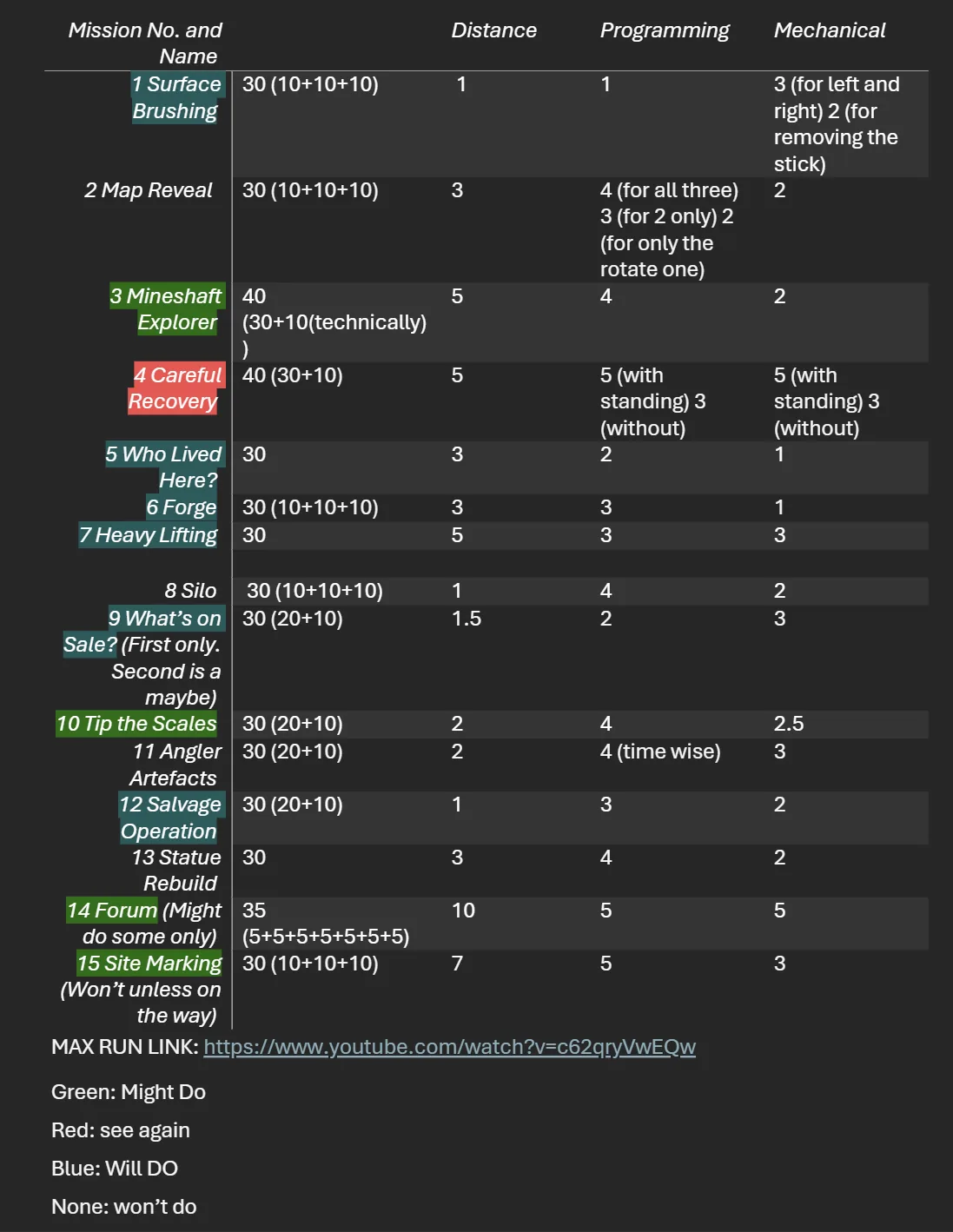
Our mission map plan lists all the missions, then as a team we made a brainstorm page showing whether we thought we would do it (blue), might do it if we had time (green), or would not do it because it would take too long and would not fit our robot (none).
Design
Contribution from every member
Each person created around one attachment used within the runs. Despite not all of them being used, they were considered and tested before deciding not to use them. We all collaborated with each other to construct the attachments so that most of them could both be attached to the robot and be necessary within the run. We also made sure that everyone would get a chance to code the robot showing what they can do. We used GitHub so that anyone can clone our code and work on it at home, and the more experienced coders on our team would help and teach.
The gearbox
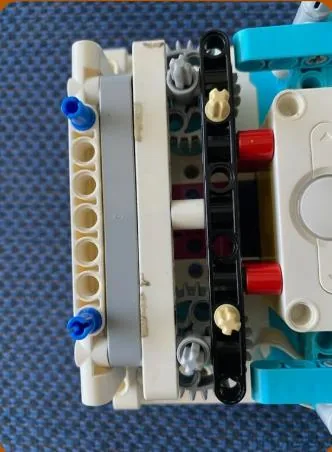
All our attachments are made on separate gearboxes and quickly attached to the motors on the top of the robot. This allows for efficient pit stops in between runs.
The attachments
Attachment 1 is used for the mission surface brushing, and to recover the soil. It is based on the engineering principles of reliability and functionality. It is very reliable for the surface brushing because of the funnel at the end of the arm, and the other arm allows us to do the soil missions at once.
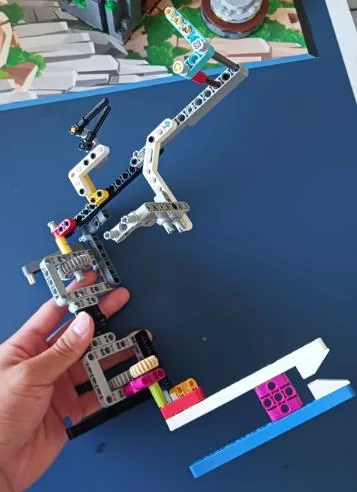
Attachment 2 completes both components of salvage operation as well as marking the area with a flag. It was made using the engineering principles of problem solving and reliability. We wanted to put a flag into the pirate ship at the same time, and came up with an idea to push the ship and then do the arm and let go of the flag.
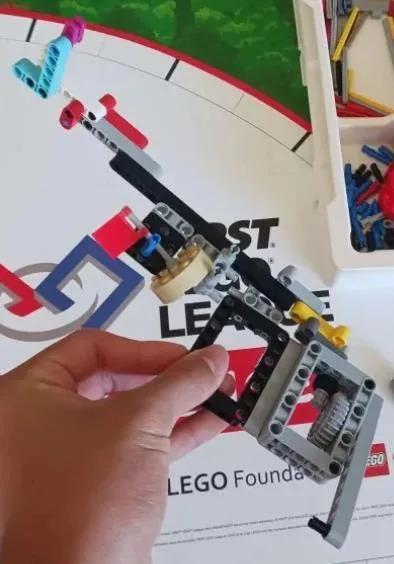
Attachment 3 completes both components of the mineshaft explorer and the careful recovery. It is based on the engineering principles of simplicity and efficiency, doing both missions at once with simple gearboxes so it attaches easily onto the robot.
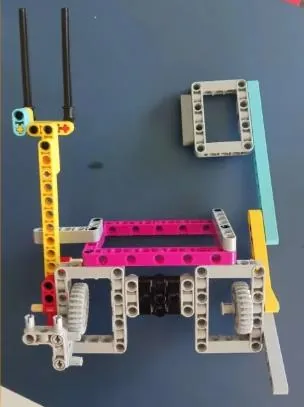
Attachment 4 does a lot of missions including the forge, who lived here, raising the roof of the market and heavy lifting. It uses the engineering principles of efficiency and maintainability, doing two of the missions with a passive mechanism and being easy to put back together.
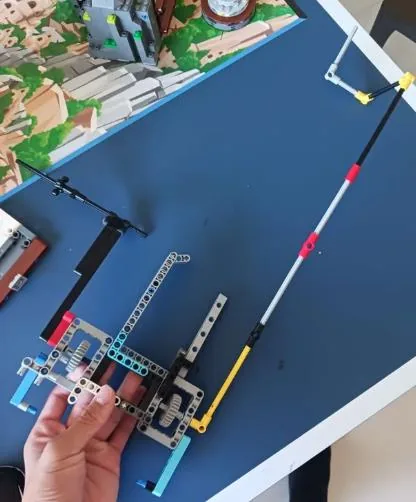
Attachment 5 does Statue Rebuild combined with another arm to raise the goods and pull out the item. It is designed on the robot principle of simplicity, with a simple arm on a simple and standard gearbox plus two passive mechanisms to the right side.
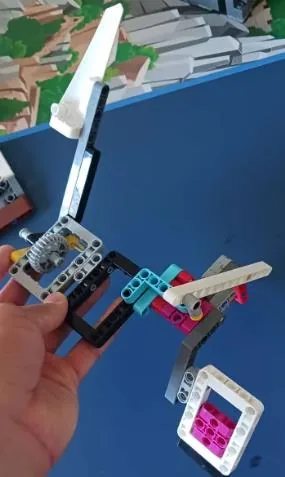
Issues we came across and how we fixed them
- The centre of gravity of the robot was too high, which meant there were inaccuracies in movement as the robot swayed when moving. To fix this we moved the heavy motors and the hub lower.
- Gears were not connected well, which meant attachments on gears slipped and did not turn well. To fix this we added pieces to pin down the gears and attachments to reduce gear slippage.
- The stability wheel caused inaccuracies in movement, because it would keep moving even after we had stopped. We came up with three possible solutions, non-friction, a caster ball and a plastic nub, tested them on turning and driving, and determined that the caster ball was best.
How we improved from last year
Robot problems. Last year we did not do very well at nationals for the robot game because we changed the whole robot and did not have enough time to code it. This year we decided to change the path of the robot instead of changing the robot, which allowed us to code the game in time.
Logging. Another problem was that we did not have enough proof of progressive testing. Now we have a logbook in the documentation booklet.
Communication. Last year we found communicating hard, especially through emails, so this year we set up a WhatsApp group chat and a Discord server where we can talk and send photos and videos. The Discord has announcement, general, programming, mechanical, innovations, pictures and bot spam channels, plus a voice channel for calls.
Create
Innovative code and sensor use
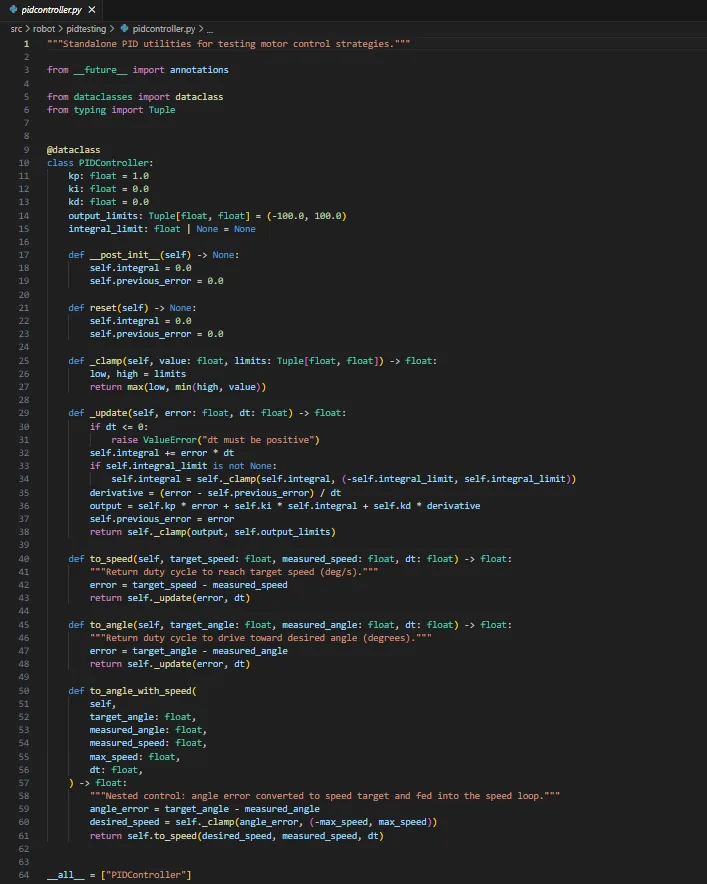
We based our code on programming principles to ensure our code is robust, readable, maintainable and modular.
Using PID. Because we used PyBricks for coding our robot, we can set it so that the drive base uses the built-in gyro in the Spike to align our movement for better accuracy.
Resetting the angle of the mechanism motors. We made a function to do this, move until stalled, which moves the motor at a certain speed until it is unable to move physically at all. This lets us align the motor to a certain surface so that we can have better accuracy, and so that people do not need to set the mechanism to the right position in the pit stops.
Automatically updating menu using decorators. We used a decorator to automatically add new functions of runs to our robot menu, allowing us to save time when coding runs.
How our code works
This system uses object-oriented programming to keep the robot's code organised and efficient. A Robot class manages motors, drive settings, gyrometer and arm movements, while a PID class improves accuracy with angle wrapping and precise turning calculations. The MissionControl class provides a user interface on the hub, letting users select missions during matches, and it also manages animations, gyro resets, drive profiles and timing. Missions are easily added with an @mission() decorator, and each mission function leverages Robot helpers for reliable driving, turning and arm control.
Iterate
We have our commit changes for our code on GitHub, and it shows how we have repeatedly tested and improved all our code over a long period of time. We also have many logs of each run we have done since regionals in our documentation folder.
To ensure our runs were consistent, we constantly improved our code and mechanisms after running them repeatedly. Although it was very slow, we ended up with consistent runs which can be run multiple times without failing.
Communicate
It's about the friends we made along the way.Kingsley, a member of our team
This was what we learnt in FLL: to achieve a lot, but also to know that we cannot make it perfect, unlike those 545 max points teams. We just need to do our best.
- Working together. As a team we learnt to work together, even during the hardest times.
- Division of work. We found that having few people on many different things was better than having lots of people on one thing, overcrowding the area.
- Gracious professionalism. We learnt to be GP.
- Staying on task. Not getting distracted, and a longer attention span, were advantages we gained.
- Healthy work environment. To make everyone happy and work better.
- No big changes. Last year we changed the whole robot before nationals and did not have enough time to code it. This year we changed the path instead.
- Documentation. Last year we did not have proof of progressive testing. This year we have a logbook and documentation.
- Communication. We used a WhatsApp group and a Discord server this year. It was better for talking, sending photos, announcements and organisation.
- Organisation. We used Trello to organise ourselves, which let us know what to do and work faster than last year.
What each of us is proud of
Sean. I am proud of how good our robot turned out, considering the short amount of time we had to build it. We achieved an amazing score.
Andre. I really appreciated our team's effort this semester, everyone put their best work into this.
Kingsley. I am very proud of making the robot and some of its attachments. Our teammates collaborated and worked very well together as well as listening and interpreting different things.
Chris. I am very happy to work on the robot this year, as I generally only worked on the innovation project in my last team. Having the chance to work on the robot allowed me to expand on my existing knowledge and abilities.
Leven. I am glad that I was able to gain this experience, as it was only my second year of robotics, being able to contribute ideas to all aspects of our project, designing a mechanism, working on documents, and being on the board operating the robot.
Oliver. I think our team collaborated very well, and we all cooperated to complete the mission to the best of our ability.
Aaron. I think that my team helped me understand the code that they wrote, told me what errors to fix, and collaborated well across all categories in general. The group chats made it easy to be organised and to communicate.
Subesh. I believe that our team worked cohesively throughout this semester, despite setbacks with delays in receiving the mission models. I believe we were organised and that everyone did their part in all parts of FLL.