The deck

TEAM LEBOB FLL Team KOI34 - Perth, Western Australia
217410 Four identified problems Talking to working archaeologists and subsea engineers, we pinned down four specific failure modes that the standard industrial gripper forces onto fragile recovery work: High risk of breakage. Industrial grippers apply force with no feedback channel back to the pilot. Thin pottery, coral, bone fragments, and delicate shapes could crack if they're held too tightly. Poor grip on odd shapes. Flat metal jaws can't adapt to curved, tapered, or uneven artefacts. Items slip out, or can't be lifted at all. The grippers in service today were designed for cylindrical T-bar handles on industrial tools, not for amphorae, bones, or coral. Innovation Project Limited awareness for pilots. ROV operators can't feel how much force the arm is Team # Team Name Judging Room applying, especially in low visibility water where the camera feed is the only signal. That leads to unforeseen accidents. Cost and time pressures. Getting archaeology equipment to site costs millions of dollars. A broken gripper or a missing tool means days of delay while they get a replacement. These failures slow missions down, push costs up, and can permanently destroy cultural heritage Innovation Project Instructions Teamsshouldcommunicate to the judges their achievement in each of the following criteria. This rubric should be filled out according to the Innovation Project presentation.
This is a working canvas slide. The text above is the opening of what the slide carries; the rest is in the PDF.
LEBOB FLL Team KOI34 - Perth, Western Australia INNOVATIONS
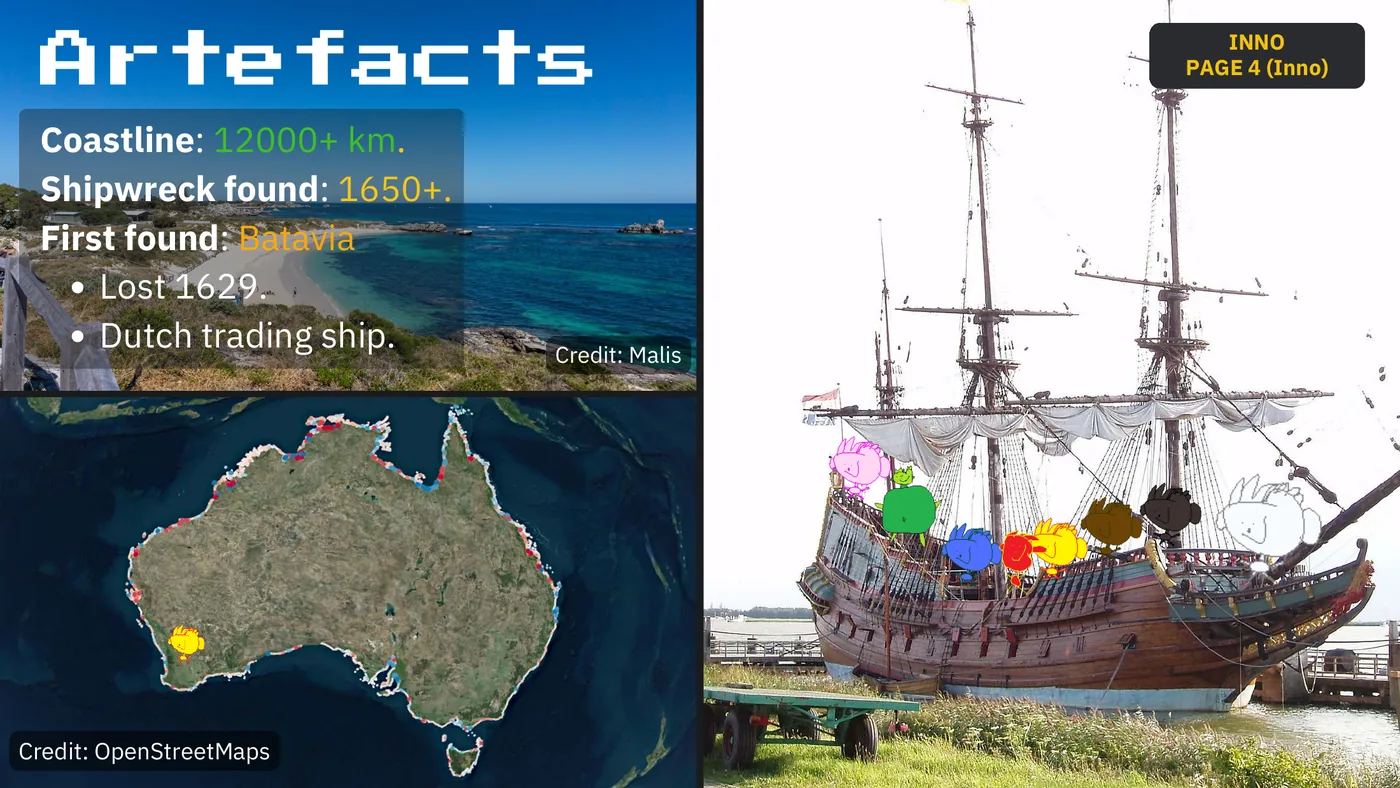
INNO Artefacts PAGE 4 (Inno) Coastline: 12000+ km. Shipwreck found: 1650+. First found: Batavia Lost 1629. Dutch trading ship. Credit: Malis Credit: OpenStreetMaps
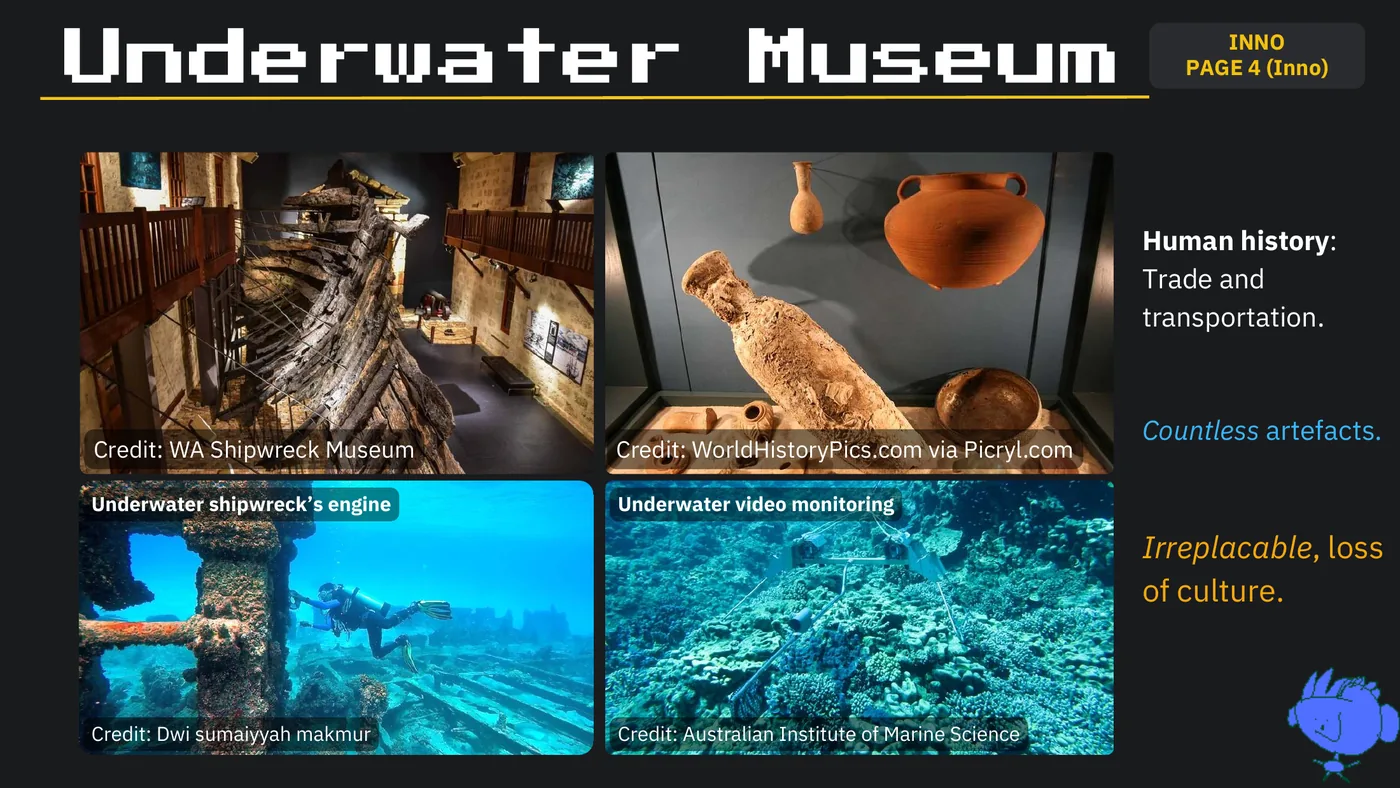
INNO Underwater Museum PAGE 4 (Inno) Human history: Trade and transportation. Countless artefacts. Credit: WA Shipwreck Museum Credit: WorldHistoryPics.com via Picryl.com Underwater shipwreck’s engine Underwater video monitoring Irreplacable, loss of culture. Credit: Dwi sumaiyyah makmur Credit: Australian Institute of Marine Science
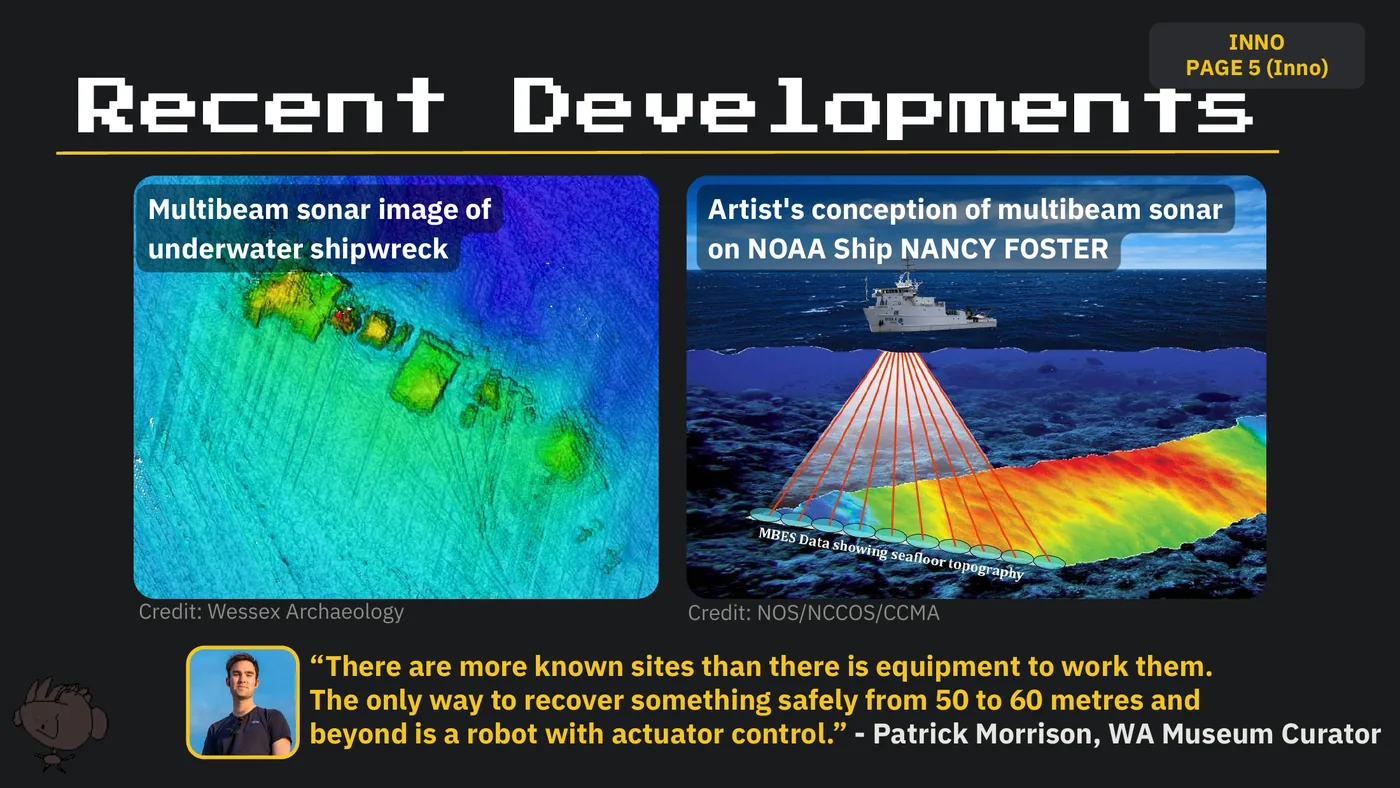
INNO PAGE 5 (Inno) Recent Developments Multibeam sonar image of Artist's conception of multibeam sonar underwater shipwreck on NOAA Ship NANCY FOSTER Credit: Wessex Archaeology Credit: NOS/NCCOS/CCMA “There are more known sites than there is equipment to work them. The only way to recover something safely from 50 to 60 metres and beyond is a robot with actuator control.” - Patrick Morrison, WA Museum Curator
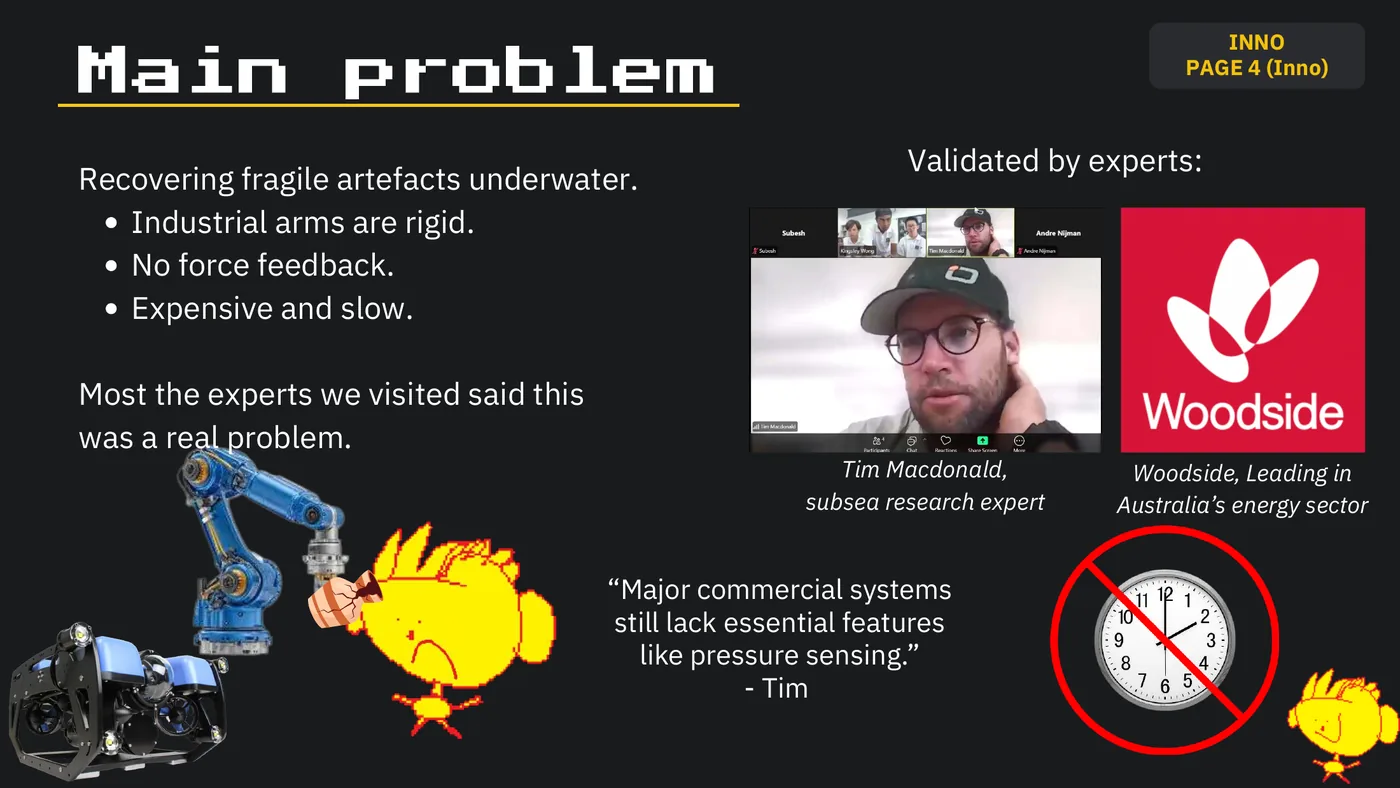
INNO Main problem PAGE 4 (Inno) Validated by experts: Recovering fragile artefacts underwater. Industrial arms are rigid. No force feedback. Expensive and slow. Most the experts we visited said this was a real problem. Tim Macdonald, Woodside, Leading in subsea research expert Australia’s energy sector “Major commercial systems still lack essential features like pressure sensing.” - Tim
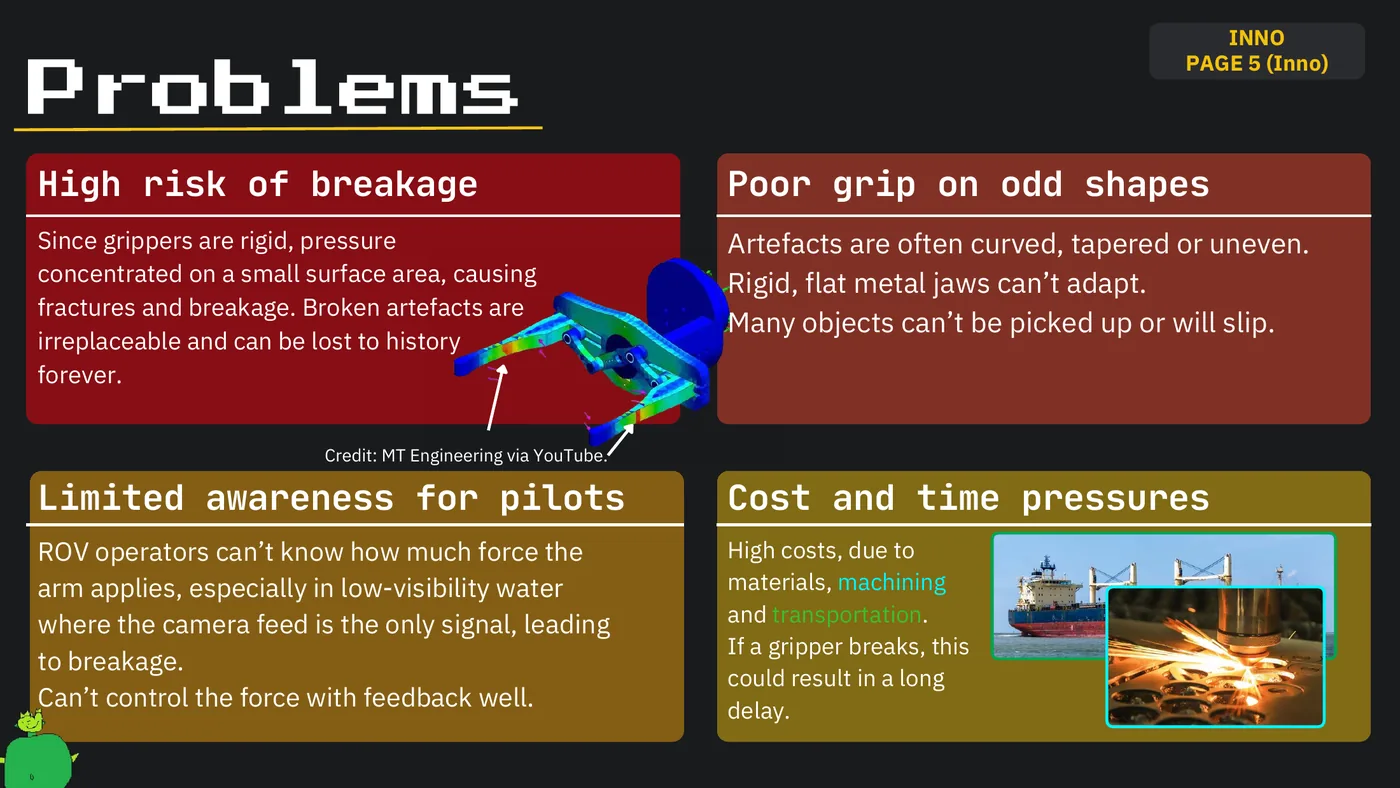
INNO PAGE 5 (Inno) Problems High risk of breakage Poor grip on odd shapes Since grippers are rigid, pressure Artefacts are often curved, tapered or uneven. concentrated on a small surface area, causing Rigid, flat metal jaws can’t adapt. fractures and breakage. Broken artefacts are Many objects can’t be picked up or will slip. irreplaceable and can be lost to history forever. Credit: MT Engineering via YouTube. Limited awareness for pilots Cost and time pressures ROV operators can’t know how much force the High costs, due to arm applies, especially in low-visibility water materials, machining where the camera feed is the only signal, leading and transportation. If a gripper breaks, this to breakage. could result in a long Can’t control the force with feedback well. delay.
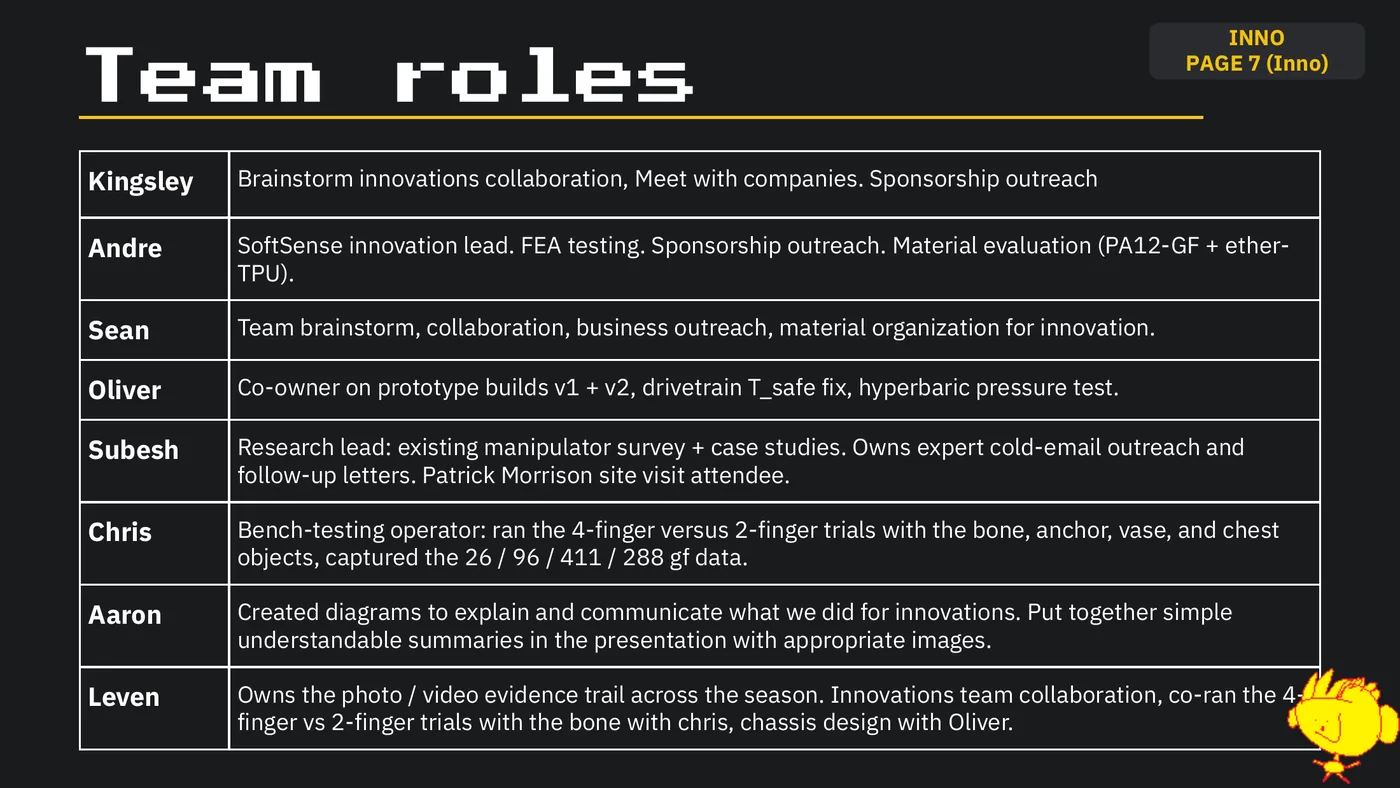
INNO PAGE 7 (Inno) Team roles Kingsley Brainstorm innovations collaboration, Meet with companies. Sponsorship outreach Andre SoftSense innovation lead. FEA testing. Sponsorship outreach. Material evaluation (PA12-GF + ether- TPU). Sean Team brainstorm, collaboration, business outreach, material organization for innovation. Oliver Co-owner on prototype builds v1 + v2, drivetrain T_safe fix, hyperbaric pressure test. Subesh Research lead: existing manipulator survey + case studies. Owns expert cold-email outreach and follow-up letters. Patrick Morrison site visit attendee. Chris Bench-testing operator: ran the 4-finger versus 2-finger trials with the bone, anchor, vase, and chest objects, captured the 26 / 96 / 411 / 288 gf data. Aaron Created diagrams to explain and communicate what we did for innovations. Put together simple understandable summaries in the presentation with appropriate images. Leven Owns the photo / video evidence trail across the season. Innovations team collaboration, co-ran the 4- finger vs 2-finger trials with the bone with chris, chassis design with Oliver.
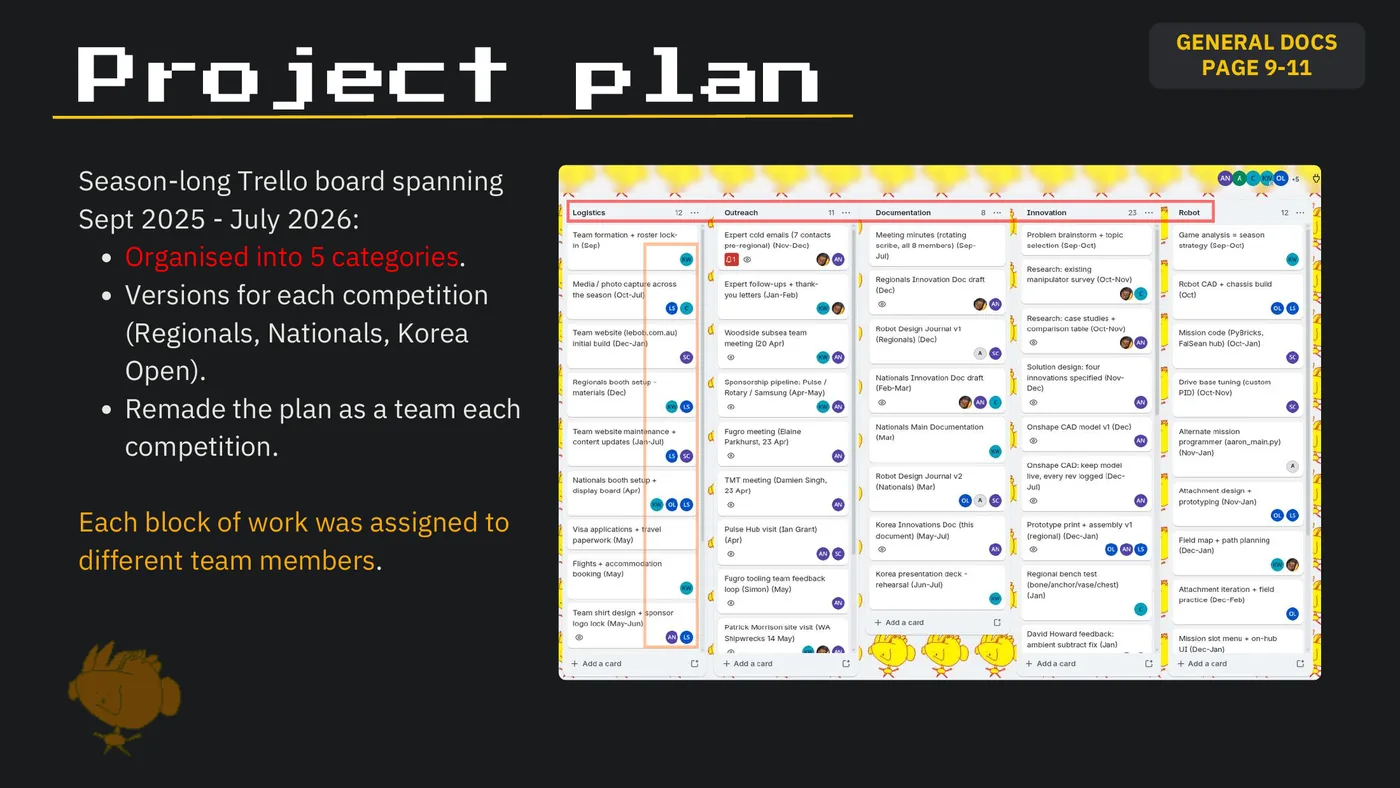
GENERAL DOCS Project plan PAGE 9-11 Season-long Trello board spanning Sept 2025 - July 2026: Organised into 5 categories. Versions for each competition (Regionals, Nationals, Korea Open). Remade the plan as a team each competition. Each block of work was assigned to different team members.
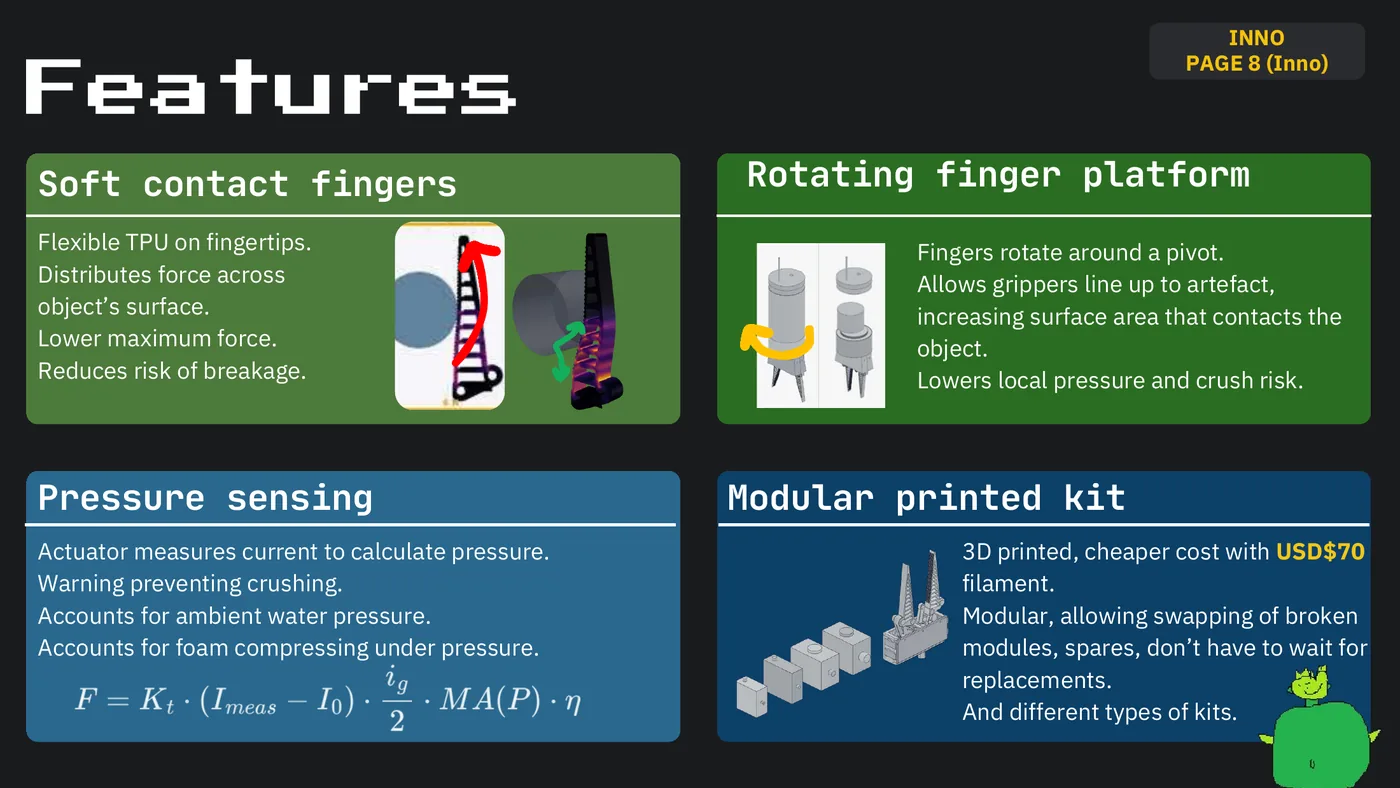
INNO PAGE 8 (Inno) Features Soft contact fingers Rotating finger platform Flexible TPU on fingertips. Fingers rotate around a pivot. Distributes force across Allows grippers line up to artefact, object’s surface. increasing surface area that contacts the Lower maximum force. object. Reduces risk of breakage. Lowers local pressure and crush risk. Pressure sensing Modular printed kit Actuator measures current to calculate pressure. 3D printed, cheaper cost with USD$70 Warning preventing crushing. filament. Accounts for ambient water pressure. Modular, allowing swapping of broken Accounts for foam compressing under pressure. modules, spares, don’t have to wait for replacements. And different types of kits.
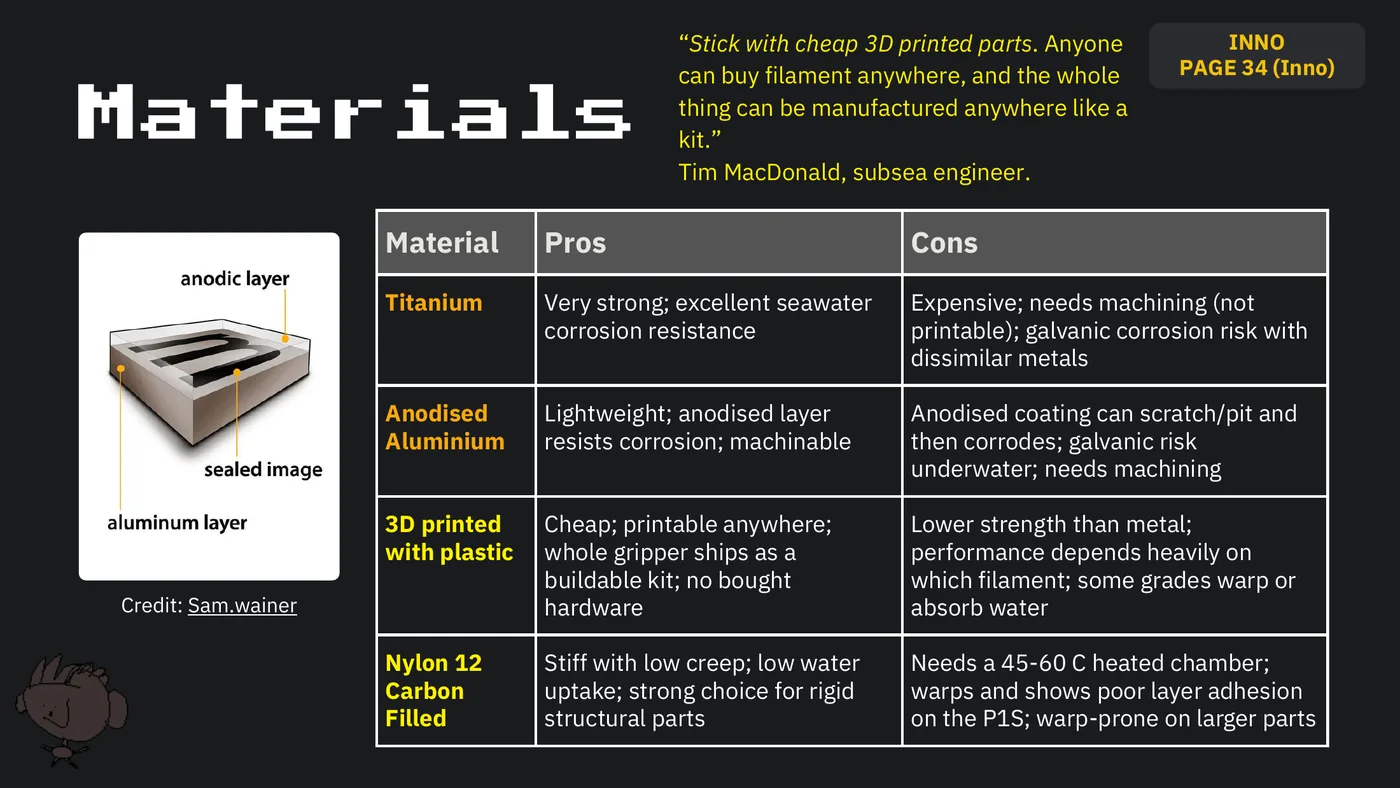
“Stick with cheap 3D printed parts. Anyone INNO can buy filament anywhere, and the whole PAGE 34 (Inno) Materials thing can be manufactured anywhere like a kit.” Tim MacDonald, subsea engineer. Material Pros Cons Titanium Very strong; excellent seawater Expensive; needs machining (not corrosion resistance printable); galvanic corrosion risk with dissimilar metals Anodised Lightweight; anodised layer Anodised coating can scratch/pit and Aluminium resists corrosion; machinable then corrodes; galvanic risk underwater; needs machining 3D printed Cheap; printable anywhere; Lower strength than metal; with plastic whole gripper ships as a performance depends heavily on buildable kit; no bought which filament; some grades warp or Credit: Sam.wainer hardware absorb water Nylon 12 Stiff with low creep; low water Needs a 45-60 C heated chamber; Carbon uptake; strong choice for rigid warps and shows poor layer adhesion Filled structural parts on the P1S; warp-prone on larger parts
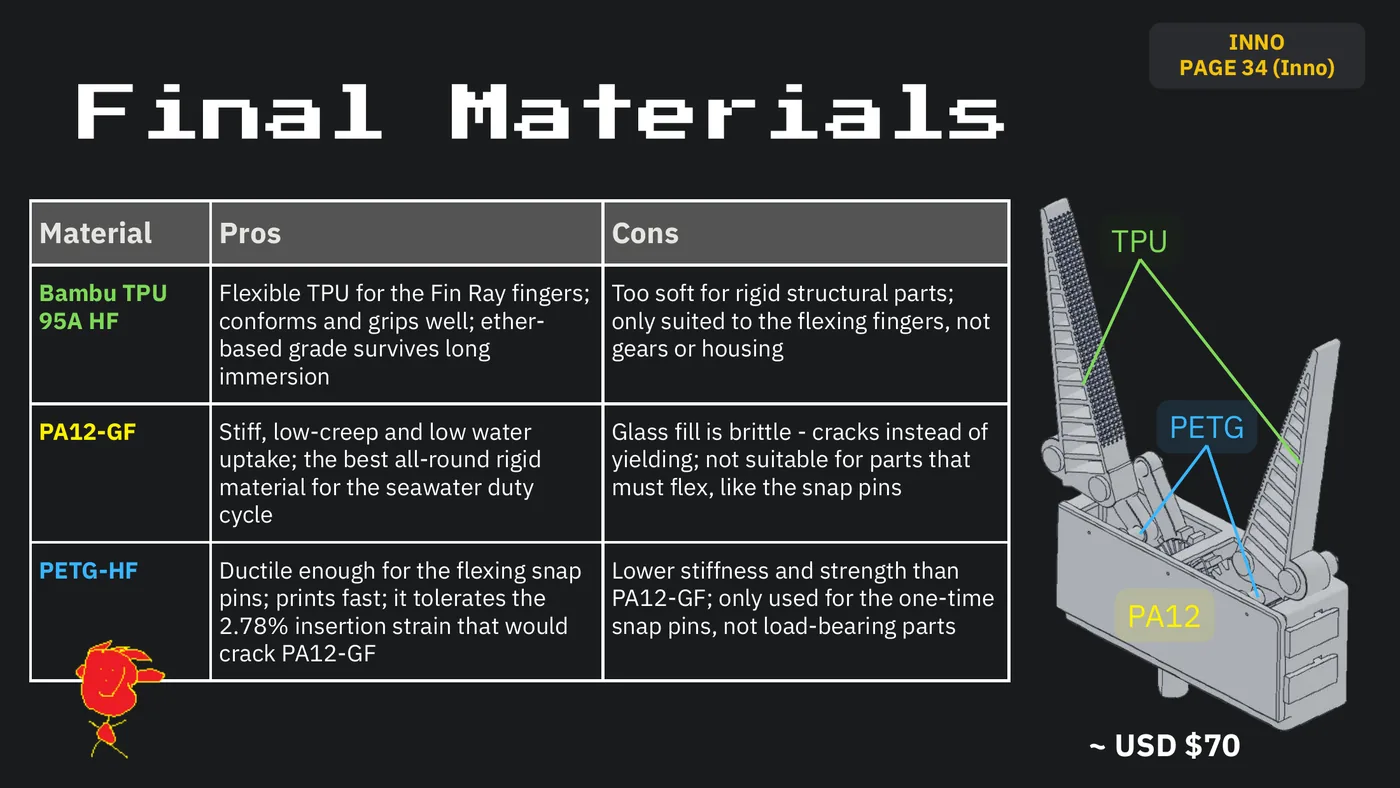
INNO PAGE 34 (Inno) Final Materials Material Pros Cons TPU Bambu TPU Flexible TPU for the Fin Ray fingers; Too soft for rigid structural parts; 95A HF conforms and grips well; ether- only suited to the flexing fingers, not based grade survives long gears or housing immersion PA12-GF Stiff, low-creep and low water Glass fill is brittle - cracks instead of PETG uptake; the best all-round rigid yielding; not suitable for parts that material for the seawater duty must flex, like the snap pins cycle PETG-HF Ductile enough for the flexing snap Lower stiffness and strength than pins; prints fast; it tolerates the PA12-GF; only used for the one-time 2.78% insertion strain that would snap pins, not load-bearing parts PA12 crack PA12-GF ~ USD $70
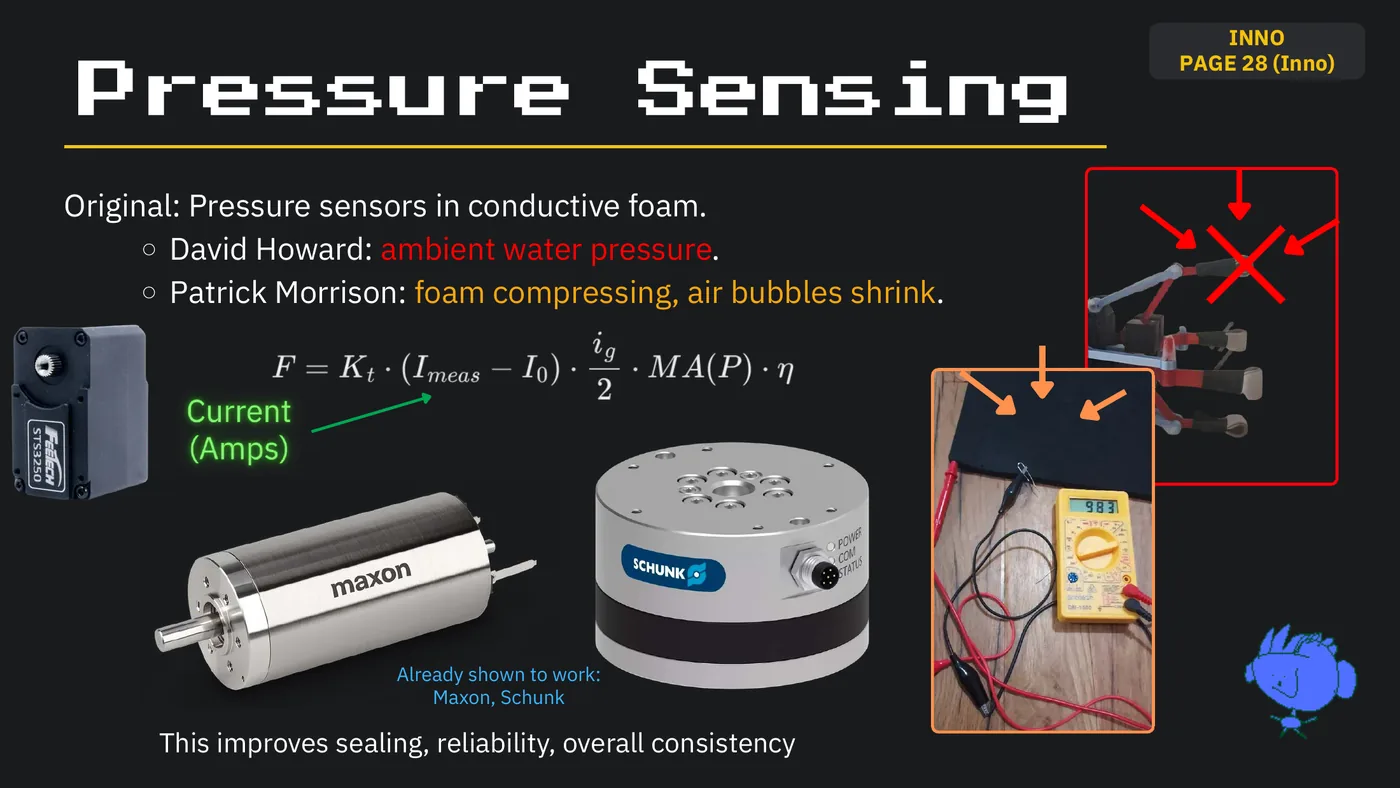
INNO PAGE 28 (Inno) Pressure Sensing Original: Pressure sensors in conductive foam. David Howard: ambient water pressure. Patrick Morrison: foam compressing, air bubbles shrink. Current (Amps) Already shown to work: Maxon, Schunk This improves sealing, reliability, overall consistency
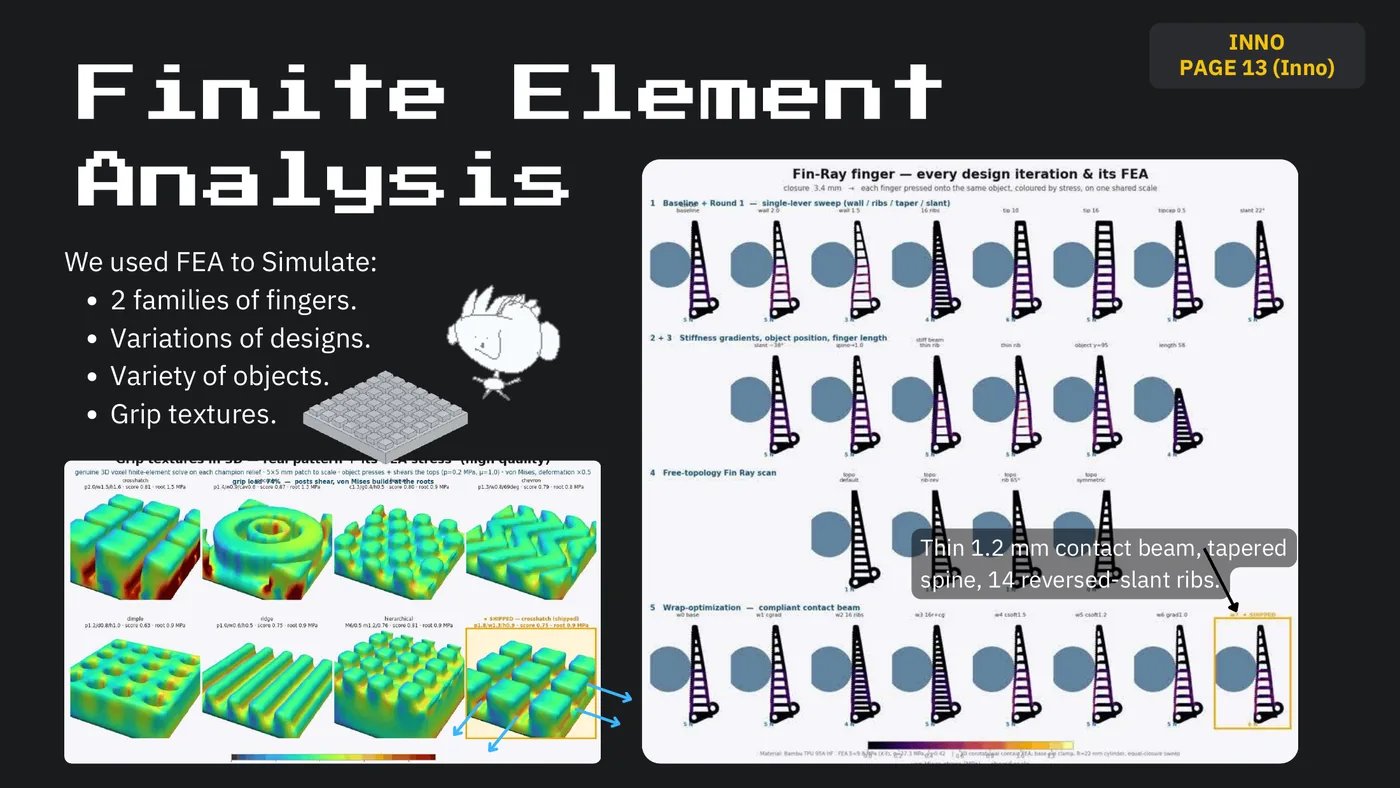
INNO PAGE 13 (Inno) Finite Element Analysis We used FEA to Simulate: 2 families of fingers. Variations of designs. Variety of objects. Grip textures. Thin 1.2 mm contact beam, tapered spine, 14 reversed-slant ribs.
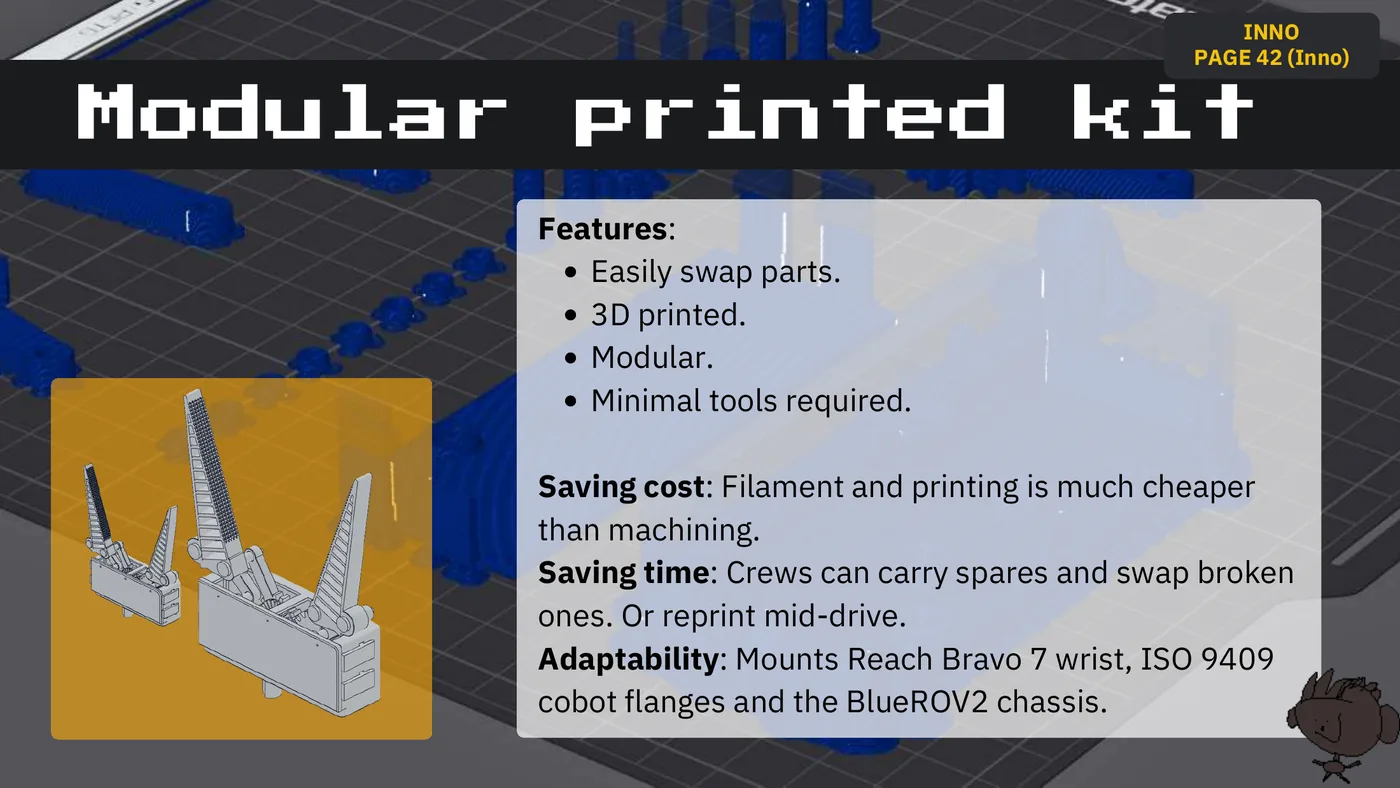
INNO PAGE 42 (Inno) Modular printed kit Features: Easily swap parts. 3D printed. Modular. Minimal tools required. Saving cost: Filament and printing is much cheaper than machining. Saving time: Crews can carry spares and swap broken ones. Or reprint mid-drive. Adaptability: Mounts Reach Bravo 7 wrist, ISO 9409 cobot flanges and the BlueROV2 chassis.
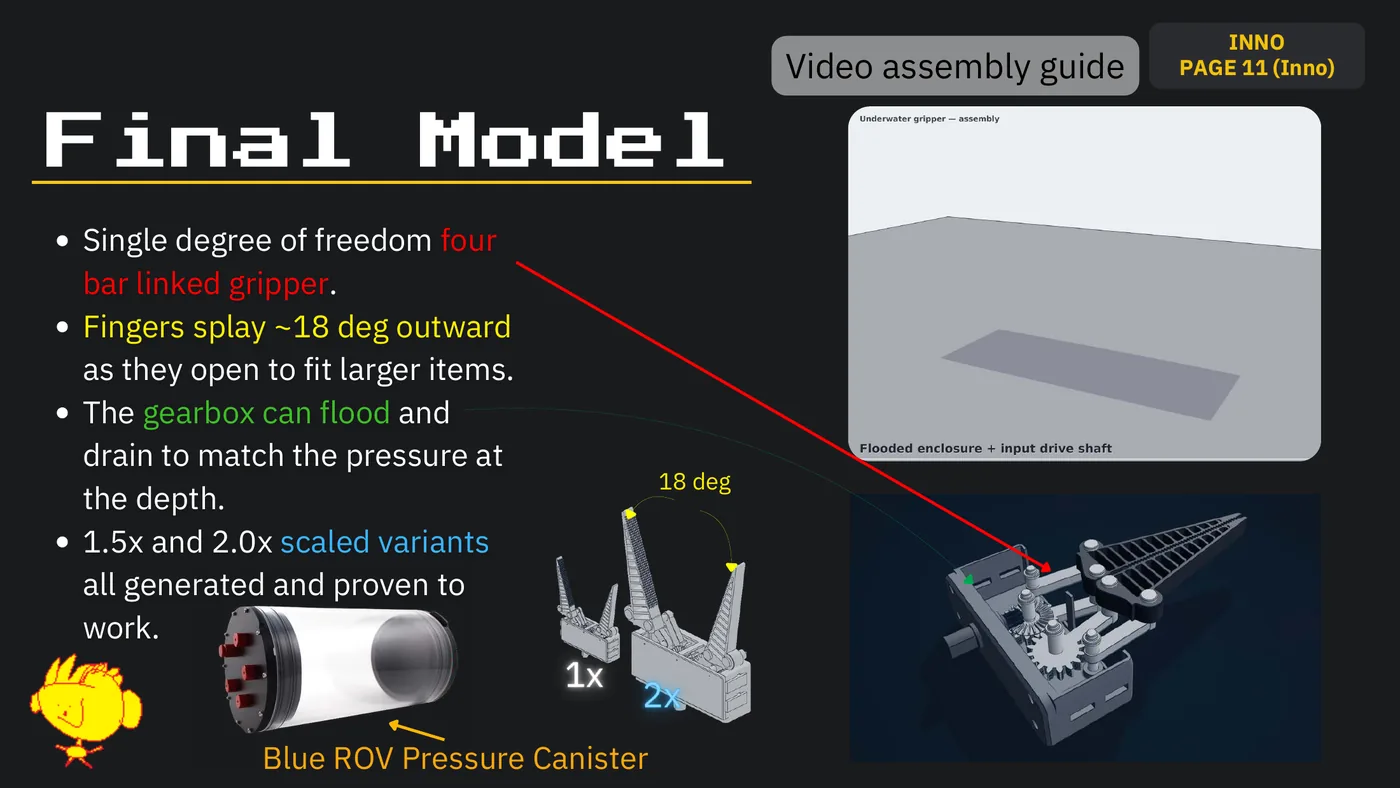
INNO Video assembly guide PAGE 11 (Inno) Final Model Single degree of freedom four bar linked gripper. Fingers splay ~18 deg outward as they open to fit larger items. The gearbox can flood and drain to match the pressure at 18 deg the depth. 1.5x and 2.0x scaled variants all generated and proven to work. 1x 2x Blue ROV Pressure Canister
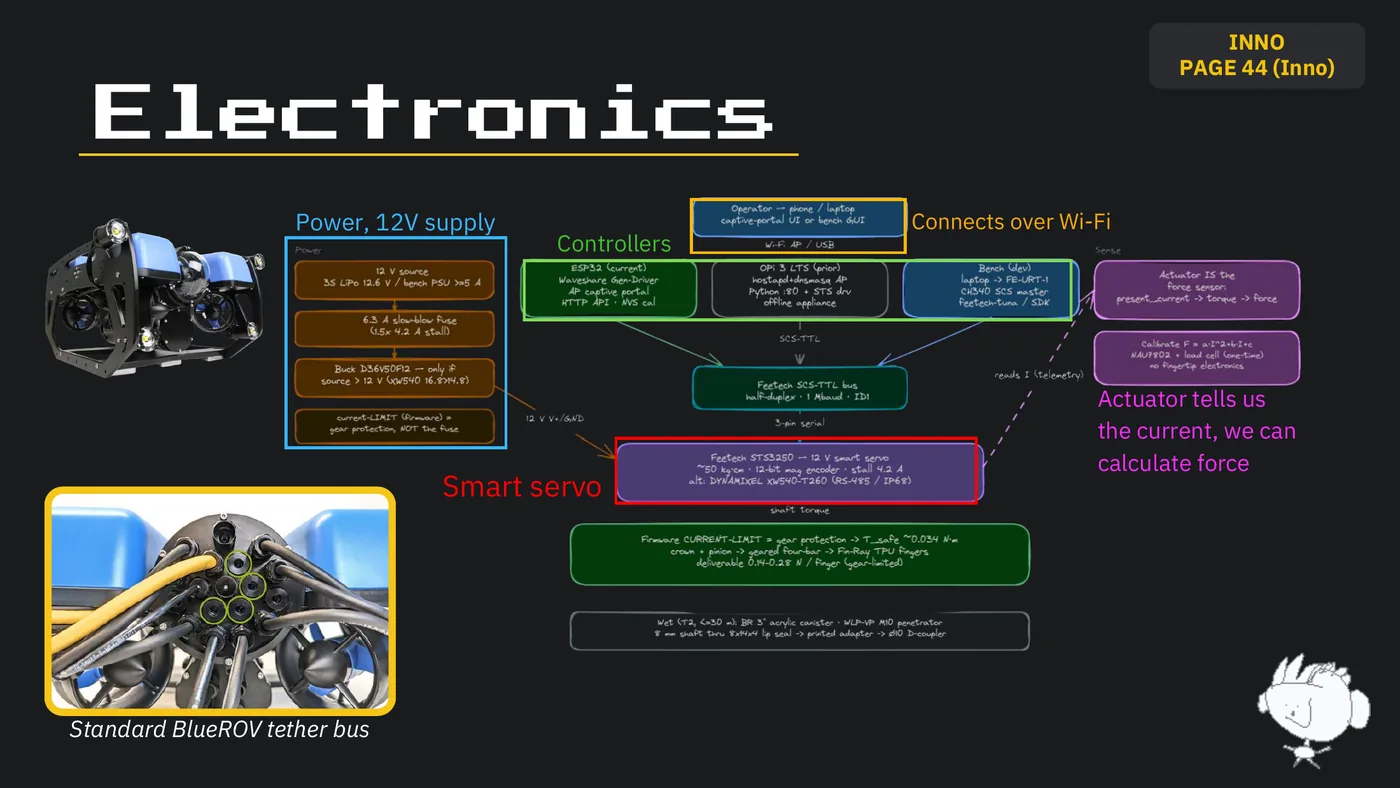
INNO PAGE 44 (Inno) Electronics Power, 12V supply Connects over Wi-Fi Controllers Actuator tells us the current, we can calculate force Smart servo Standard BlueROV tether bus
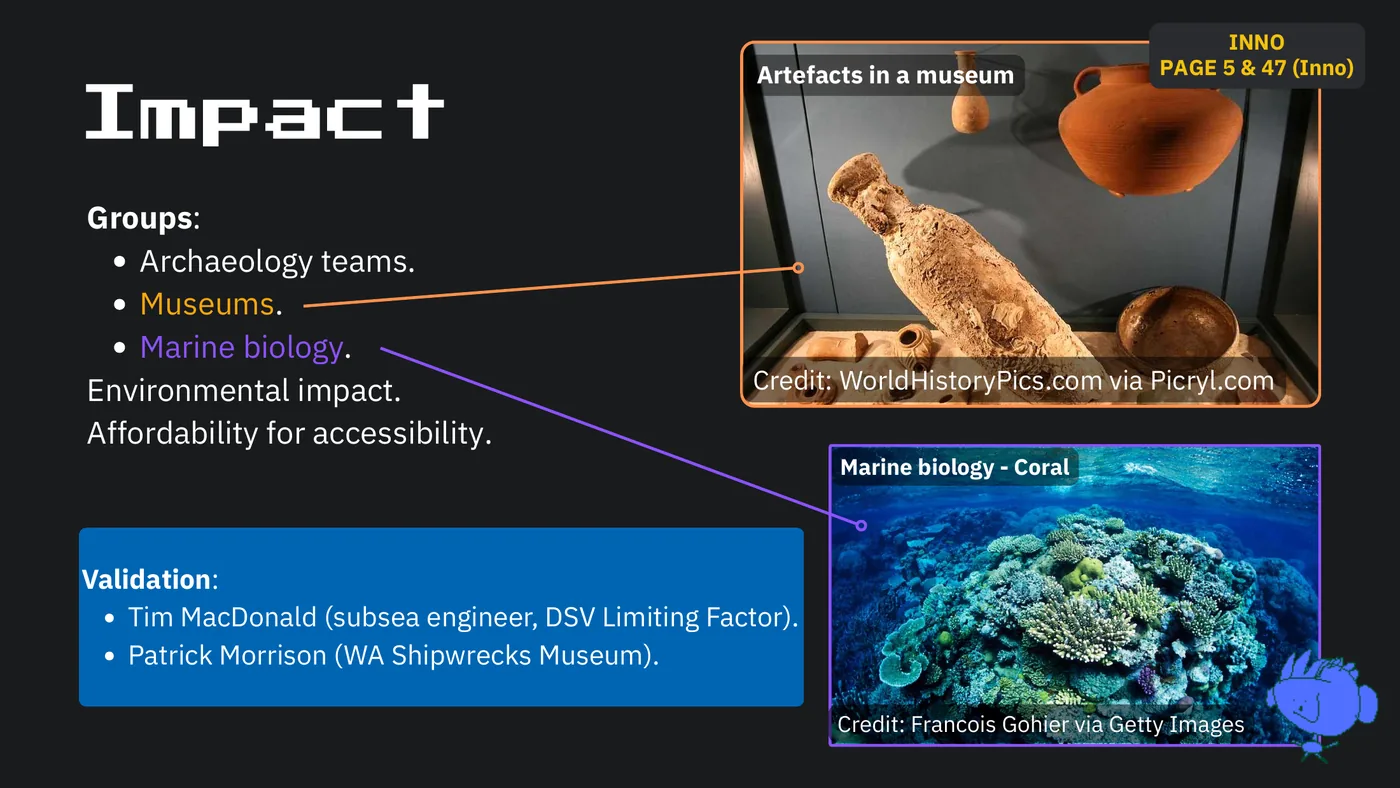
INNO Artefacts in a museum PAGE 5 & 47 (Inno) Impact Groups: Archaeology teams. Museums. Marine biology. Environmental impact. Credit: WorldHistoryPics.com via Picryl.com Affordability for accessibility. Marine biology - Coral Validation: Tim MacDonald (subsea engineer, DSV Limiting Factor). Patrick Morrison (WA Shipwrecks Museum). Credit: Francois Gohier via Getty Images
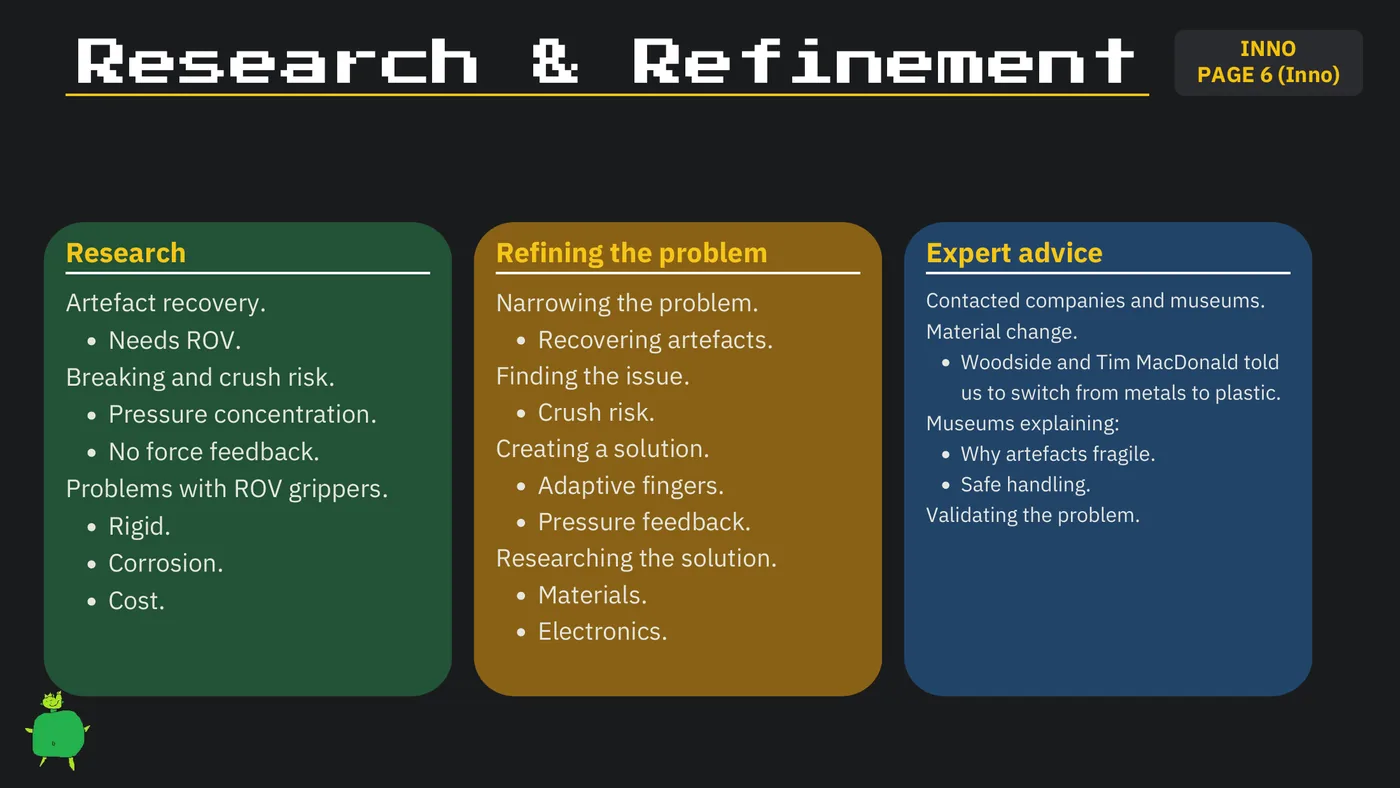
INNO Research & Refinement PAGE 6 (Inno) Research Refining the problem Expert advice Artefact recovery. Narrowing the problem. Contacted companies and museums. Recovering artefacts. Material change. Needs ROV. Woodside and Tim MacDonald told Breaking and crush risk. Finding the issue. us to switch from metals to plastic. Pressure concentration. Crush risk. Museums explaining: No force feedback. Creating a solution. Why artefacts fragile. Problems with ROV grippers. Adaptive fingers. Safe handling. Pressure feedback. Validating the problem. Rigid. Corrosion. Researching the solution. Cost. Materials. Electronics.
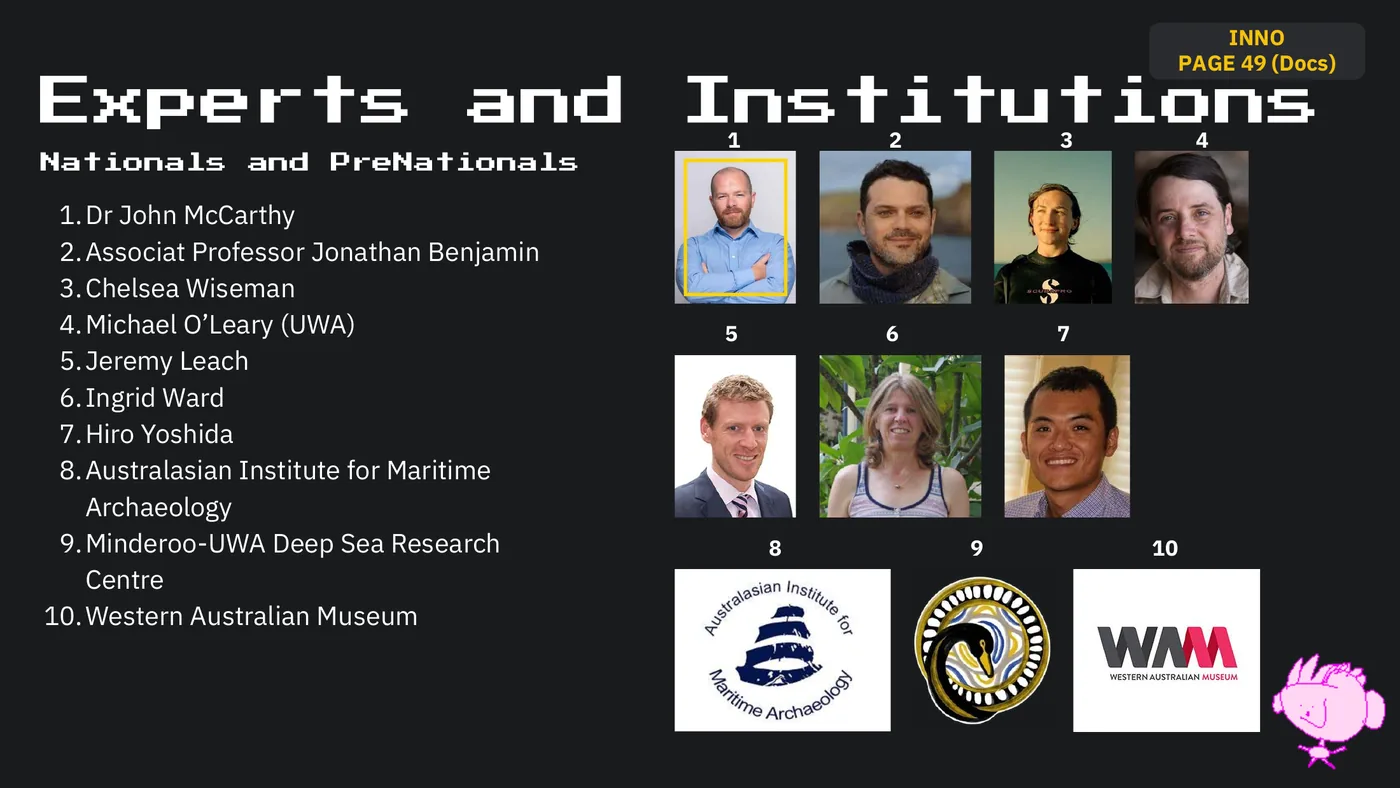
INNO PAGE 49 (Docs) Experts and Institutions 1 2 3 4 Nationals and PreNationals 1.Dr John McCarthy 2.Associat Professor Jonathan Benjamin 3.Chelsea Wiseman 4.Michael O’Leary (UWA) 5 6 7 5.Jeremy Leach 6.Ingrid Ward 7.Hiro Yoshida 8.Australasian Institute for Maritime Archaeology 9.Minderoo-UWA Deep Sea Research 8 9 10 Centre 10.Western Australian Museum
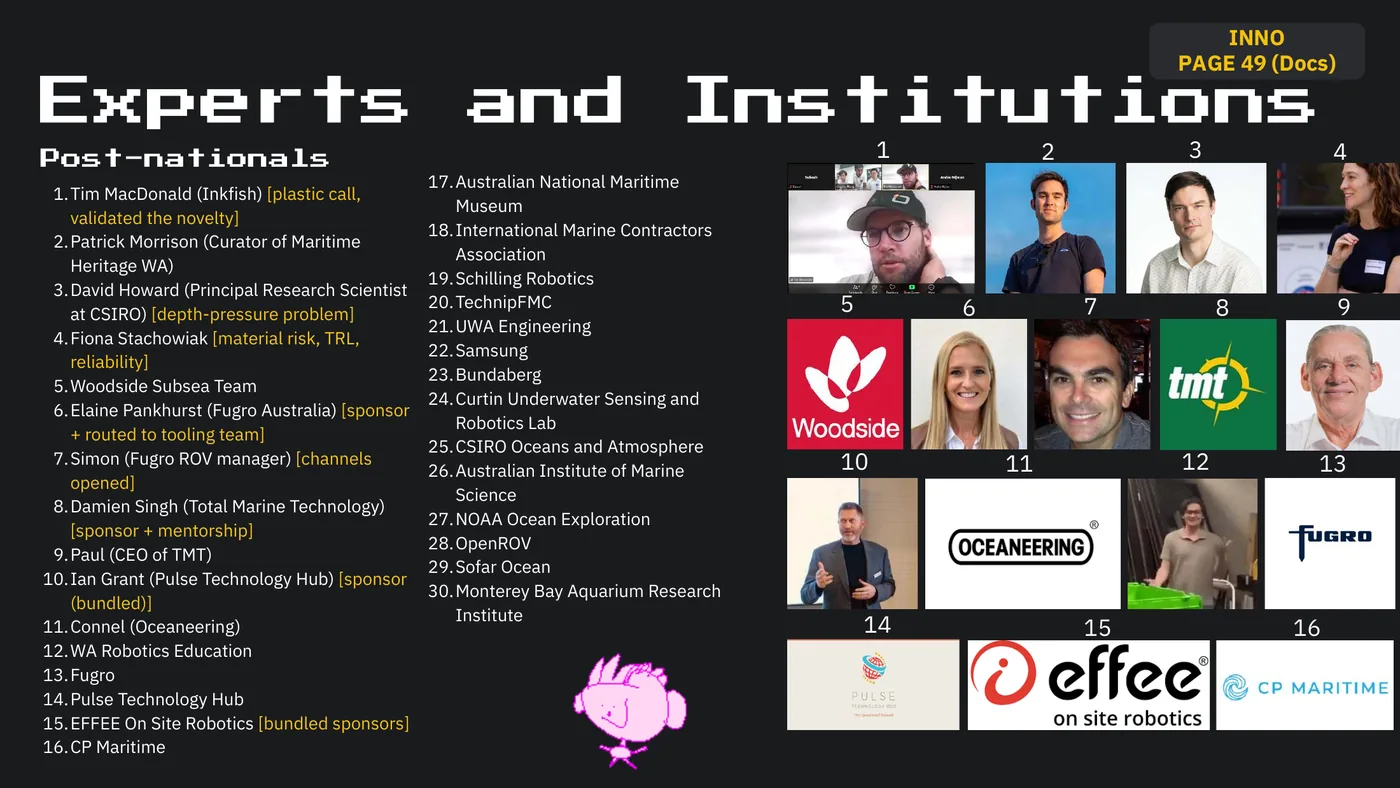
INNO PAGE 49 (Docs) Experts and Institutions Post-nationals 1 2 3 4 17.Australian National Maritime 1.Tim MacDonald (Inkfish) [plastic call, Museum validated the novelty] 18.International Marine Contractors 2.Patrick Morrison (Curator of Maritime Association Heritage WA) 19.Schilling Robotics 3.David Howard (Principal Research Scientist at CSIRO) [depth-pressure problem] 20.TechnipFMC 5 6 7 8 9 21.UWA Engineering 4.Fiona Stachowiak [material risk, TRL, 22.Samsung reliability] 23.Bundaberg 5.Woodside Subsea Team 24.Curtin Underwater Sensing and 6.Elaine Pankhurst (Fugro Australia) [sponsor Robotics Lab + routed to tooling team] 25.CSIRO Oceans and Atmosphere 7.Simon (Fugro ROV manager) [channels 26.Australian Institute of Marine 10 11 12 13 opened] Science 8.Damien Singh (Total Marine Technology) 27.NOAA Ocean Exploration [sponsor + mentorship] 28.OpenROV 9.Paul (CEO of TMT) 29.Sofar Ocean 10.Ian Grant (Pulse Technology Hub) [sponsor 30.Monterey Bay Aquarium Research (bundled)] Institute 11.Connel (Oceaneering) 14 15 16 12.WA Robotics Education 13.Fugro 14.Pulse Technology Hub 15.EFFEE On Site Robotics [bundled sponsors] 16.CP Maritime
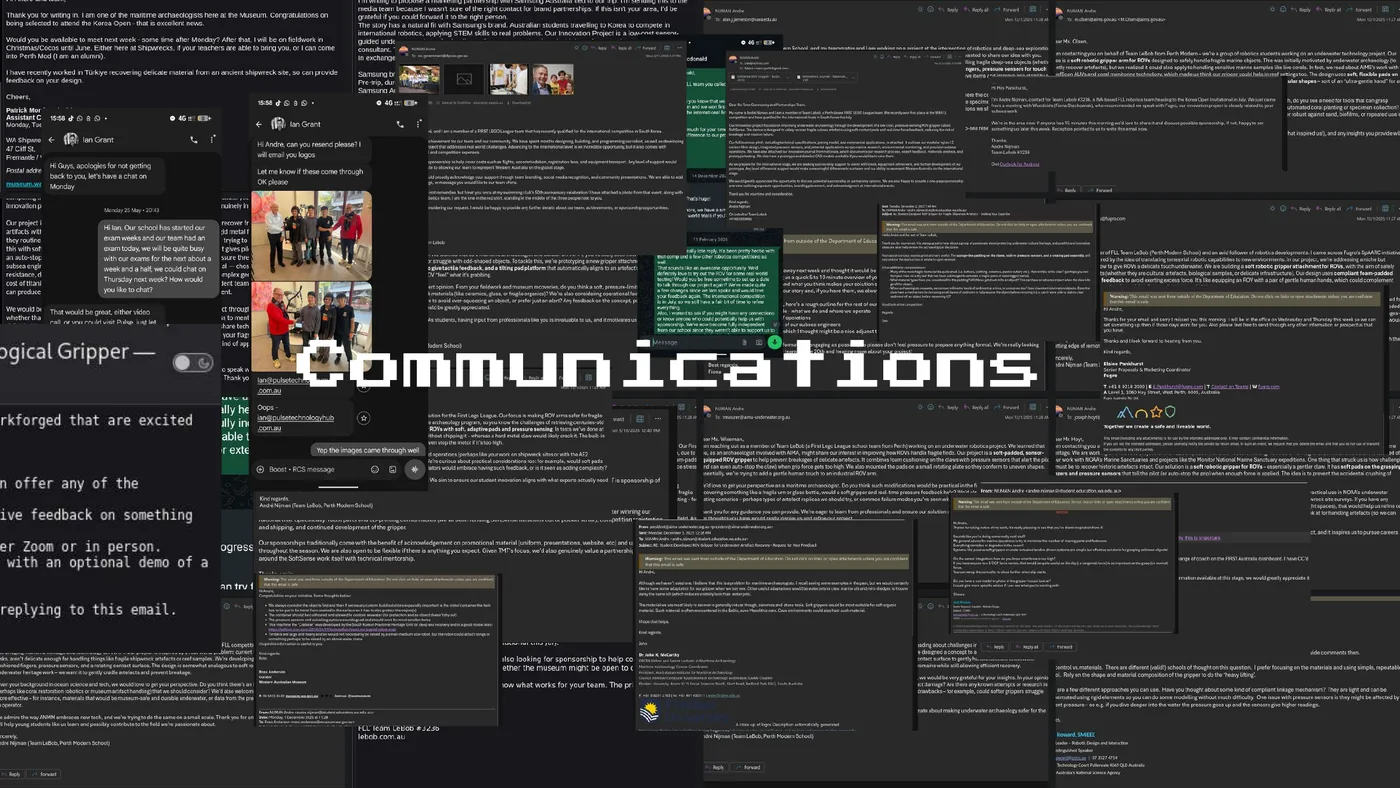
Communications
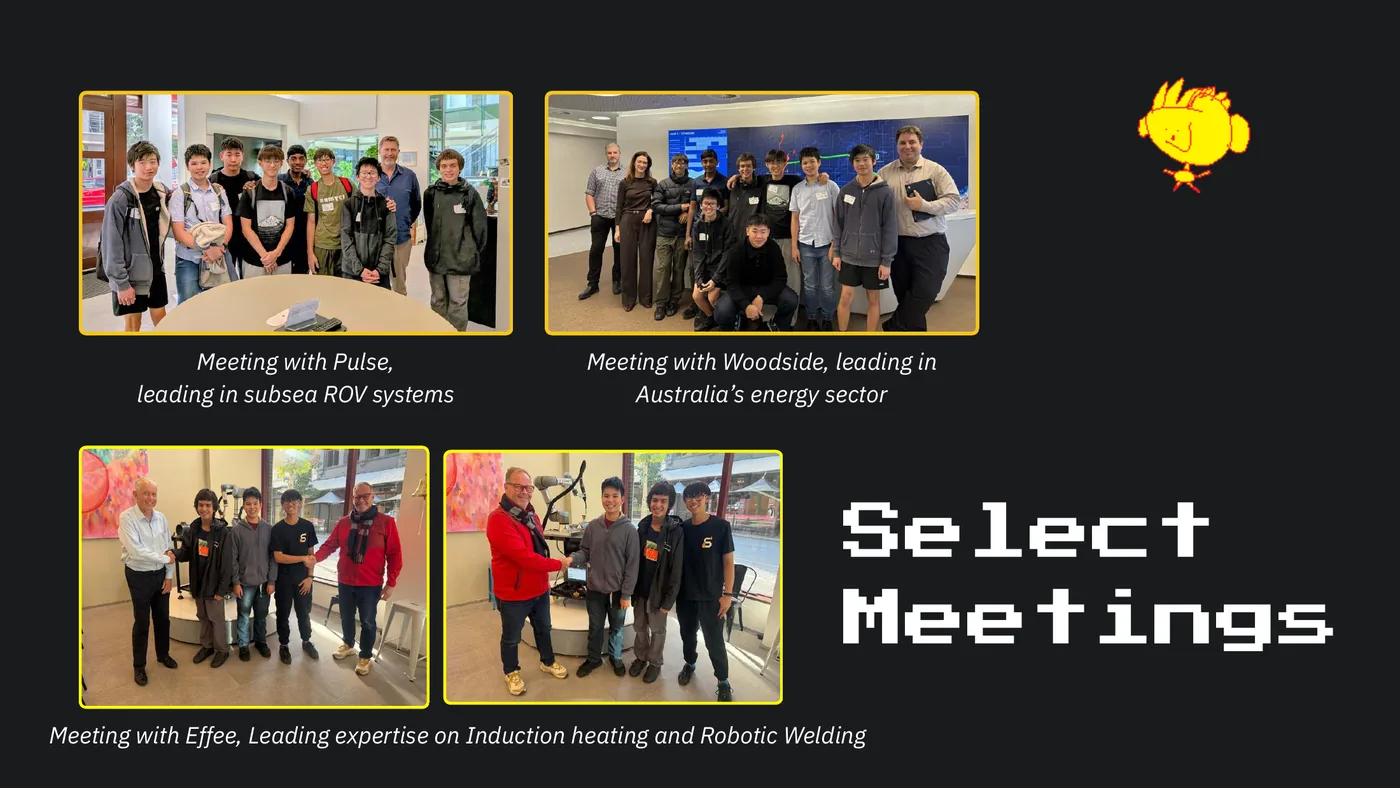
Meeting with Pulse, Meeting with Woodside, leading in leading in subsea ROV systems Australia’s energy sector Select Meetings Meeting with Effee, Leading expertise on Induction heating and Robotic Welding
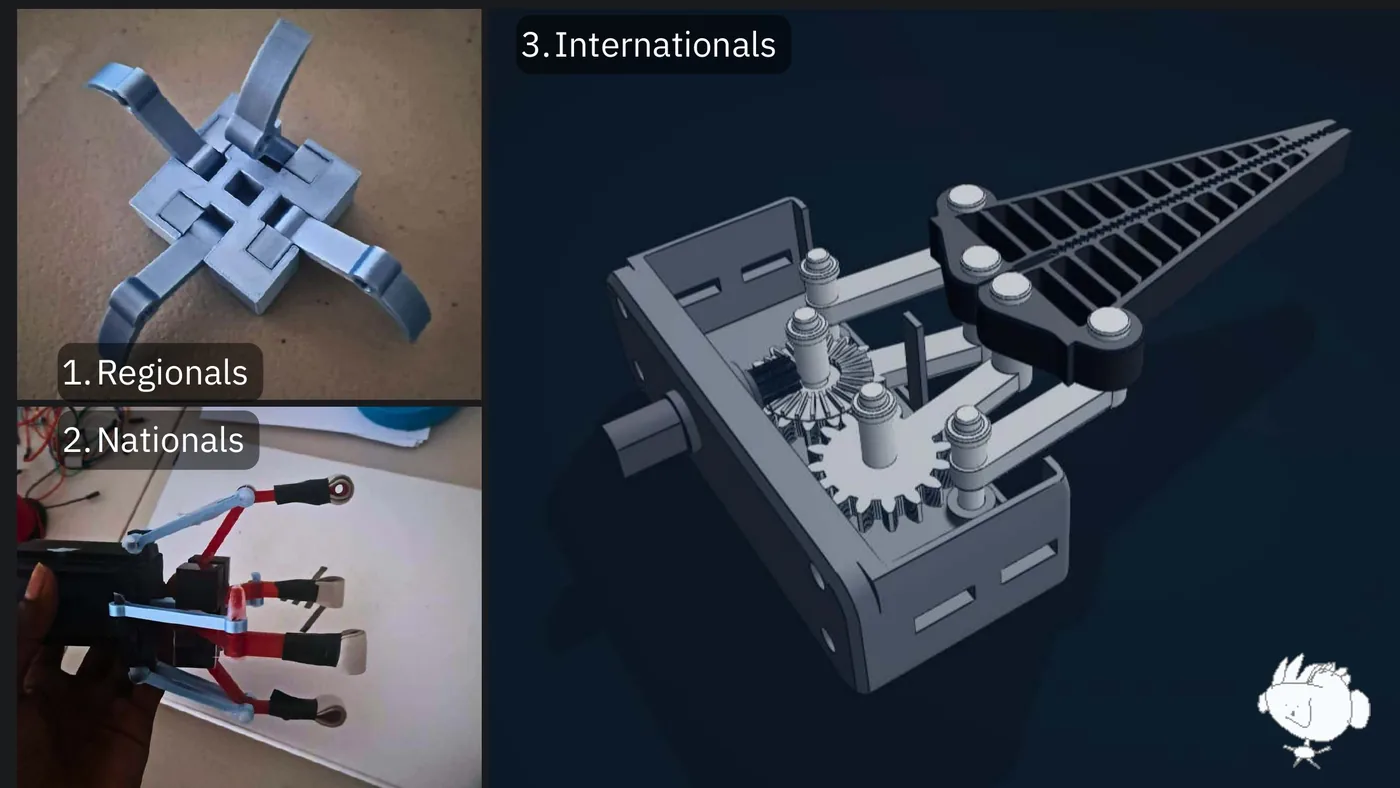
3. Internationals 1. Regionals 2. Nationals
DEMO
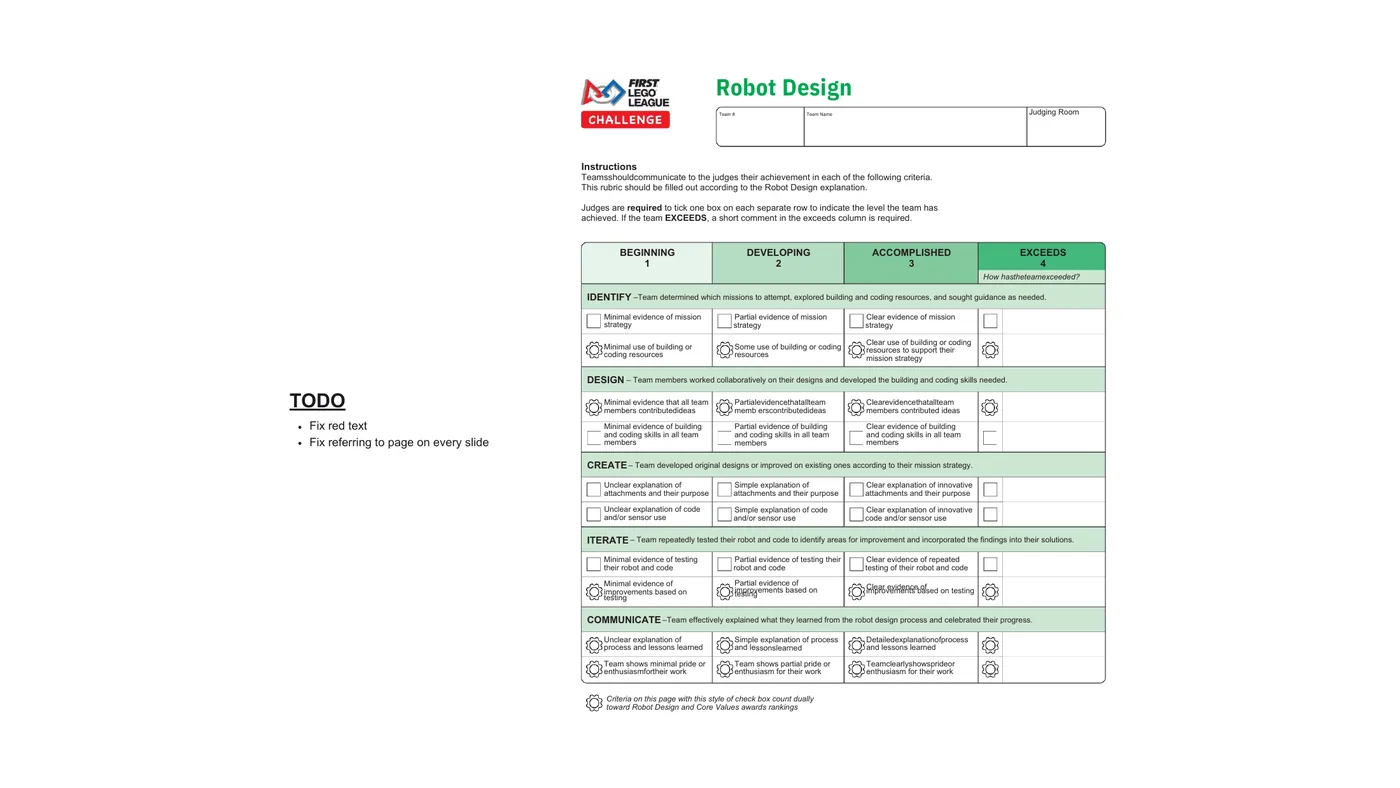
Robot Design Team # Team Name Judging Room Instructions Teamsshouldcommunicate to the judges their achievement in each of the following criteria. This rubric should be filled out according to the Robot Design explanation. Judges are required to tick one box on each separate row to indicate the level the team has achieved. If the team EXCEEDS, a short comment in the exceeds column is required. BEGINNING DEVELOPING ACCOMPLISHED EXCEEDS 1 2 3 4 How hastheteamexceeded? IDENTIFY –Team determined which missions to attempt, explored building and coding resources, and sought guidance as needed. Minimal evidence of mission Partial evidence of mission Clear evidence of mission strategy strategy strategy Clear use of building or coding Minimal use of building or Some use of building or coding resources to support their coding resources resources mission strategy DESIGN – Team members worked collaboratively on their designs and developed the building and coding skills needed. TODO Minimal evidence that all team members contributedideas Partialevidencethatallteam memb erscontributedideas Clearevidencethatallteam members contributed ideas Fix red text Minimal evidence of building Partial evidence of building Clear evidence of building and coding skills in all team and coding skills in all team and coding skills in all team Fix referring to page on every slide members members members CREATE
This is a working canvas slide. The text above is the opening of what the slide carries; the rest is in the PDF.
LEBOB FLL Team KOI34 - Perth, Western Australia ROBOT DESIGN
Part 1 PLANNING
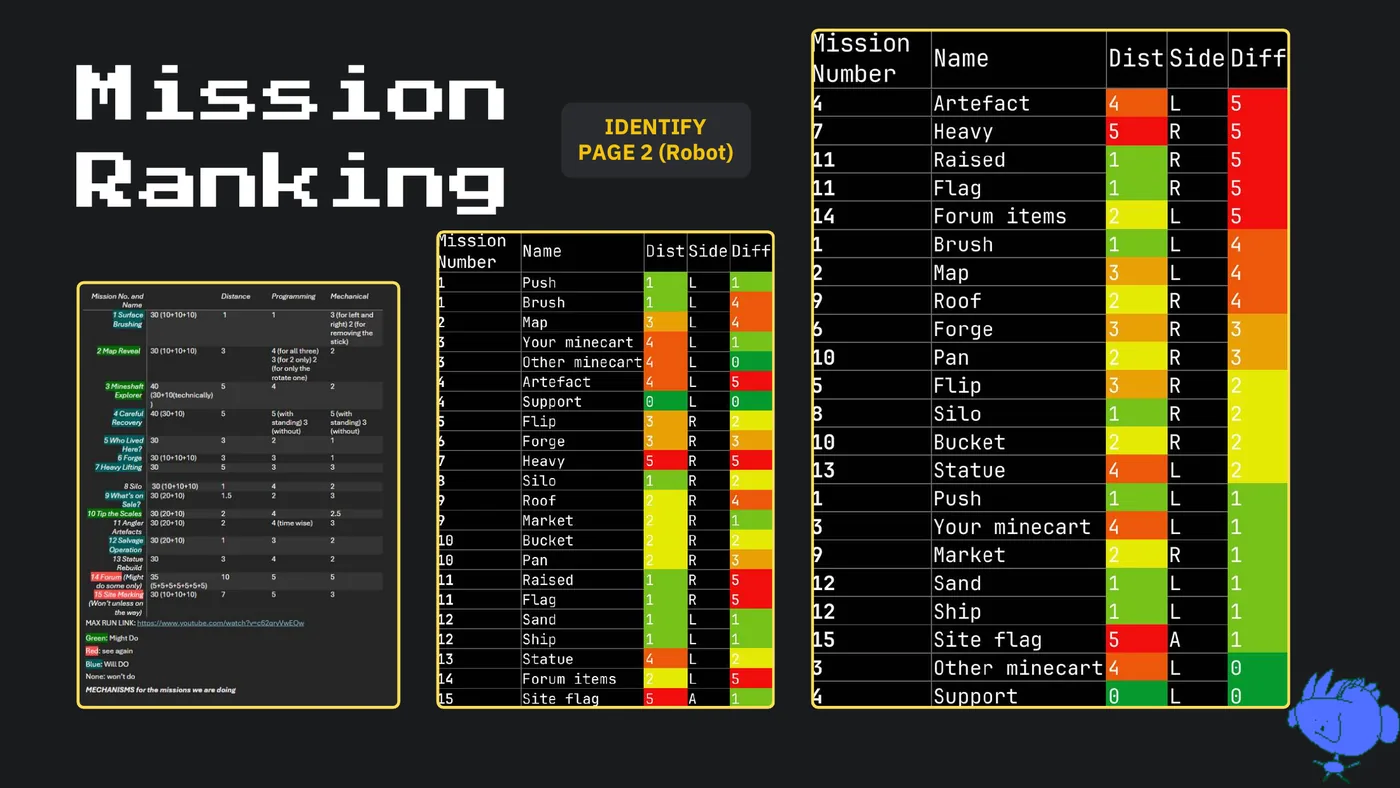
Mission IDENTIFY PAGE 2 (Robot) Ranking
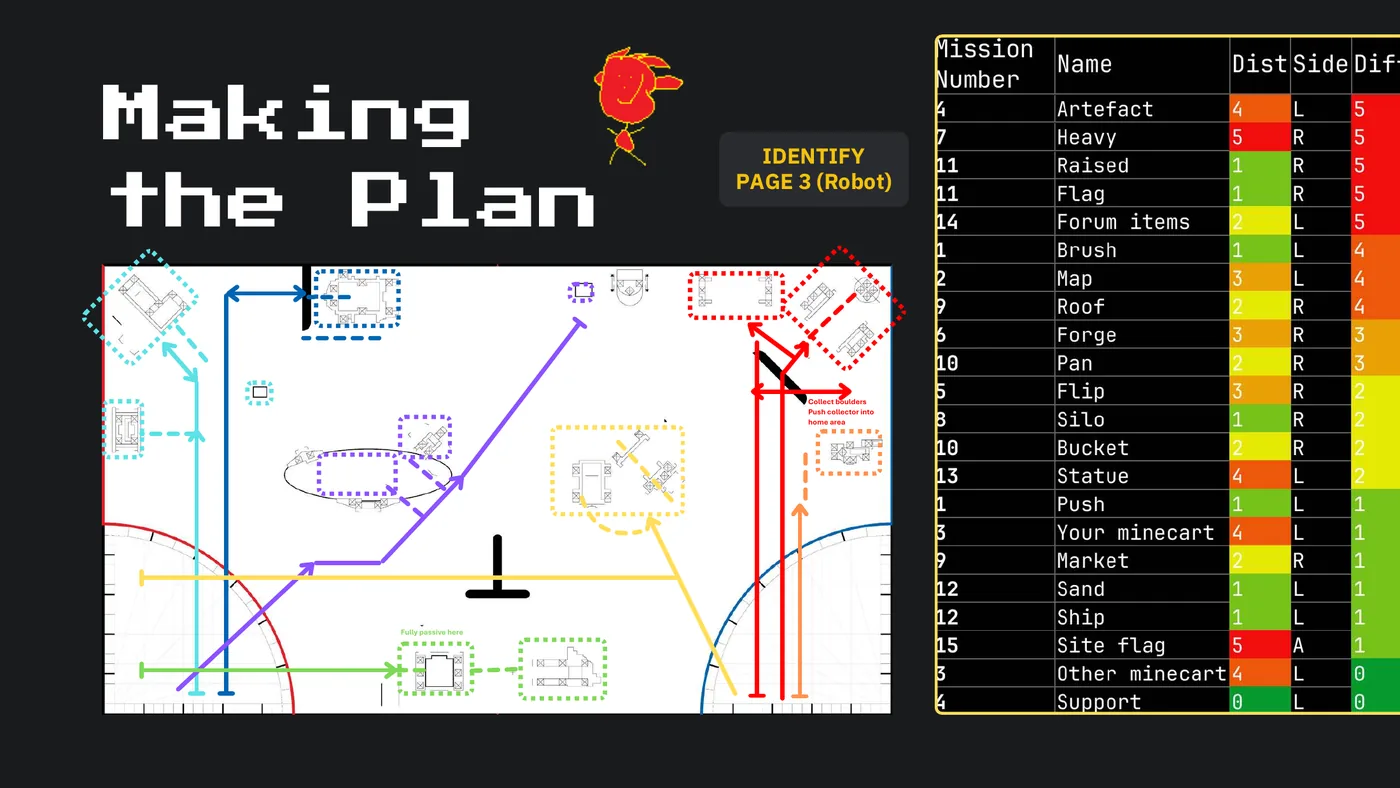
IDENTIFY Making IDENTIFY PAGE 2-4 (Robot) PAGE 3 (Robot) the Plan Collect boulders Push collector into home area Fully passive here
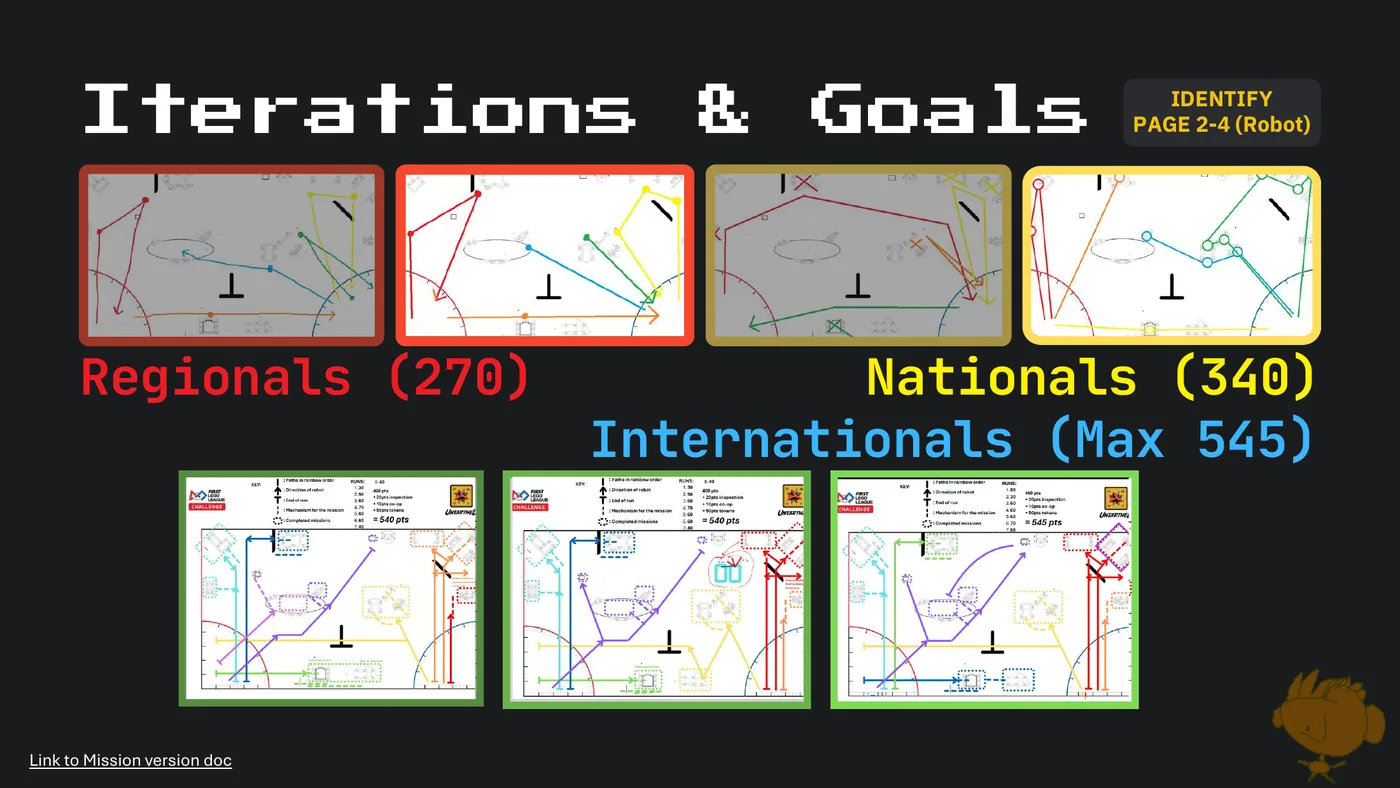
IDENTIFY Iterations & Goals PAGE 2-4 (Robot) Regionals (270) Nationals (340) Internationals (Max 545) Link to Mission version doc
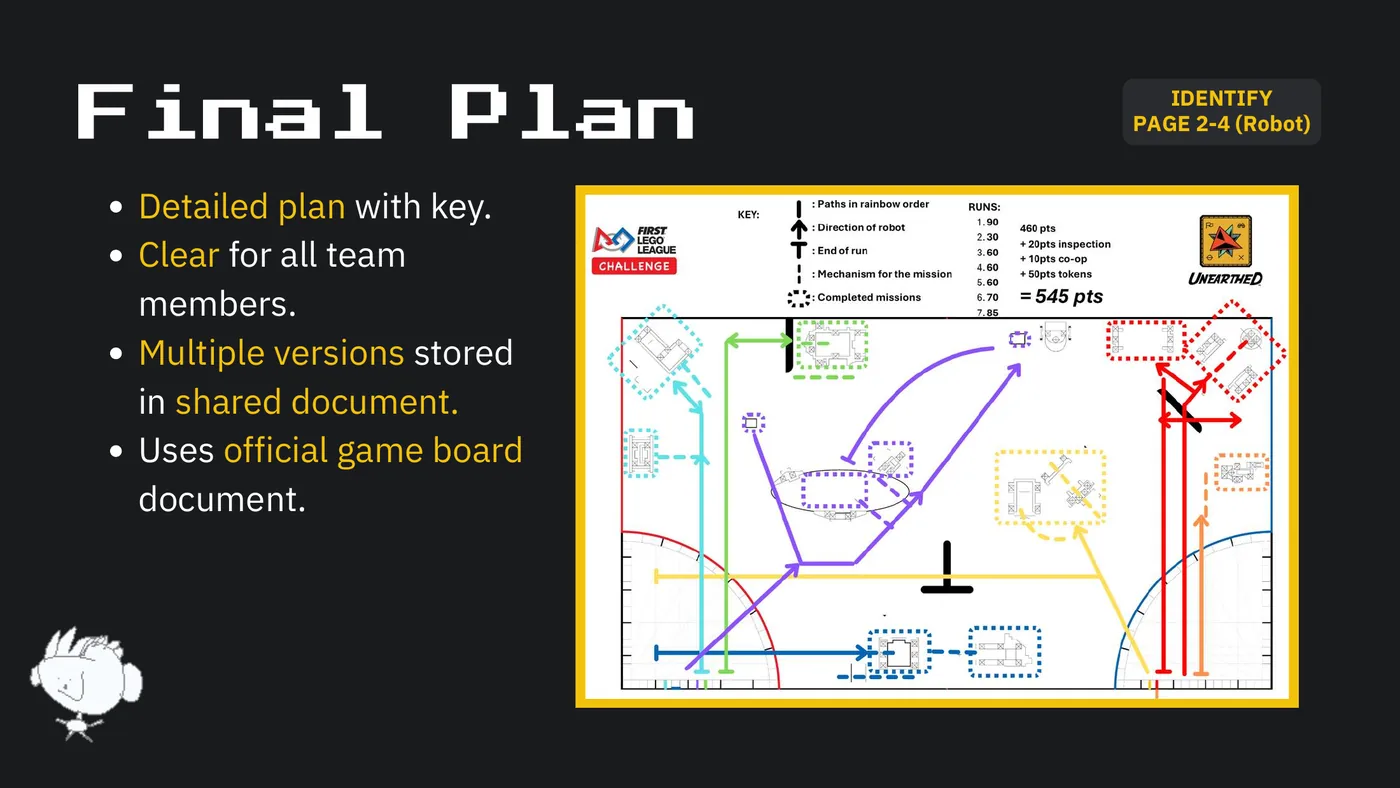
IDENTIFY Final Plan PAGE 2-4 (Robot) Detailed plan with key. Clear for all team members. Multiple versions stored in shared document. Uses official game board document.
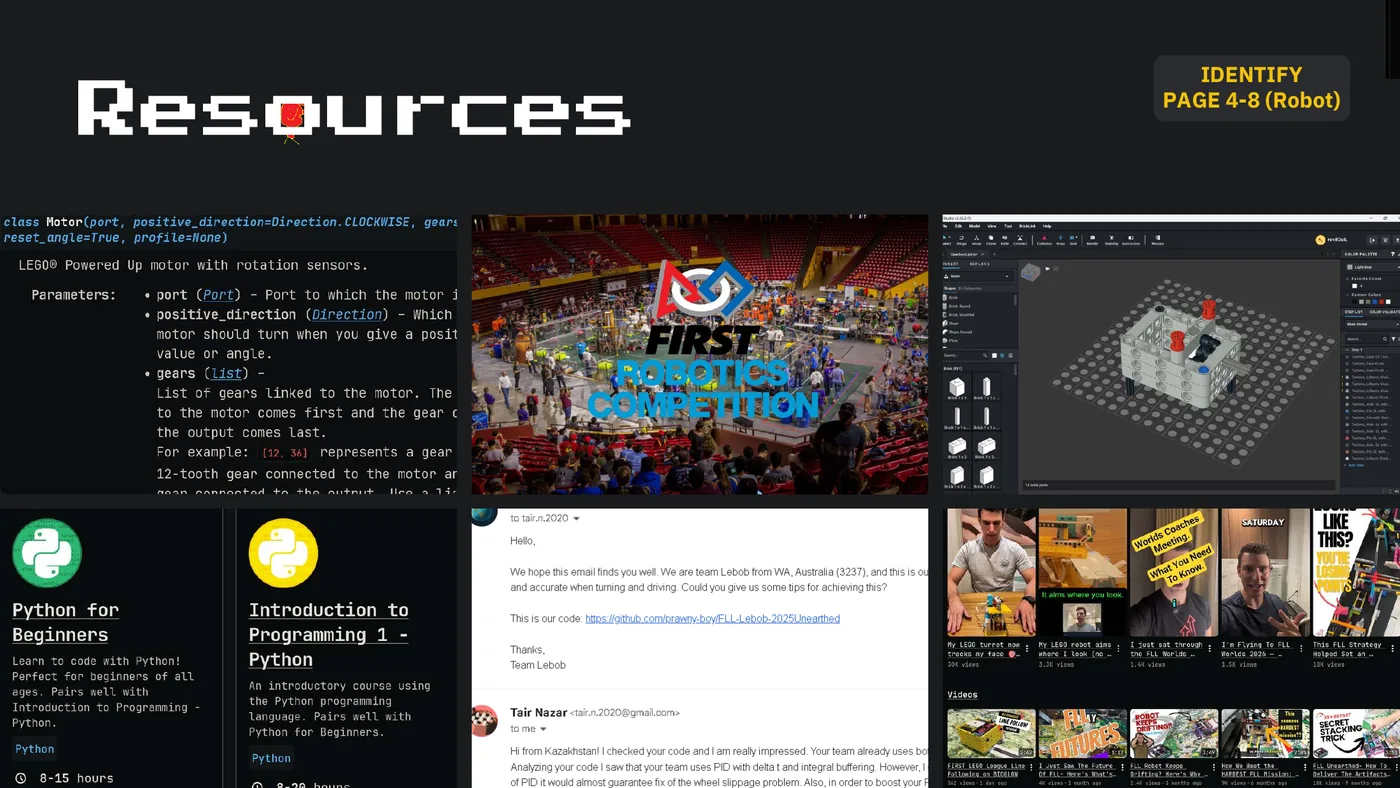
IDENTIFY Resources PAGE 4-8 (Robot)
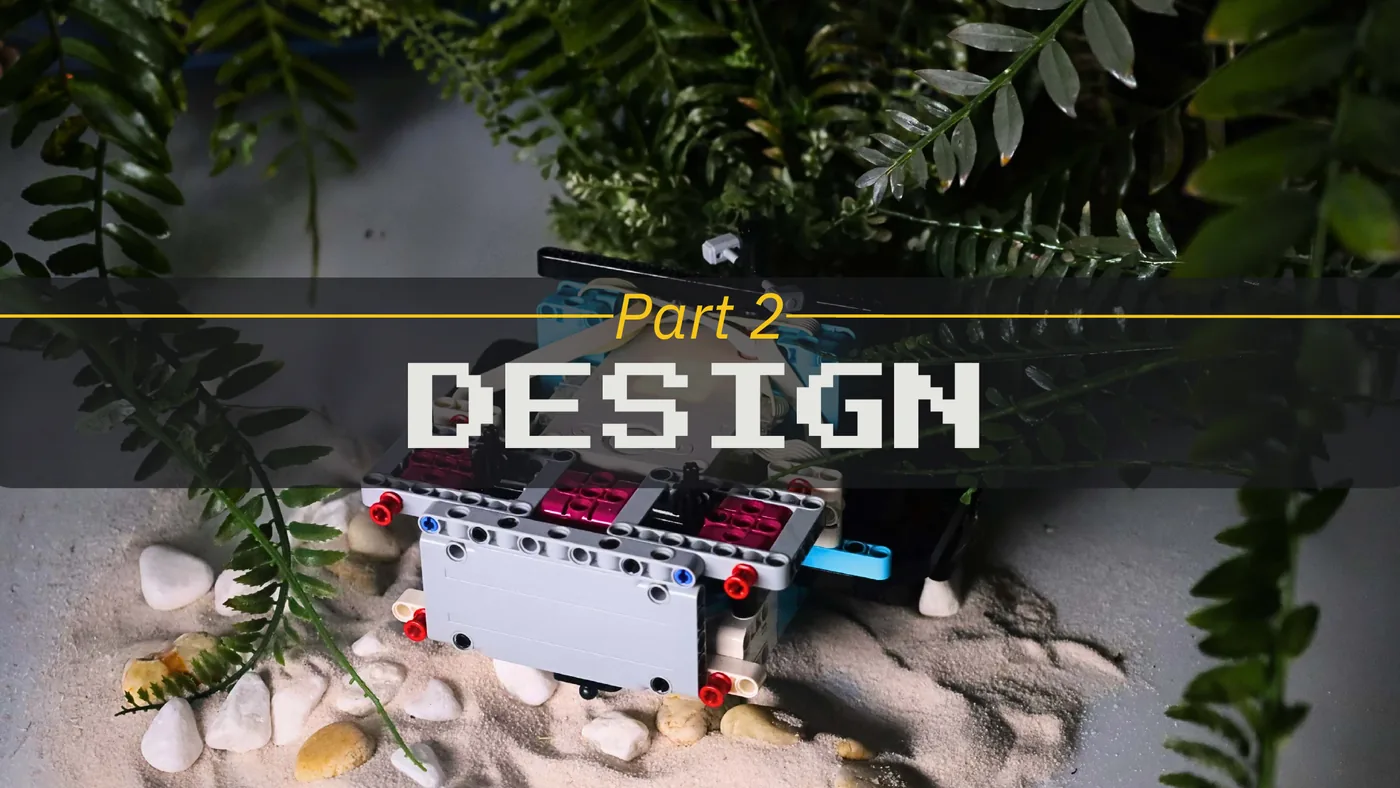
Part 2 DESIGN
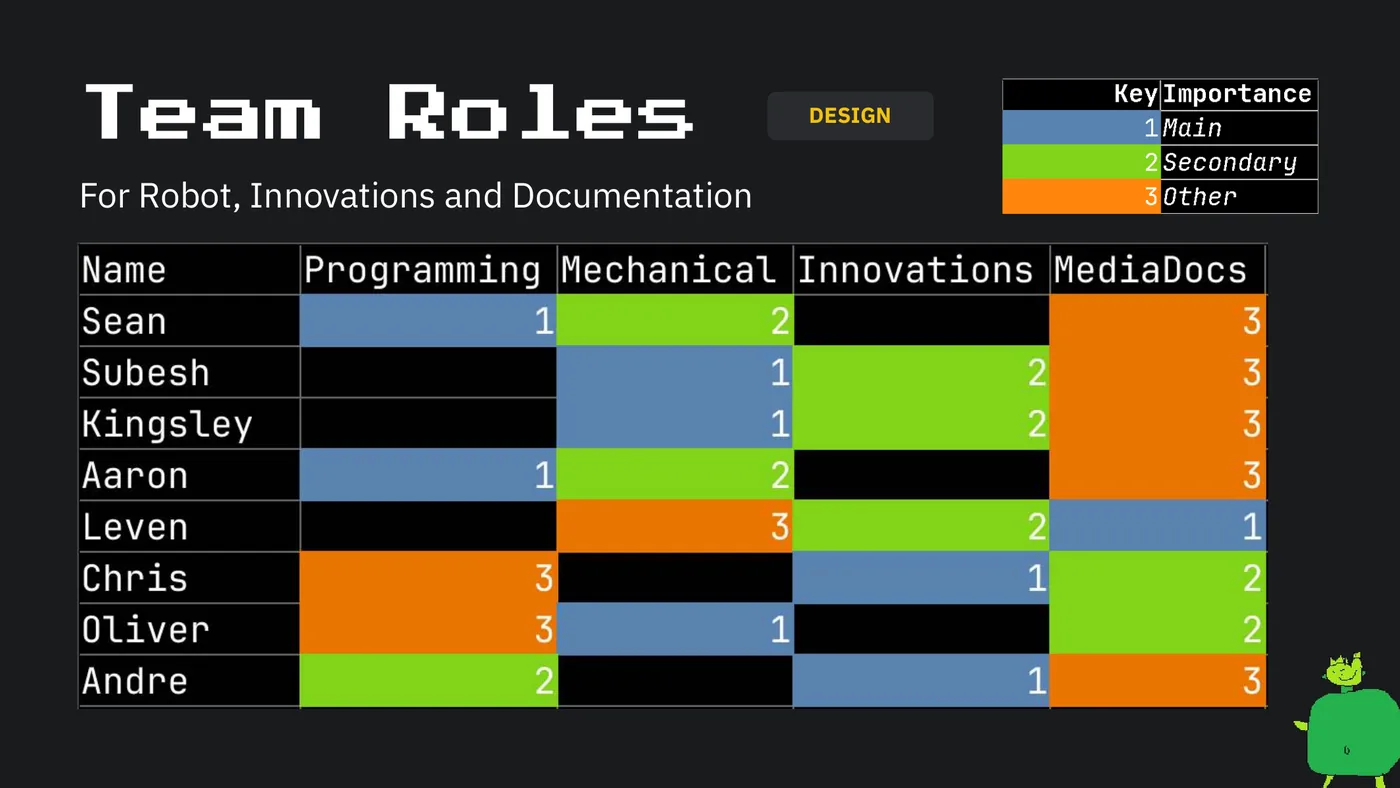
Team Roles DESIGN For Robot, Innovations and Documentation
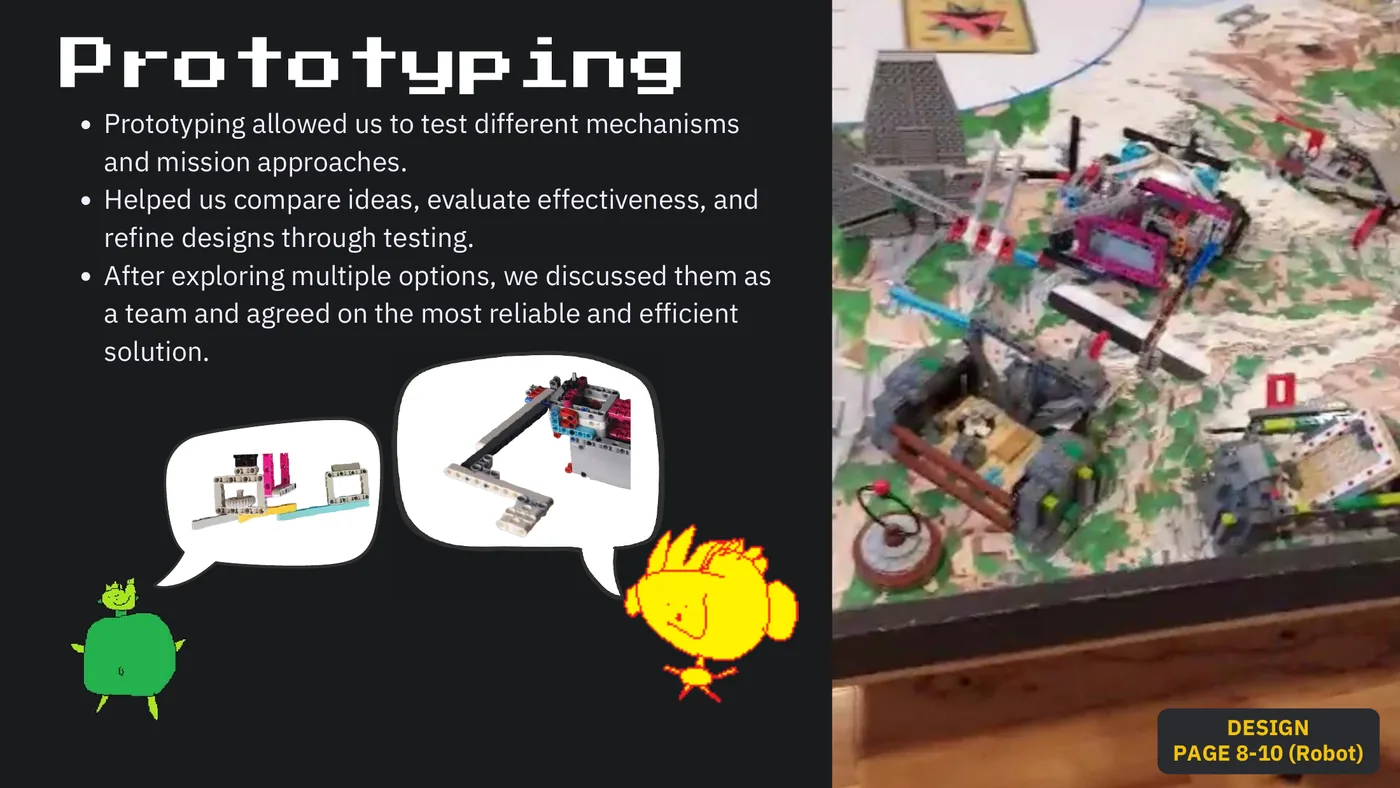
Prototyping Prototyping allowed us to test different mechanisms and mission approaches. Helped us compare ideas, evaluate effectiveness, and refine designs through testing. After exploring multiple options, we discussed them as a team and agreed on the most reliable and efficient solution. DESIGN PAGE 8-10 (Robot)
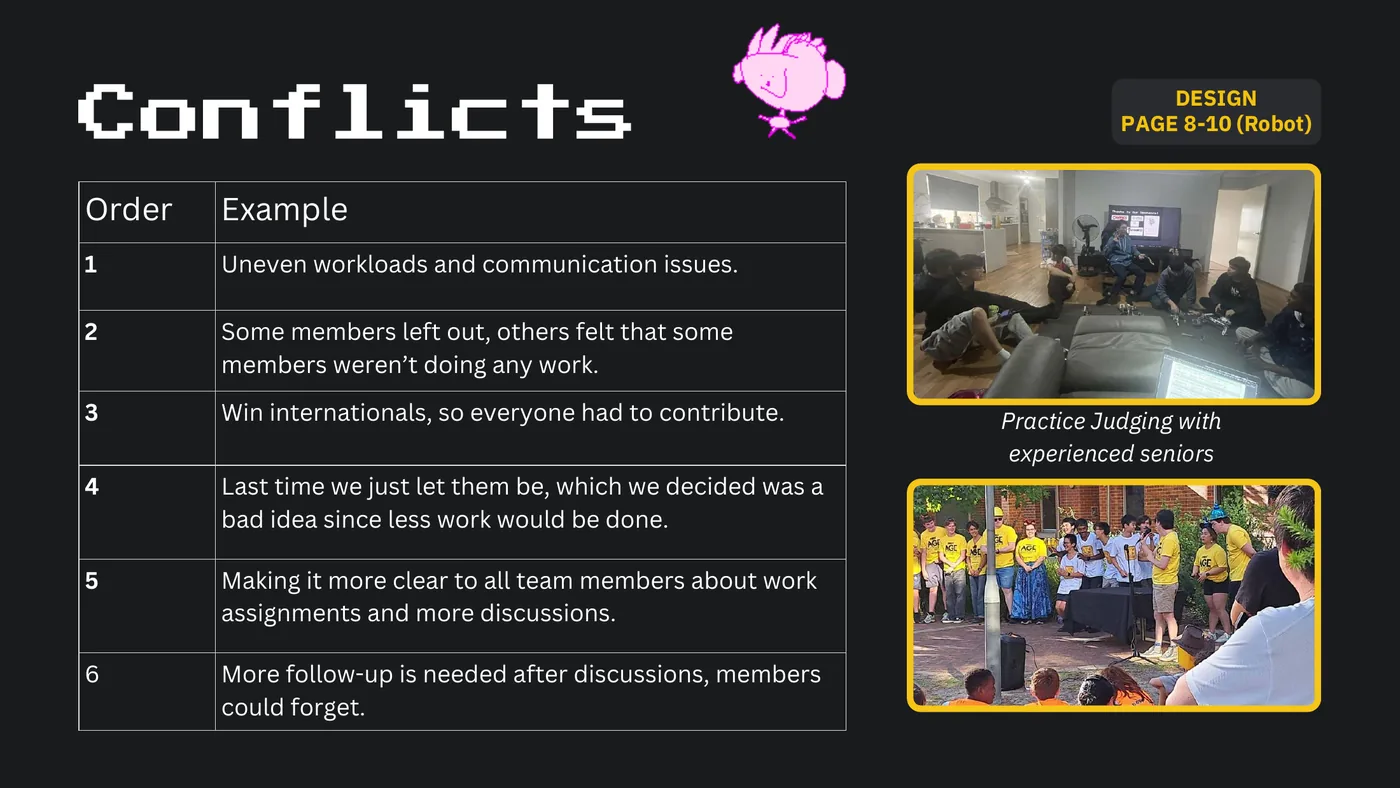
DESIGN Conflicts PAGE 8-10 (Robot) Order Example 1 Uneven workloads and communication issues. 2 Some members left out, others felt that some members weren’t doing any work. 3 Win internationals, so everyone had to contribute. Practice Judging with experienced seniors 4 Last time we just let them be, which we decided was a bad idea since less work would be done. 5 Making it more clear to all team members about work assignments and more discussions. 6 More follow-up is needed after discussions, members could forget.
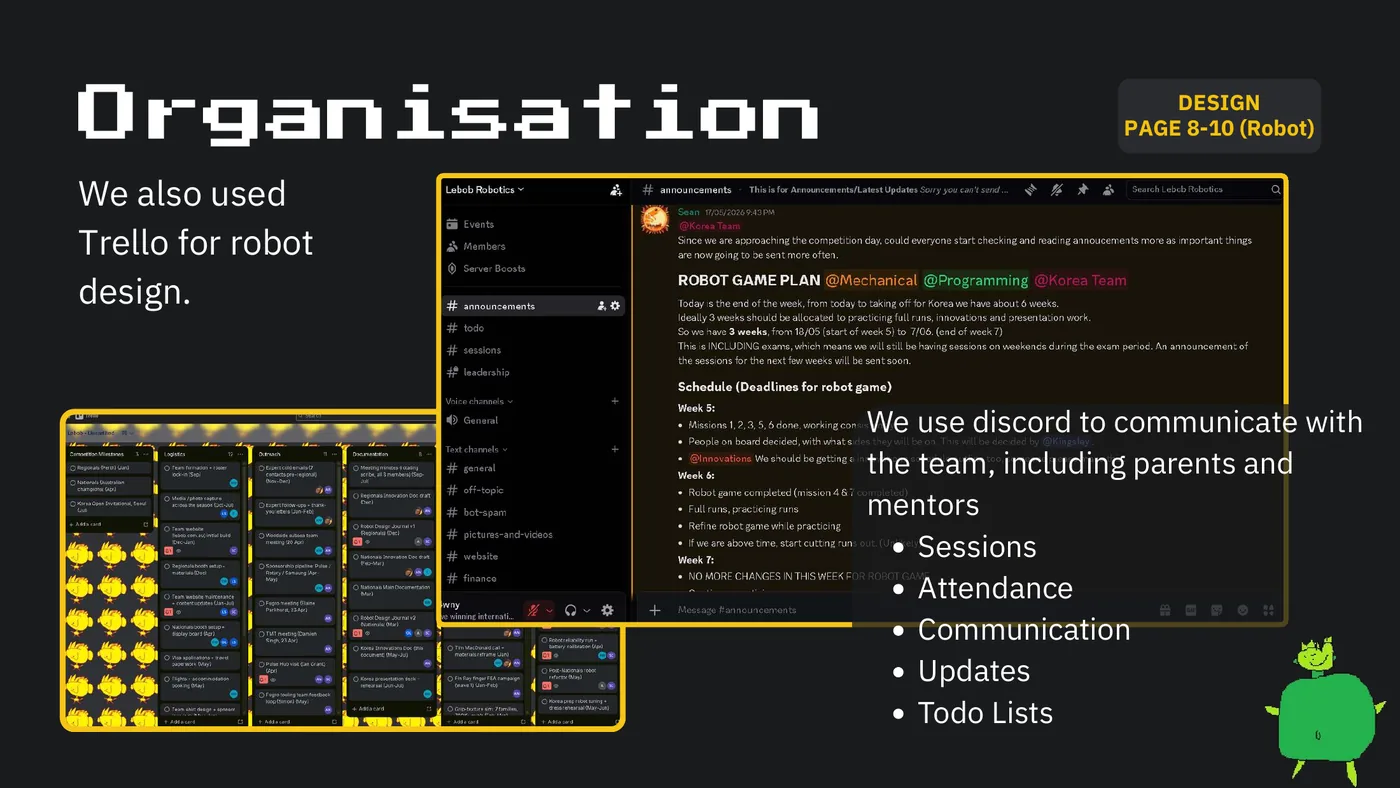
Organisation DESIGN PAGE 8-10 (Robot) We also used Trello for robot design. We use discord to communicate with the team, including parents and mentors Sessions Attendance Communication Updates Todo Lists
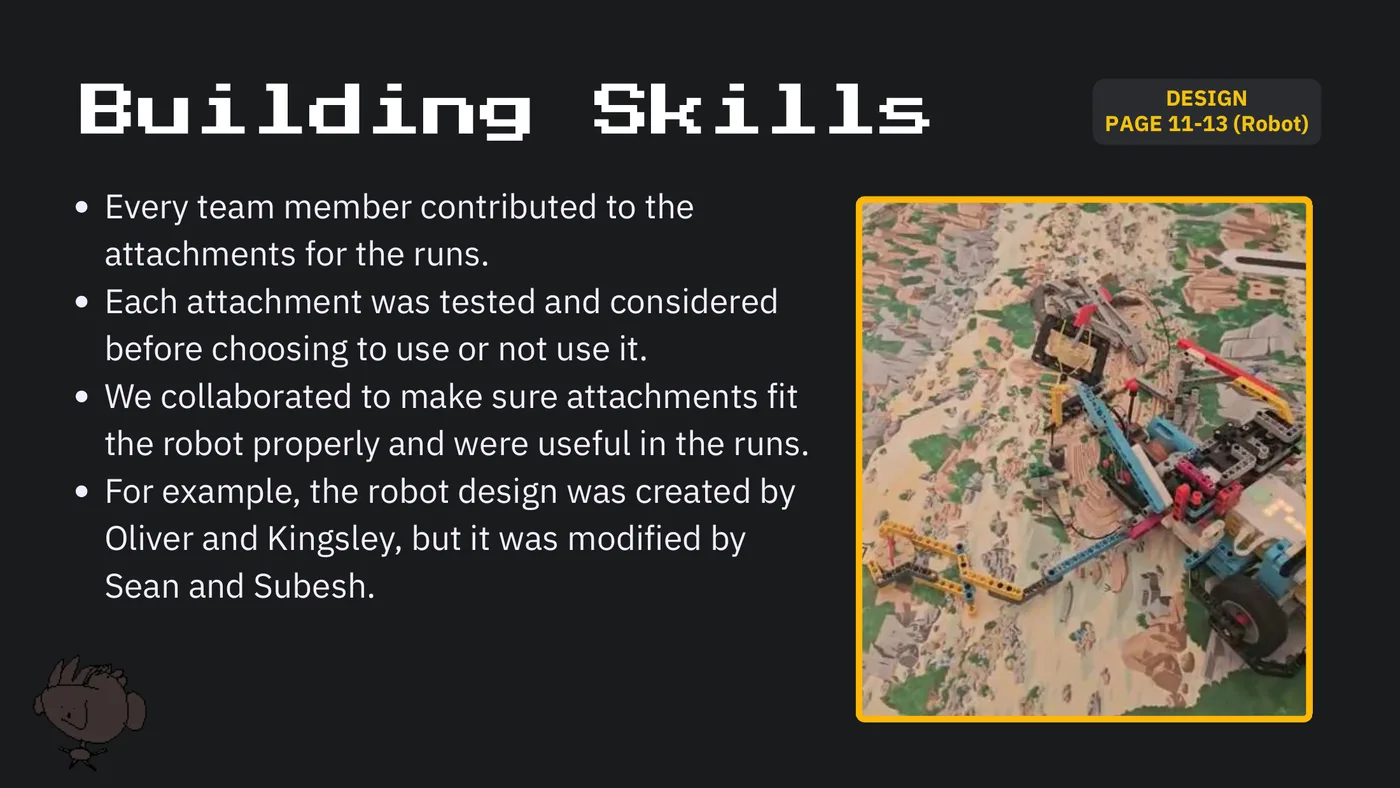
DESIGN Building Skills PAGE 11-13 (Robot) Every team member contributed to the attachments for the runs. Each attachment was tested and considered before choosing to use or not use it. We collaborated to make sure attachments fit the robot properly and were useful in the runs. For example, the robot design was created by Oliver and Kingsley, but it was modified by Sean and Subesh.
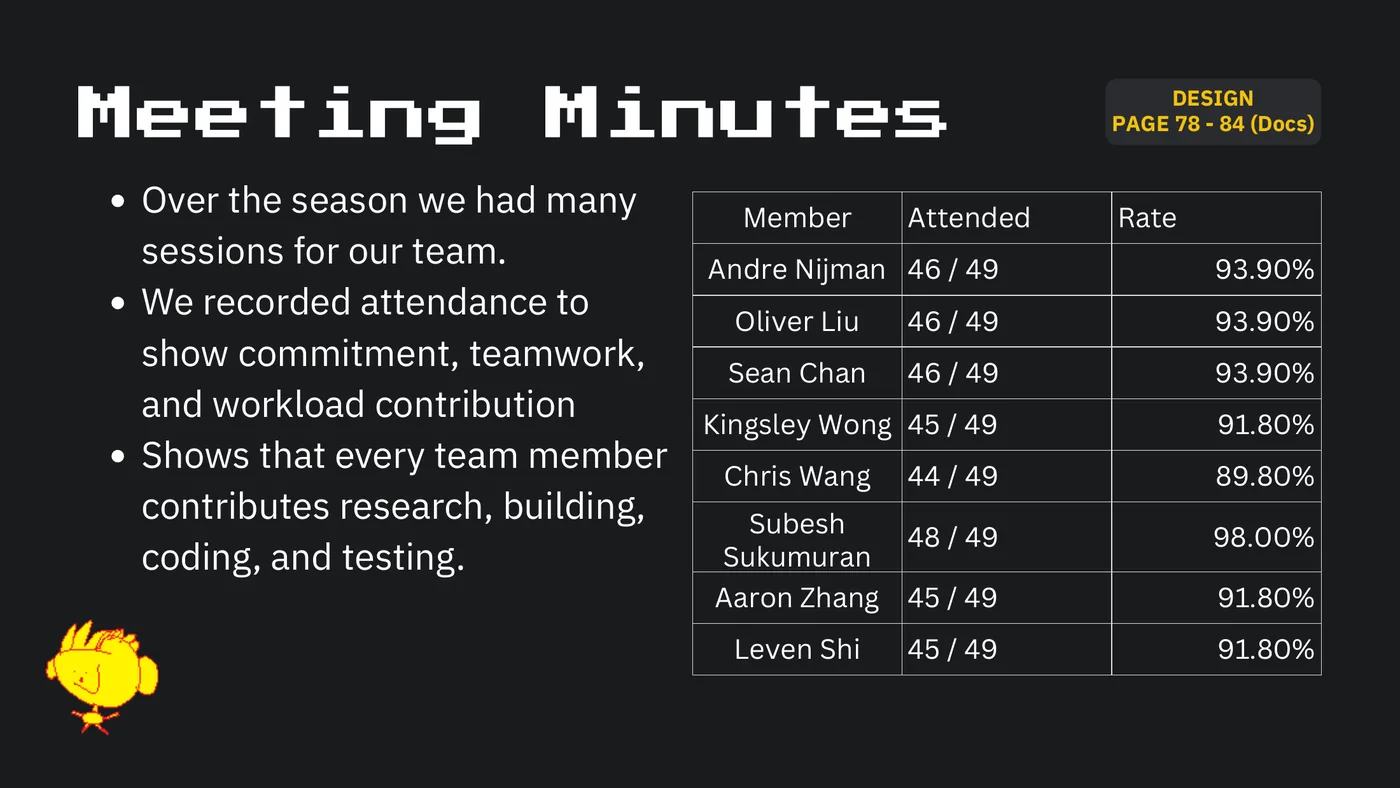
DESIGN Meeting Minutes PAGE 78 - 84 (Docs) Over the season we had many Member Attended Rate sessions for our team. Andre Nijman 46 / 49 93.90% We recorded attendance to Oliver Liu 46 / 49 93.90% show commitment, teamwork, Sean Chan 46 / 49 93.90% and workload contribution Kingsley Wong 45 / 49 91.80% Shows that every team member Chris Wang 44 / 49 89.80% contributes research, building, Subesh 48 / 49 98.00% coding, and testing. Sukumuran Aaron Zhang 45 / 49 91.80% Leven Shi 45 / 49 91.80%
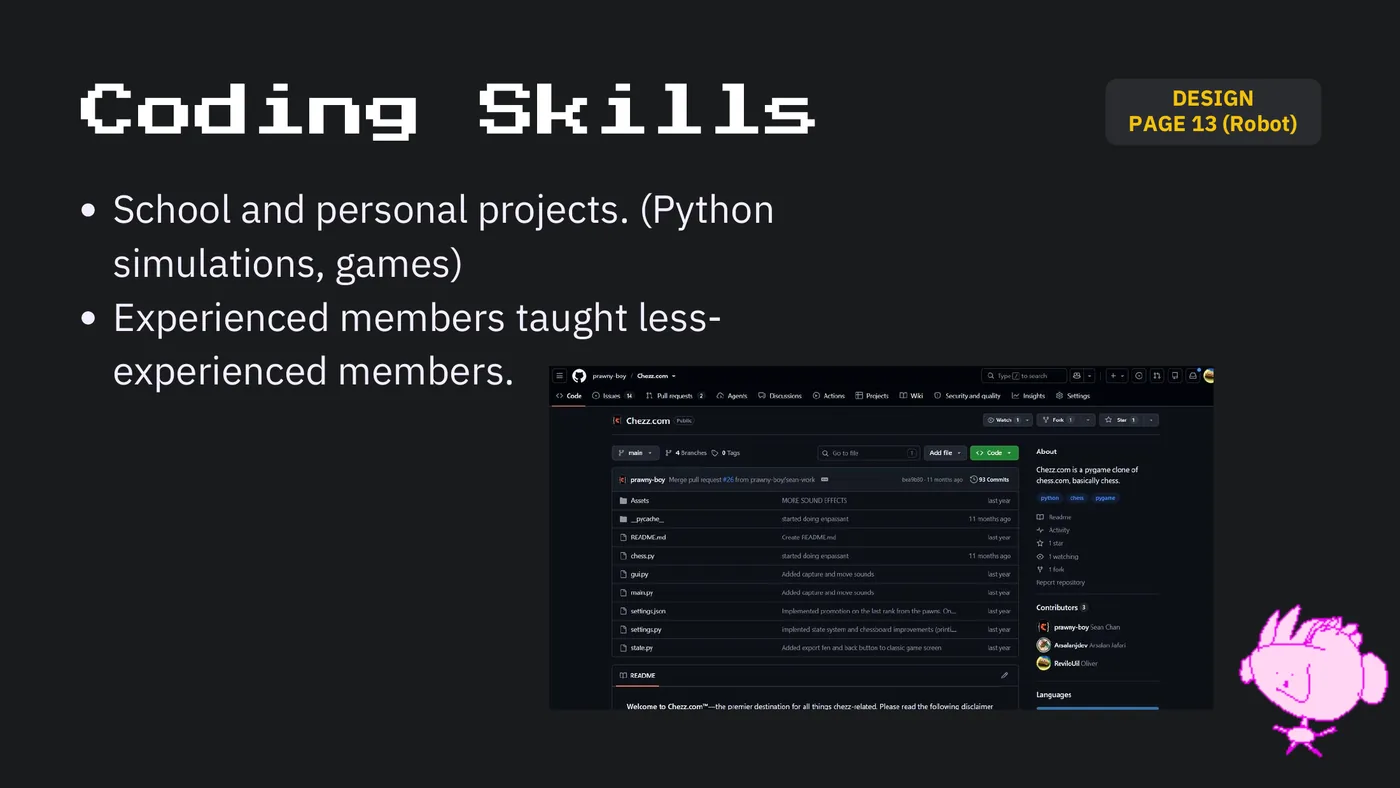
DESIGN Coding Skills PAGE 13 (Robot) School and personal projects. (Python simulations, games) Experienced members taught less- experienced members.
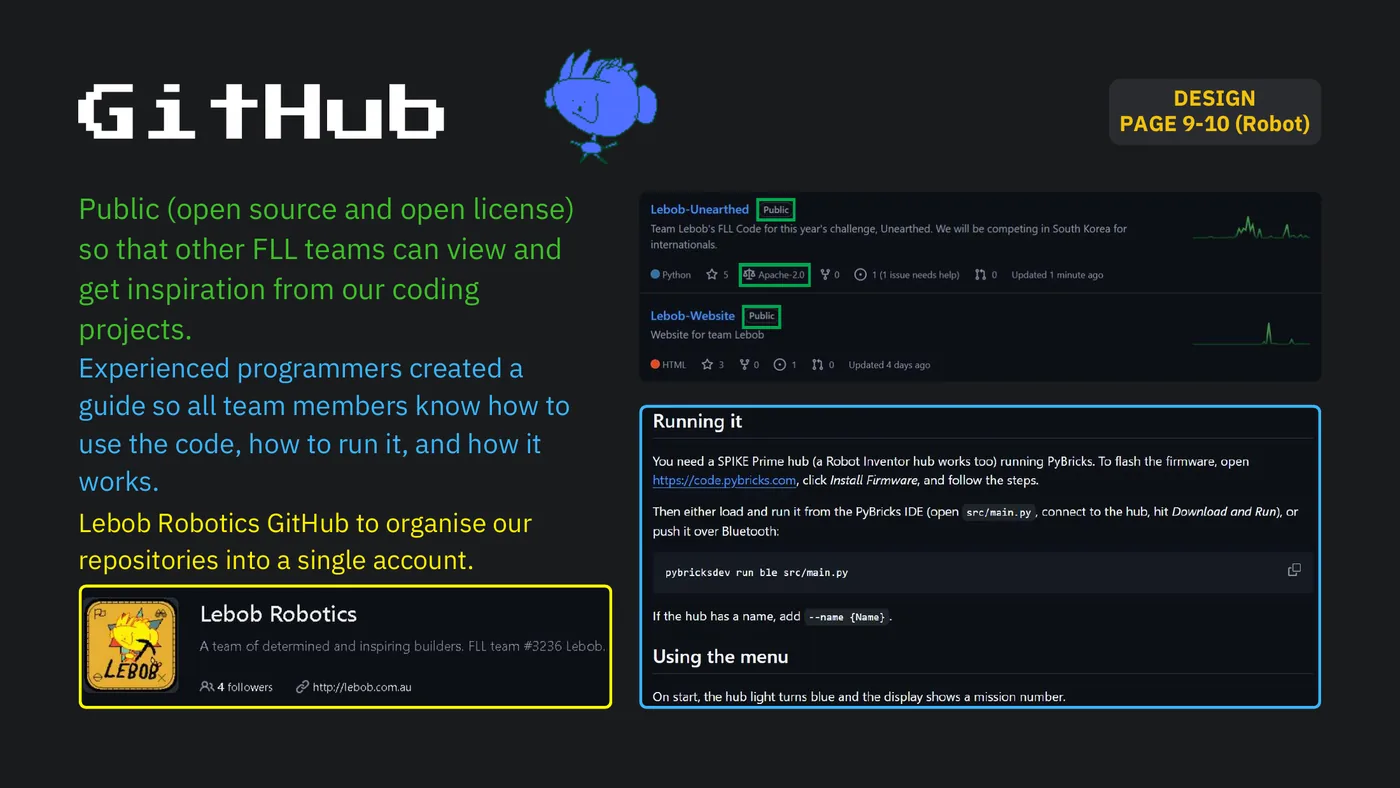
DESIGN GitHub PAGE 9-10 (Robot) Public (open source and open license) so that other FLL teams can view and get inspiration from our coding projects. Experienced programmers created a guide so all team members know how to use the code, how to run it, and how it works. Lebob Robotics GitHub to organise our repositories into a single account.
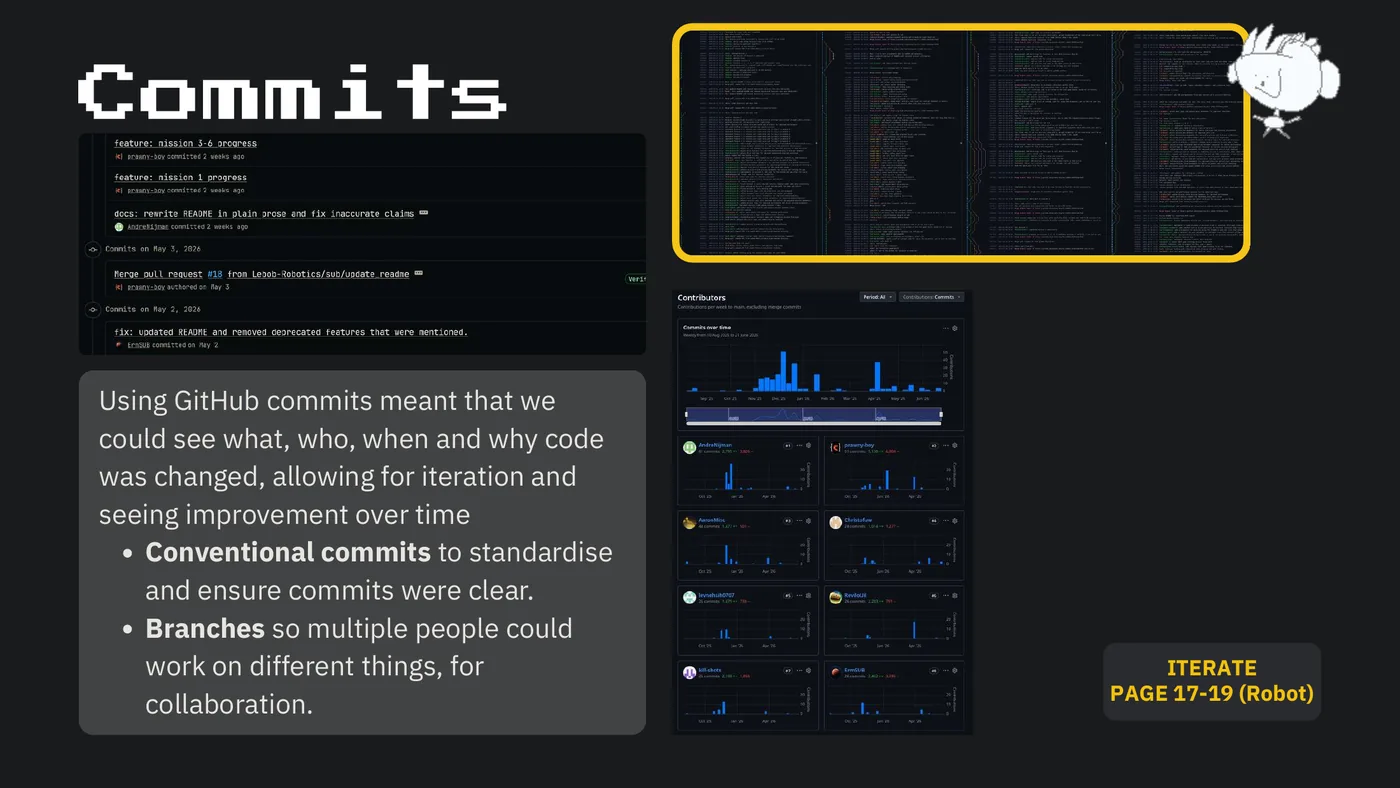
Commits Using GitHub commits meant that we could see what, who, when and why code was changed, allowing for iteration and seeing improvement over time Conventional commits to standardise and ensure commits were clear. Branches so multiple people could work on different things, for ITERATE PAGE 17-19 (Robot) collaboration.
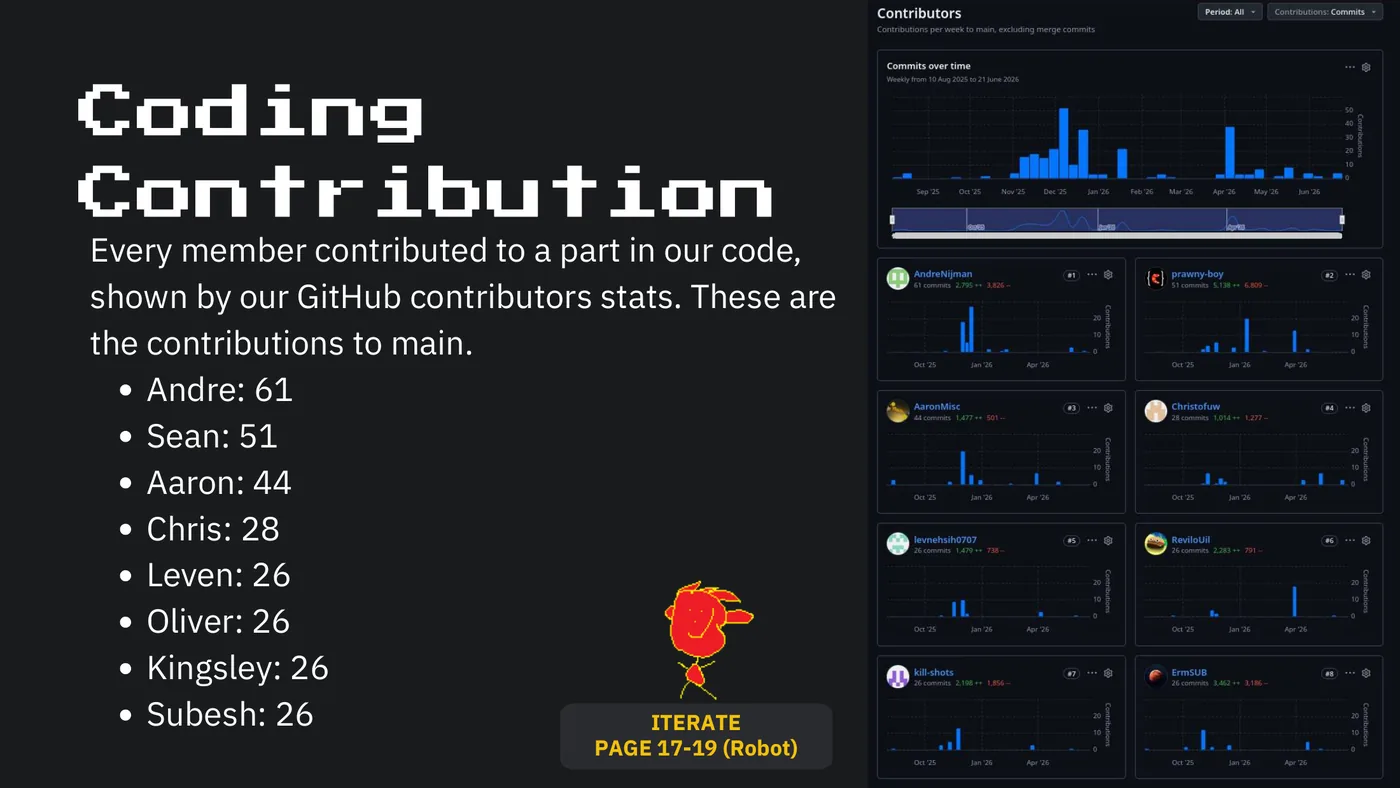
Coding Contribution Every member contributed to a part in our code, shown by our GitHub contributors stats. These are the contributions to main. Andre: 61 Sean: 51 Aaron: 44 Chris: 28 Leven: 26 Oliver: 26 Kingsley: 26 Subesh: 26 ITERATE PAGE 17-19 (Robot)
Part 3 CREATE
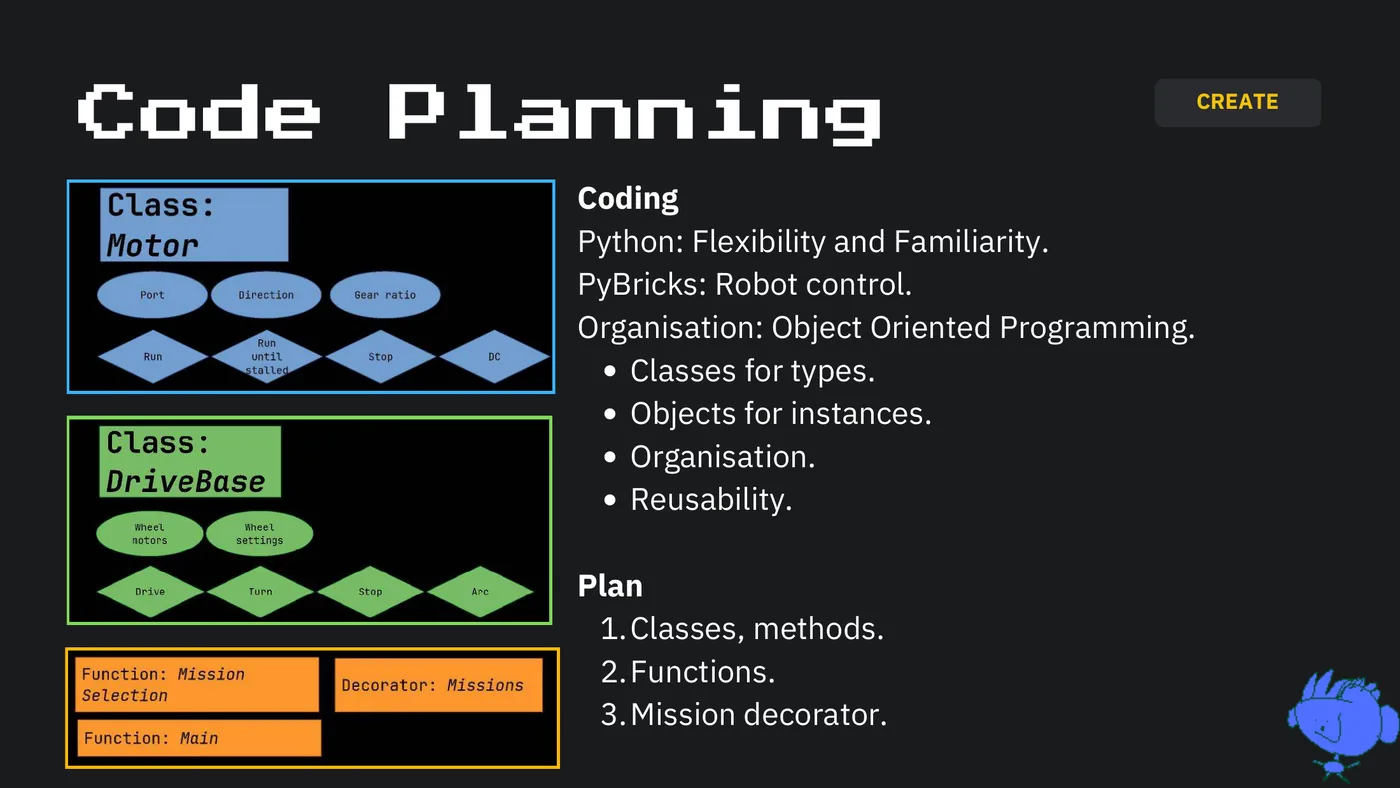
CREATE Code Planning Coding Python: Flexibility and Familiarity. PyBricks: Robot control. Organisation: Object Oriented Programming. Classes for types. Objects for instances. Organisation. Reusability. Plan 1. Classes, methods. 2. Functions. 3. Mission decorator.
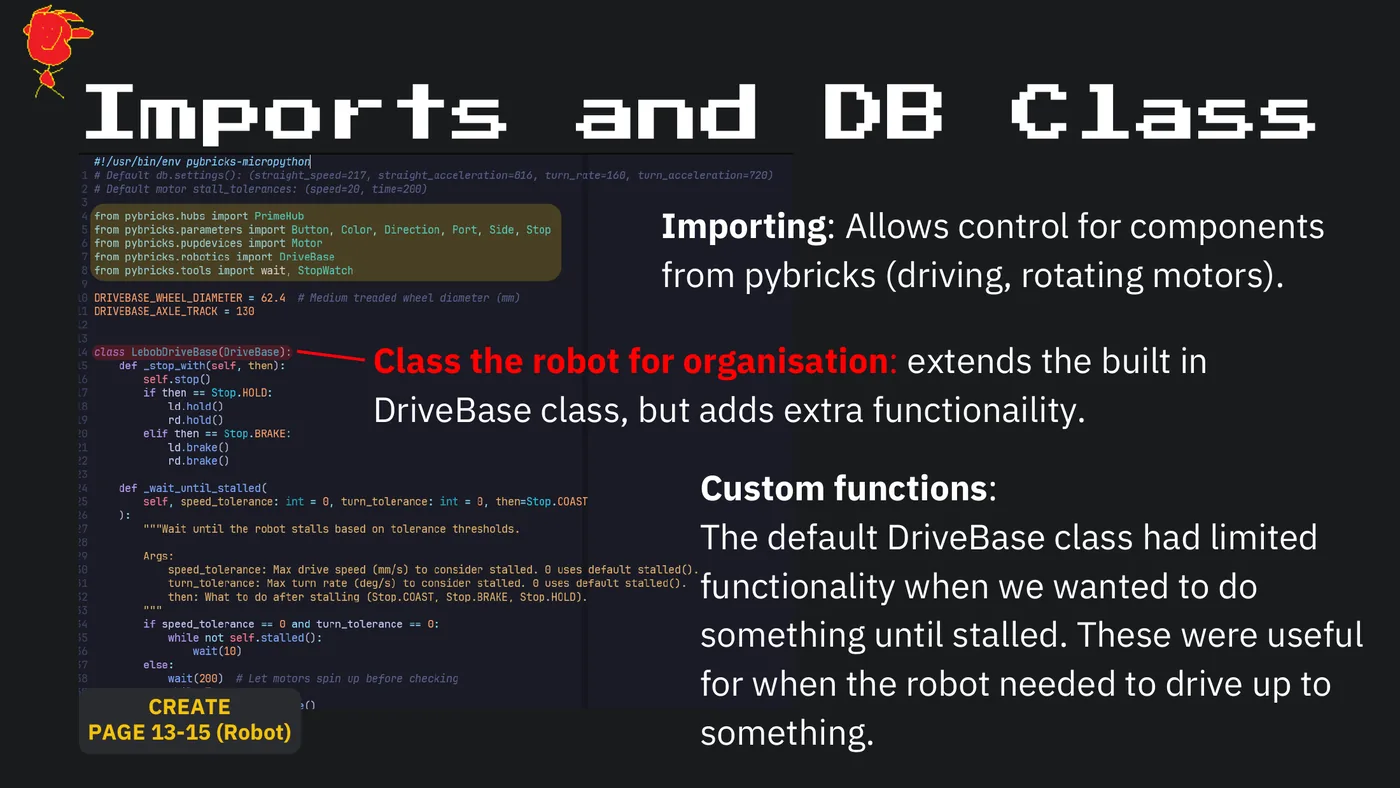
Imports and DB Class Importing: Allows control for components from pybricks (driving, rotating motors). Class the robot for organisation: extends the built in DriveBase class, but adds extra functionaility. Custom functions: The default DriveBase class had limited functionality when we wanted to do something until stalled. These were useful for when the robot needed to drive up to CREATE PAGE 13-15 (Robot) something.
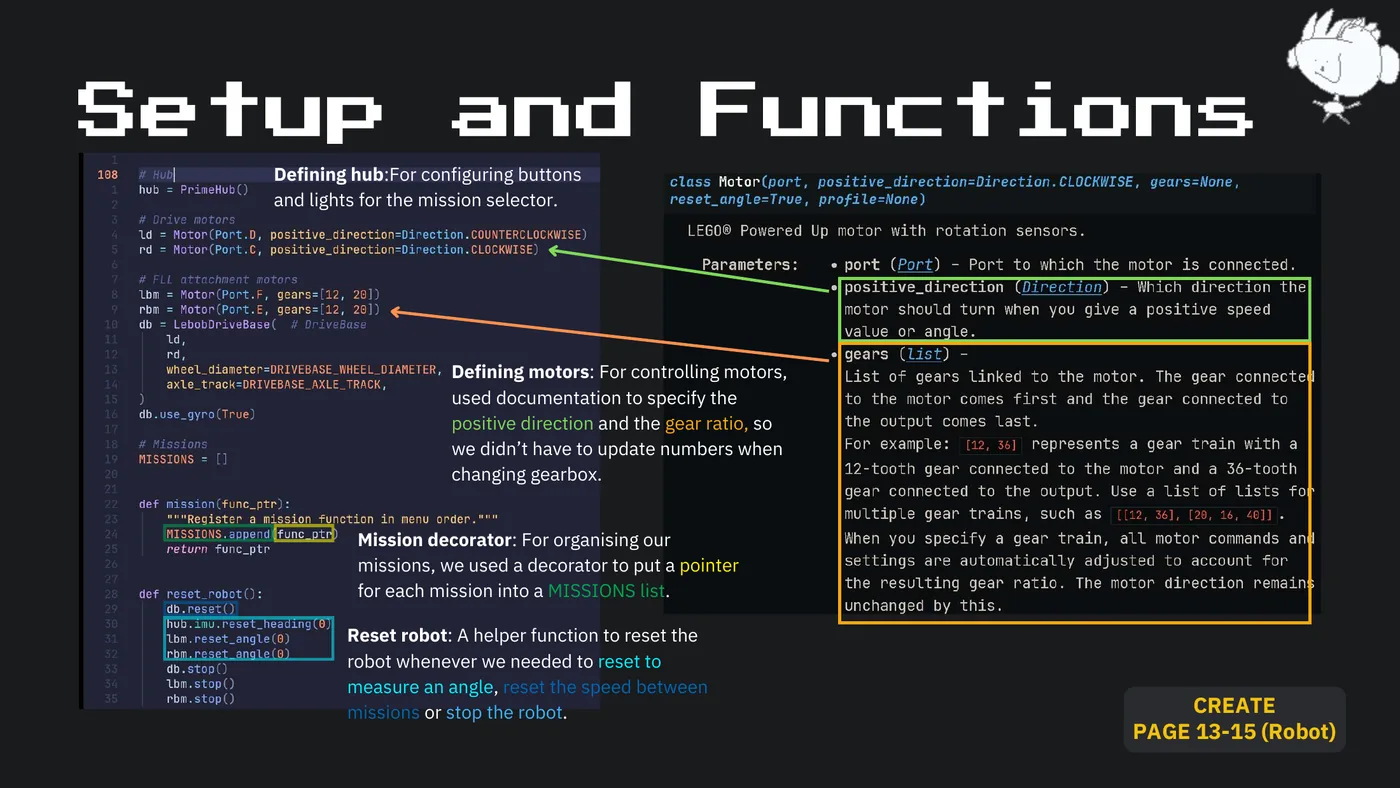
Setup and Functions Defining hub:For configuring buttons and lights for the mission selector. Defining motors: For controlling motors, used documentation to specify the positive direction and the gear ratio, so we didn’t have to update numbers when changing gearbox. Mission decorator: For organising our missions, we used a decorator to put a pointer for each mission into a MISSIONS list. Reset robot: A helper function to reset the robot whenever we needed to reset to measure an angle, reset the speed between missions or stop the robot. CREATE PAGE 13-15 (Robot)
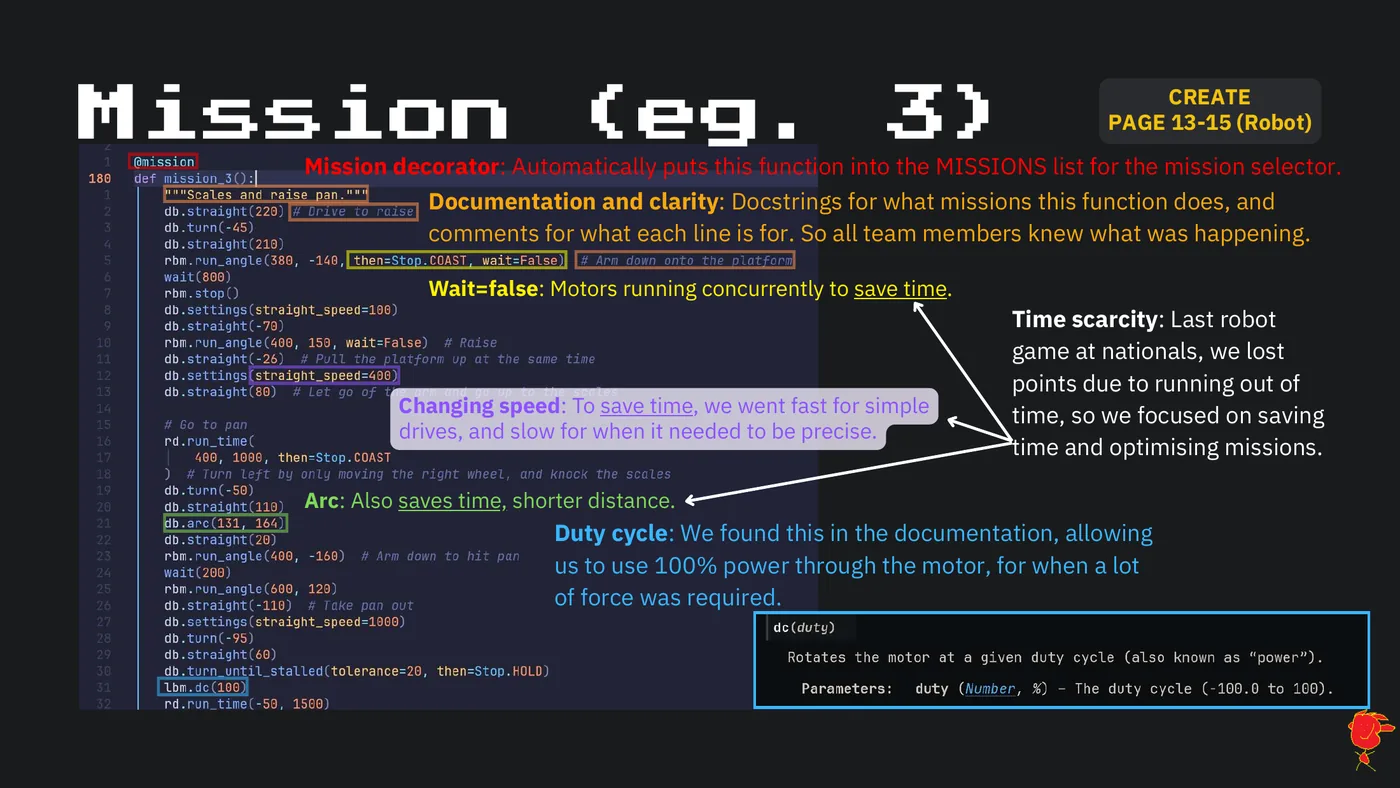
CREATE Mission (eg. 3) PAGE 13-15 (Robot) Mission decorator: Automatically puts this function into the MISSIONS list for the mission selector. Documentation and clarity: Docstrings for what missions this function does, and comments for what each line is for. So all team members knew what was happening. Wait=false: Motors running concurrently to save time. Time scarcity: Last robot game at nationals, we lost points due to running out of Changing speed: To save time, we went fast for simple time, so we focused on saving drives, and slow for when it needed to be precise. time and optimising missions. Arc: Also saves time, shorter distance. Duty cycle: We found this in the documentation, allowing us to use 100% power through the motor, for when a lot of force was required.
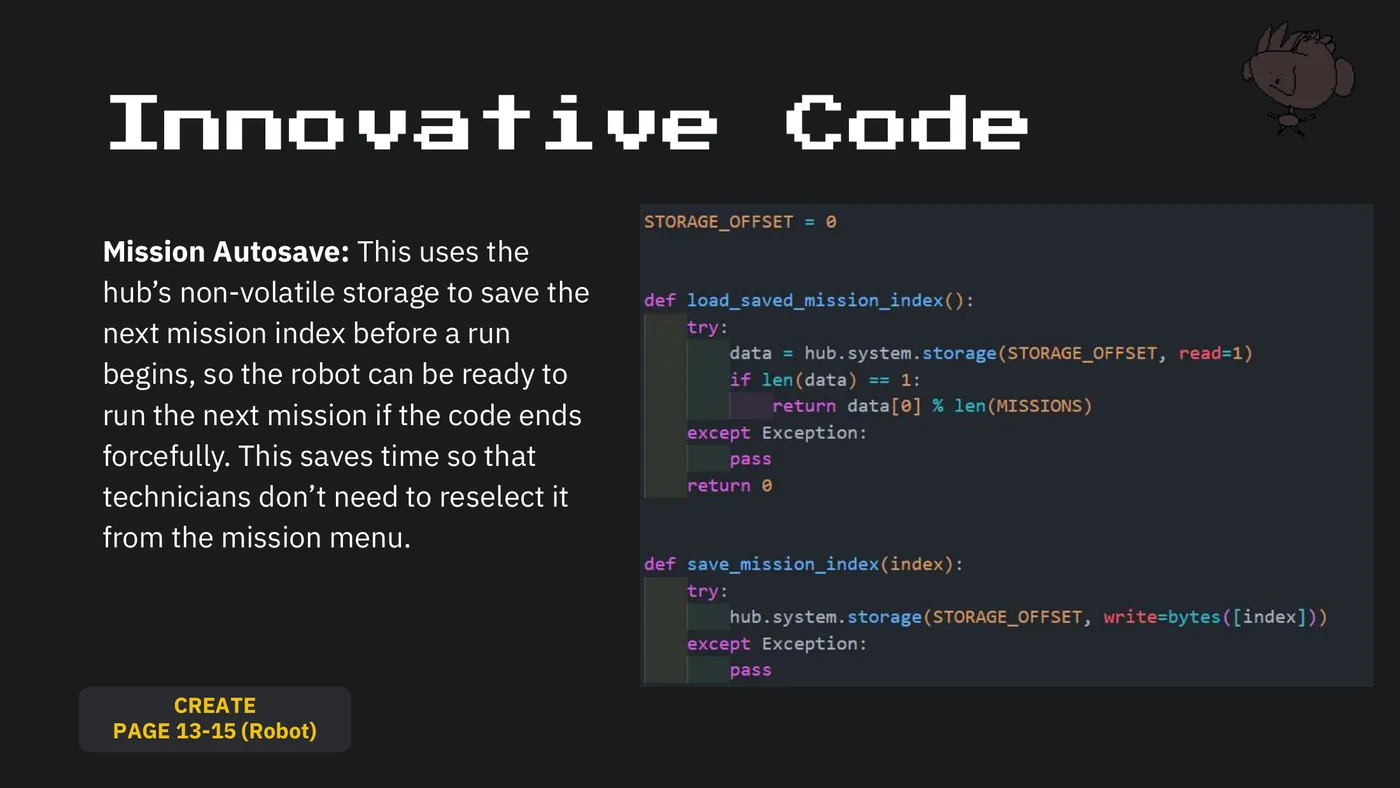
Innovative Code Mission Autosave: This uses the hub’s non-volatile storage to save the next mission index before a run begins, so the robot can be ready to run the next mission if the code ends forcefully. This saves time so that technicians don’t need to reselect it from the mission menu. CREATE PAGE 13-15 (Robot)
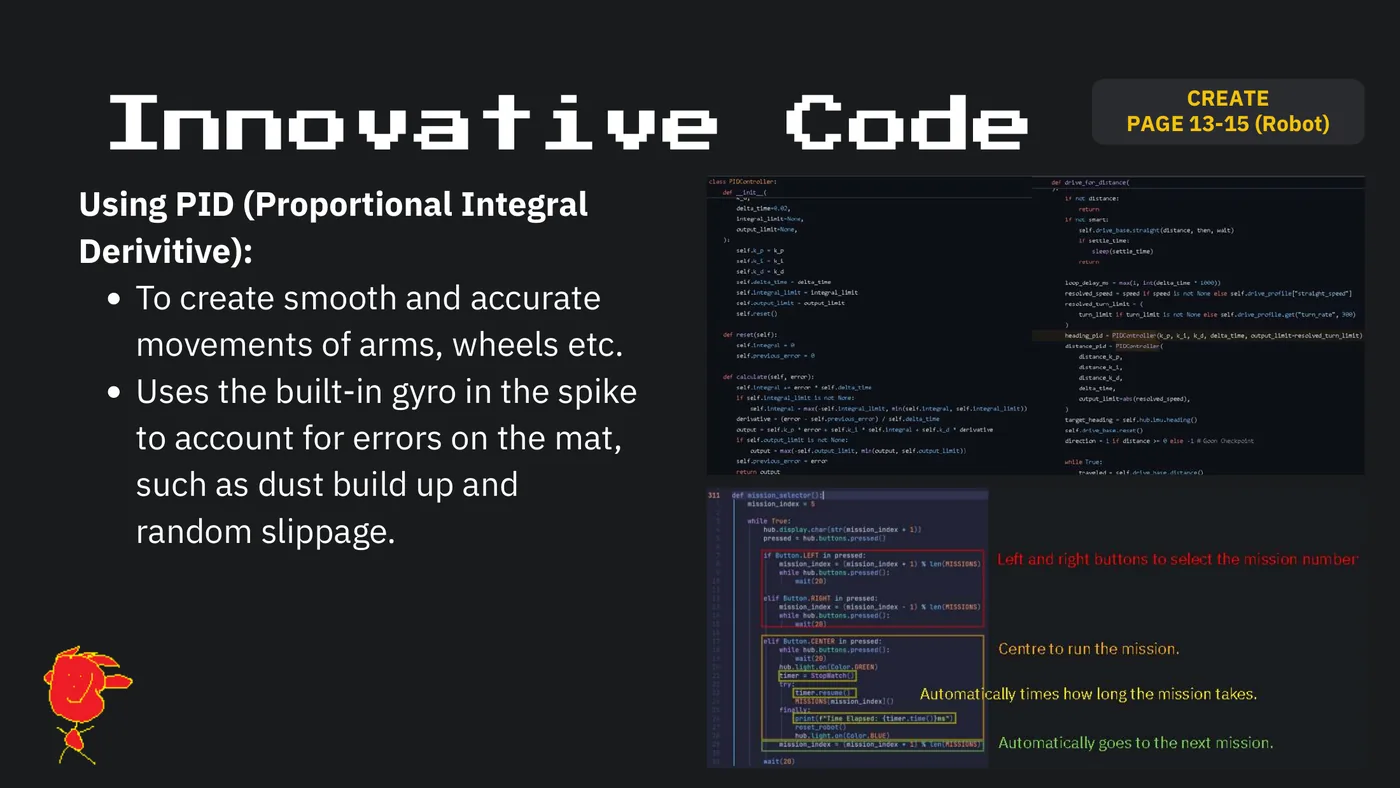
CREATE Innovative Code PAGE 13-15 (Robot) Using PID (Proportional Integral Derivitive): To create smooth and accurate movements of arms, wheels etc. Uses the built-in gyro in the spike to account for errors on the mat, such as dust build up and random slippage.
CREATE Engineering PAGE 11 (Robot) Principles For each attachment we based each of them on 3 engineering principles: Simplicity Efficiency Reliability
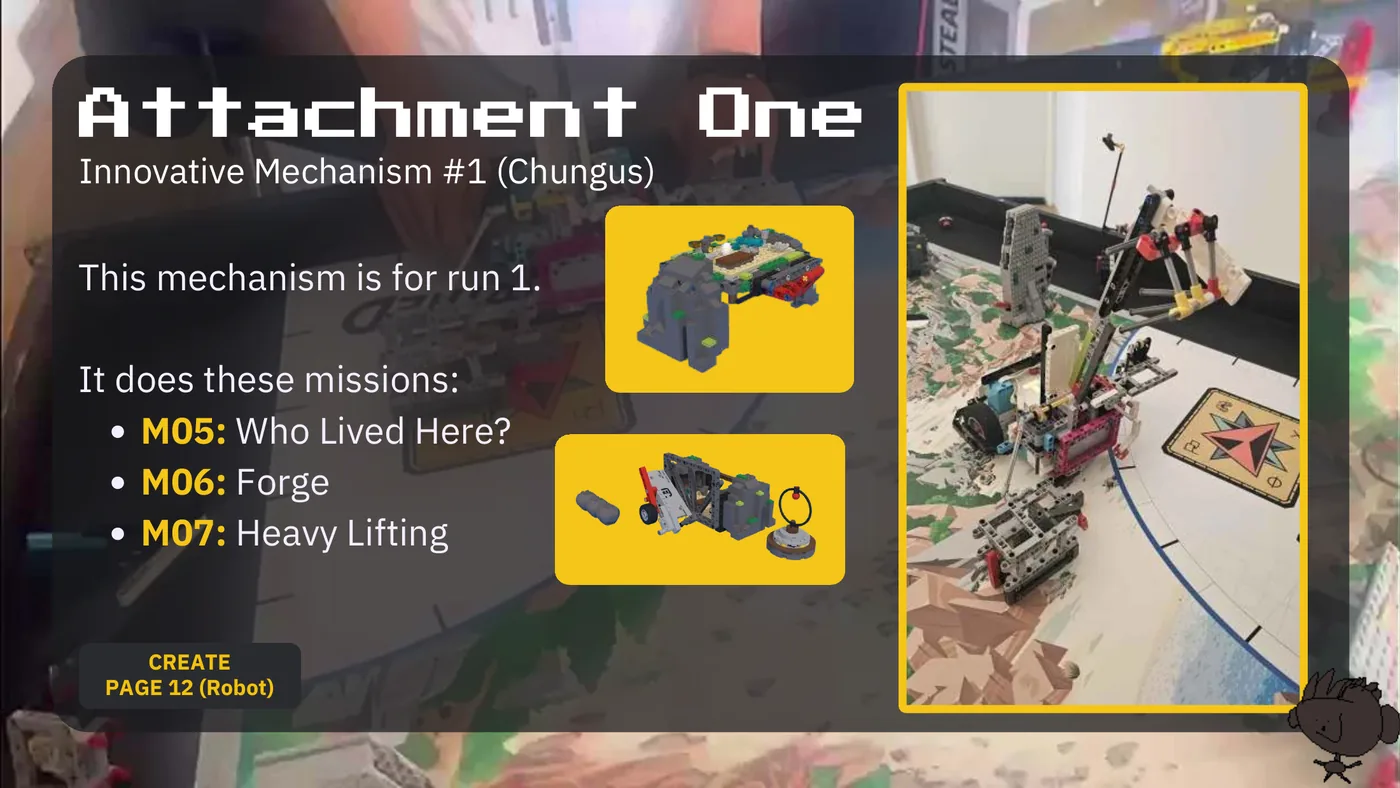
Attachment One Innovative Mechanism #1 (Chungus) This mechanism is for run 1. It does these missions: M05: Who Lived Here? M06: Forge M07: Heavy Lifting CREATE PAGE 12 (Robot)
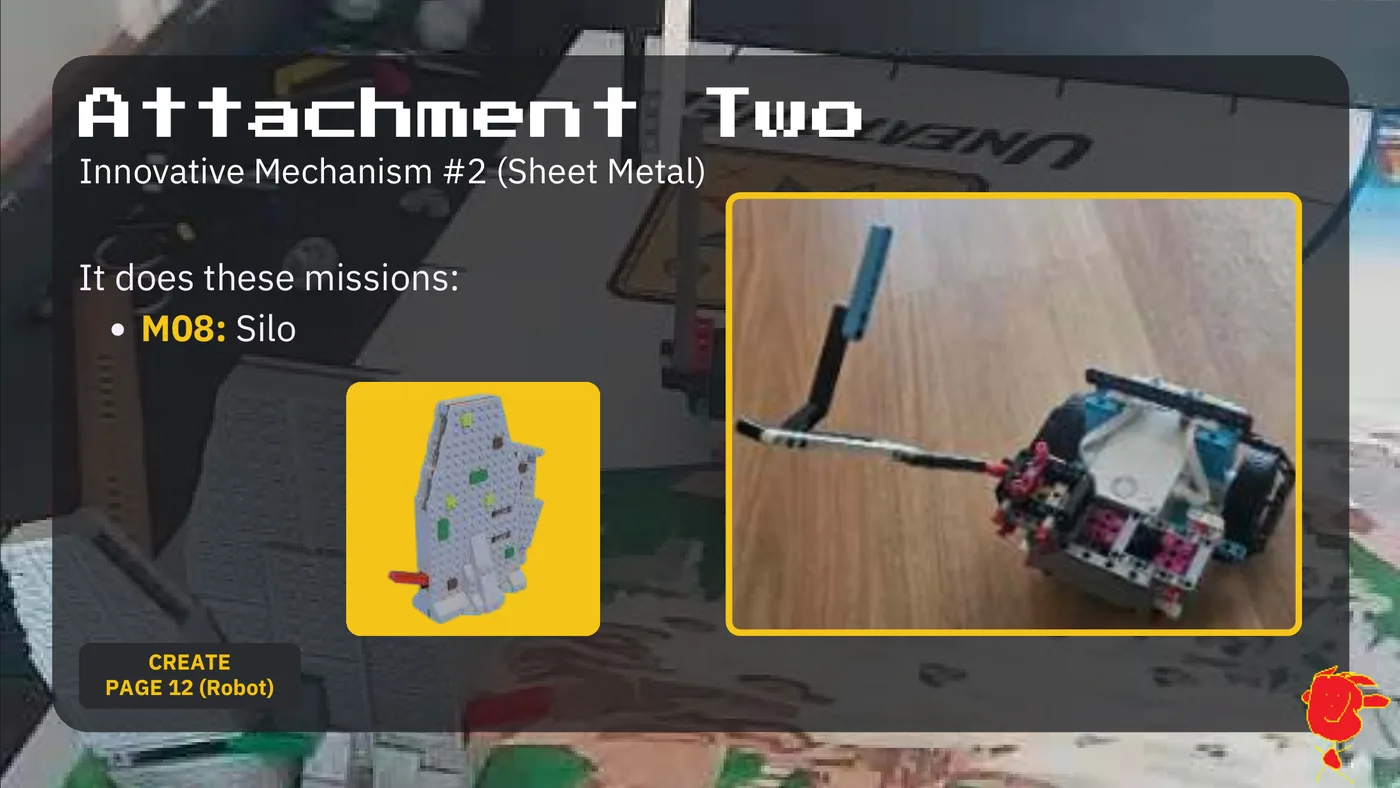
Attachment Two Innovative Mechanism #2 (Sheet Metal) It does these missions: M08: Silo CREATE PAGE 12 (Robot)
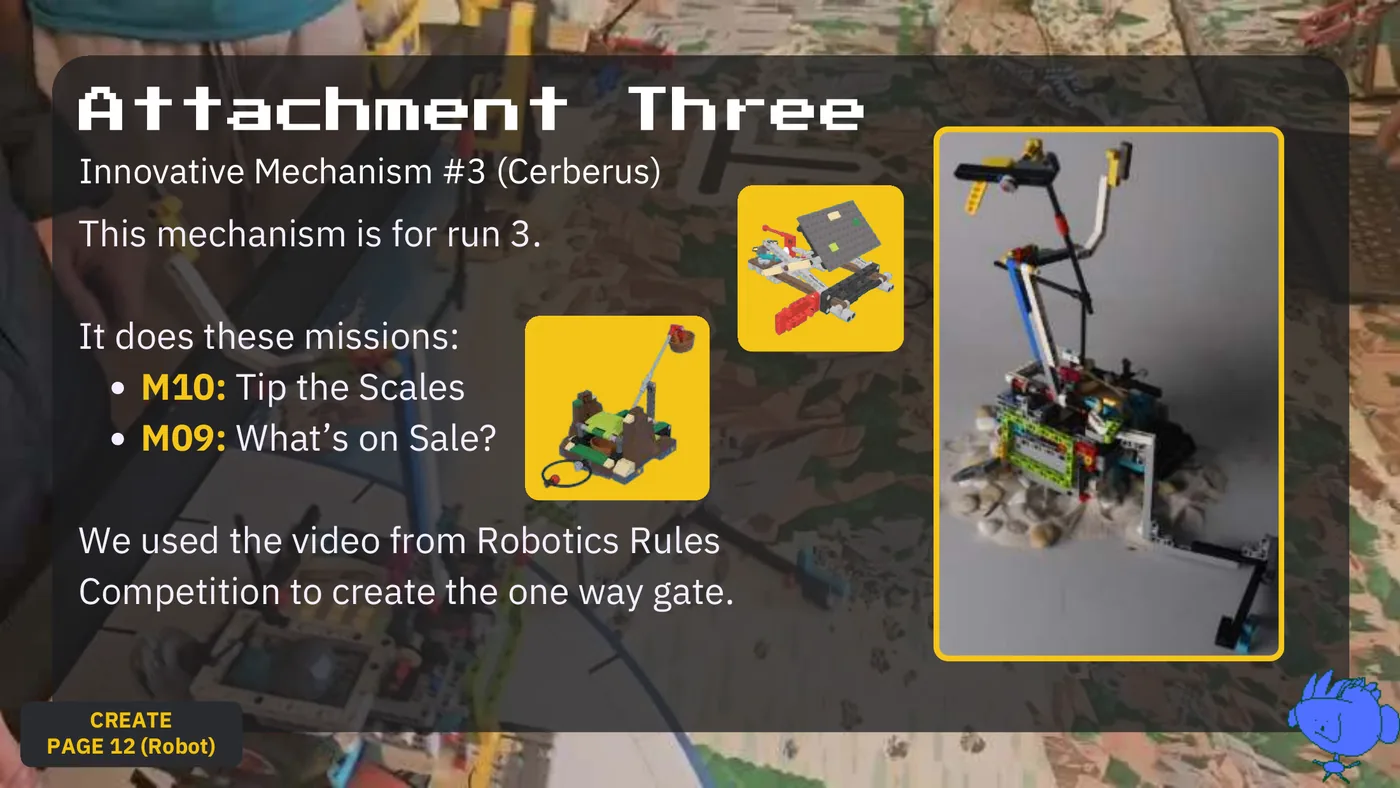
Attachment Three Innovative Mechanism #3 (Cerberus) This mechanism is for run 3. It does these missions: M10: Tip the Scales M09: What’s on Sale? We used the video from Robotics Rules Competition to create the one way gate. CREATE PAGE 12 (Robot)
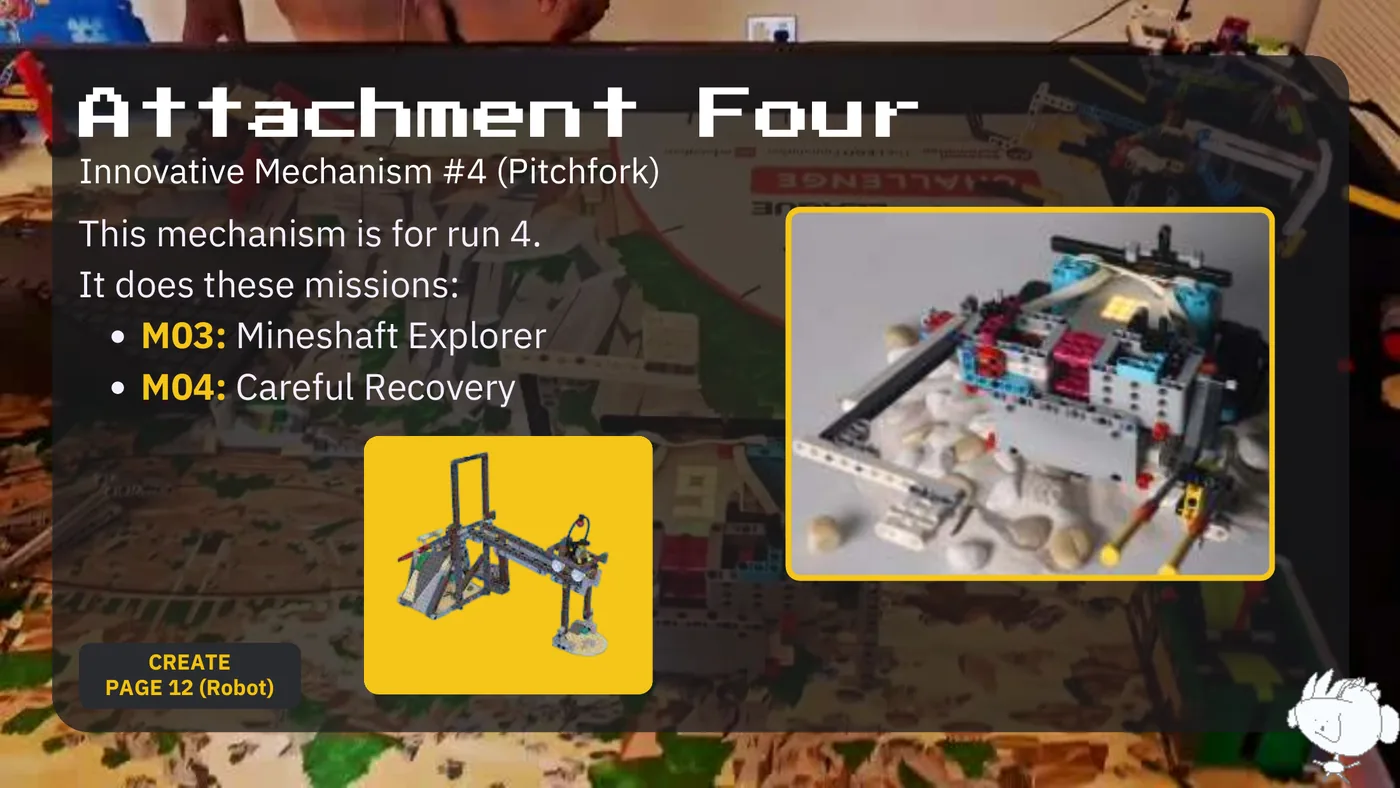
Attachment Four Innovative Mechanism #4 (Pitchfork) This mechanism is for run 4. It does these missions: M03: Mineshaft Explorer M04: Careful Recovery CREATE PAGE 12 (Robot)
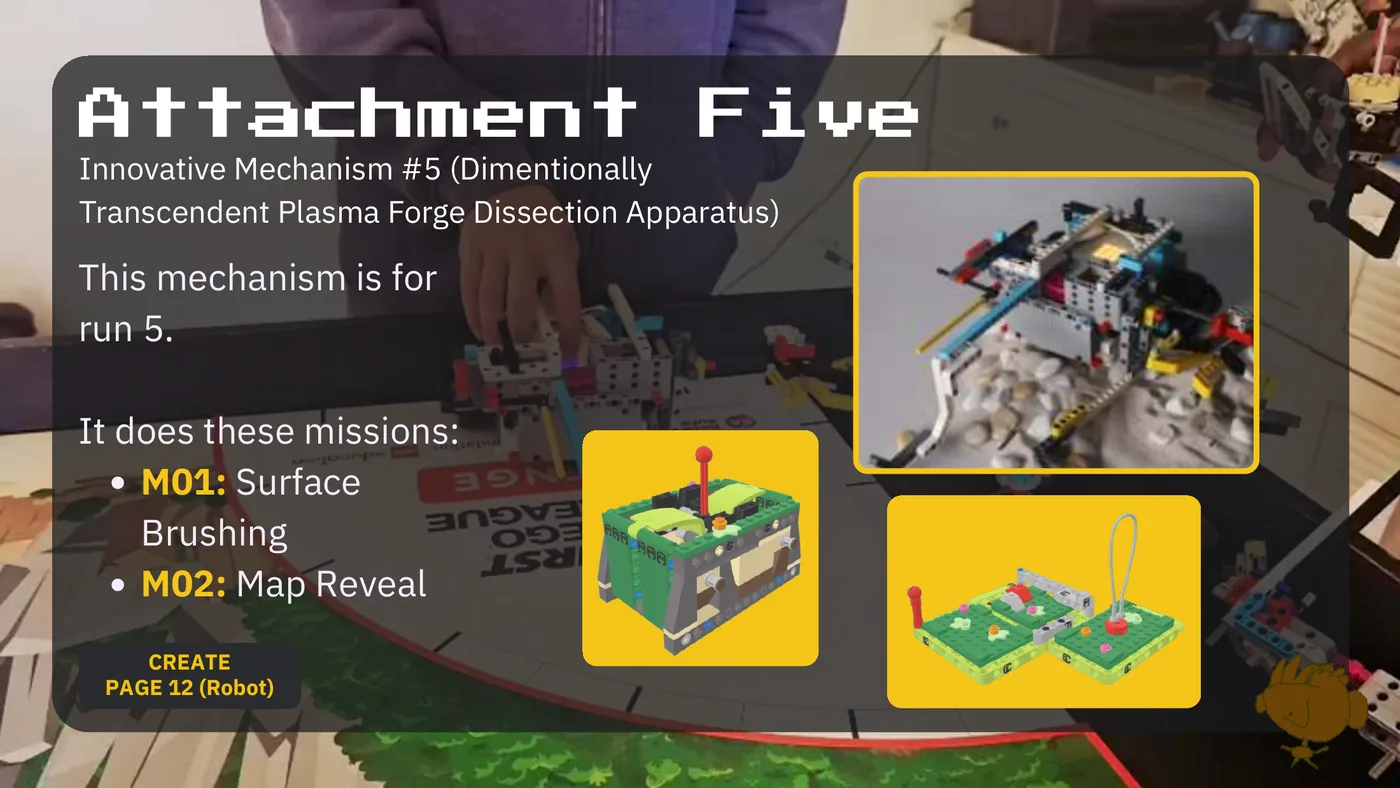
Attachment Five Innovative Mechanism #5 (Dimentionally Transcendent Plasma Forge Dissection Apparatus) This mechanism is for run 5. It does these missions: M01: Surface Brushing M02: Map Reveal CREATE PAGE 12 (Robot)
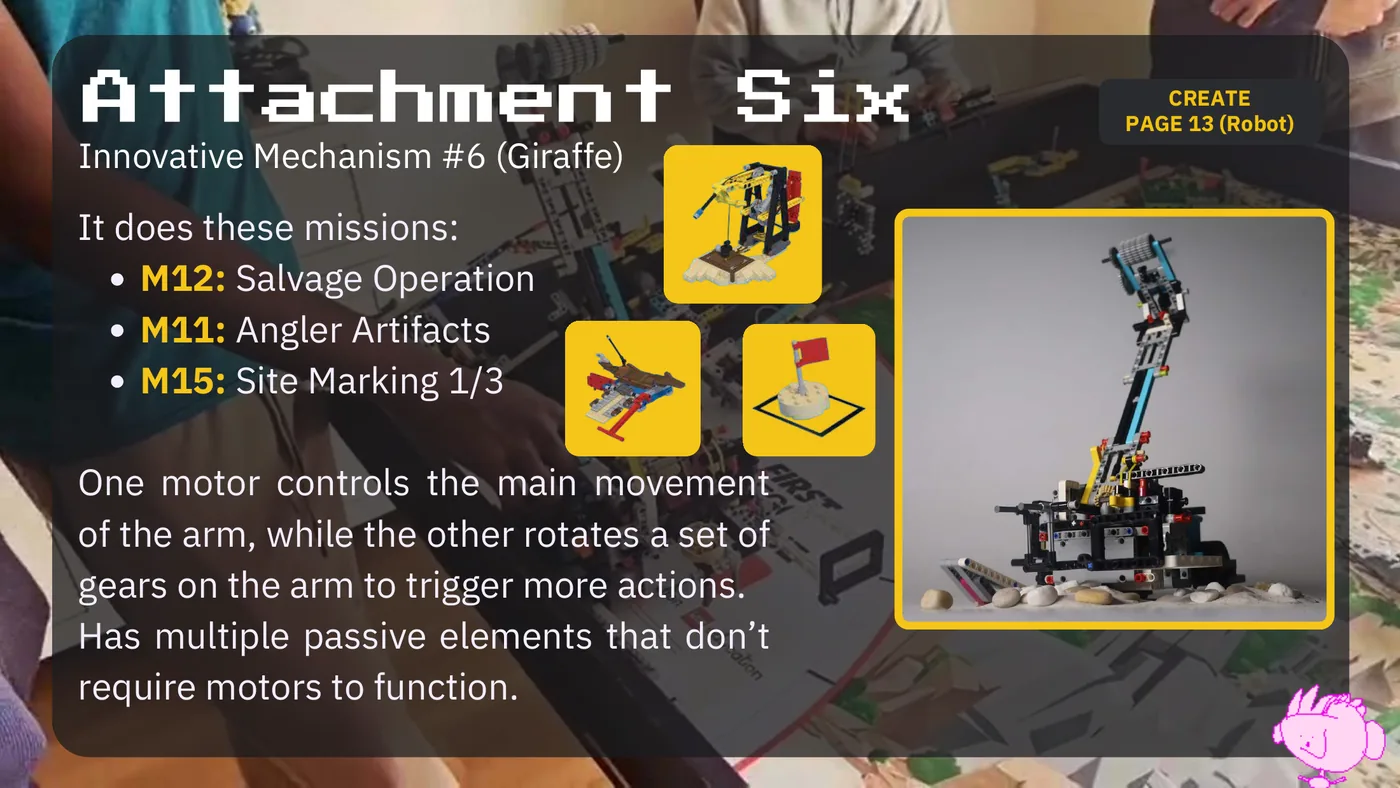
Attachment Six CREATE PAGE 13 (Robot) Innovative Mechanism #6 (Giraffe) It does these missions: M12: Salvage Operation M11: Angler Artifacts M15: Site Marking 1/3 One motor controls the main movement of the arm, while the other rotates a set of gears on the arm to trigger more actions. Has multiple passive elements that don’t require motors to function.
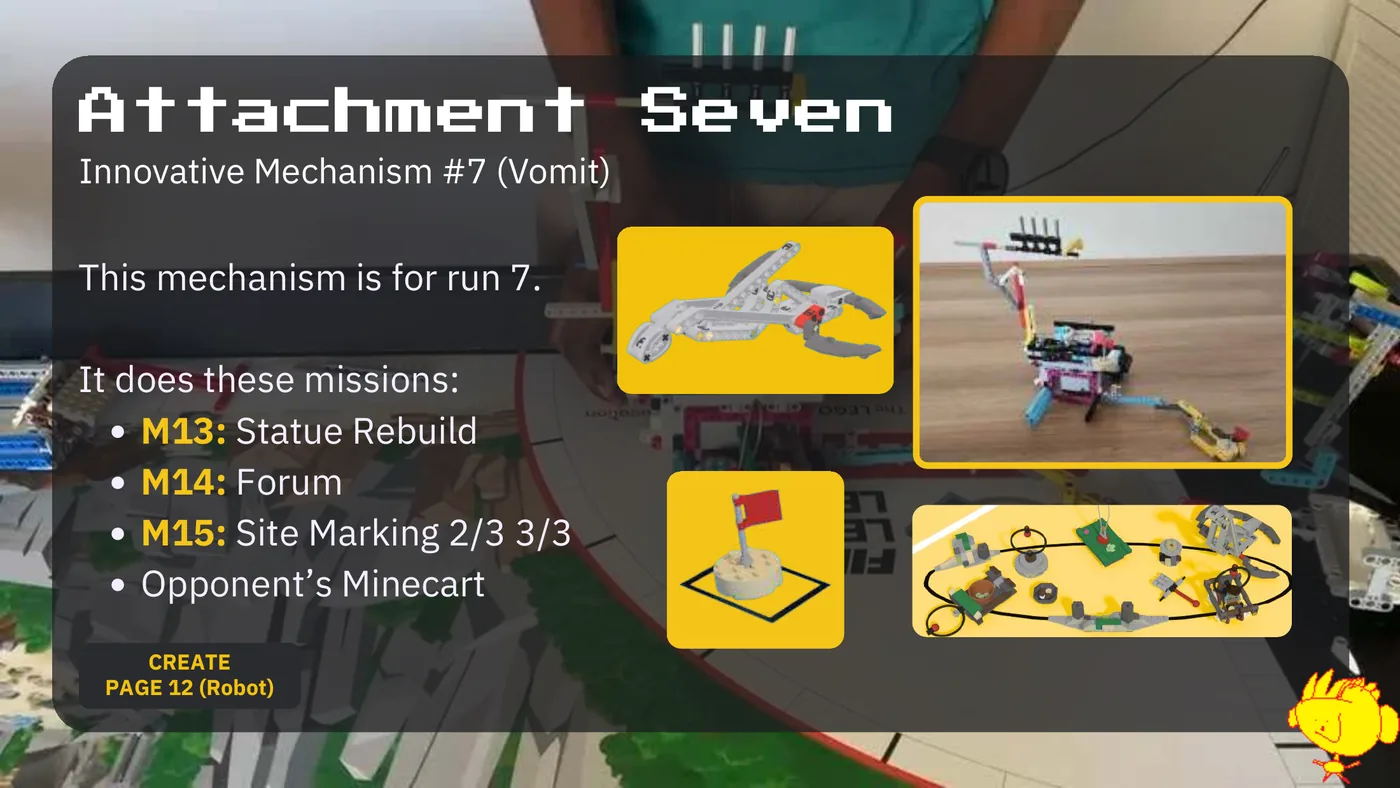
Attachment Seven Innovative Mechanism #7 (Vomit) This mechanism is for run 7. It does these missions: M13: Statue Rebuild M14: Forum M15: Site Marking 2/3 3/3 Opponent’s Minecart CREATE PAGE 12 (Robot)
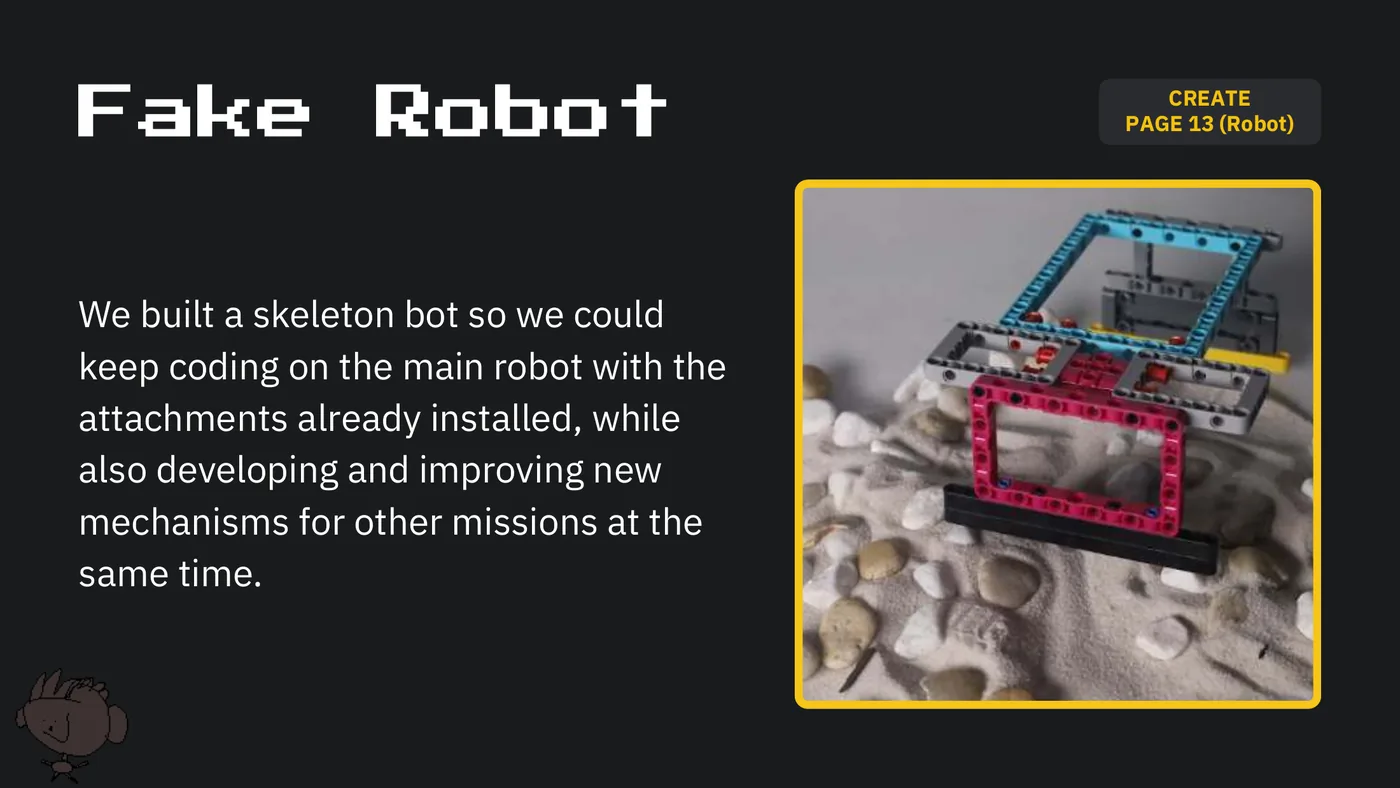
CREATE Fake Robot PAGE 13 (Robot) We built a skeleton bot so we could keep coding on the main robot with the attachments already installed, while also developing and improving new mechanisms for other missions at the same time.
Part 4 ITERATION
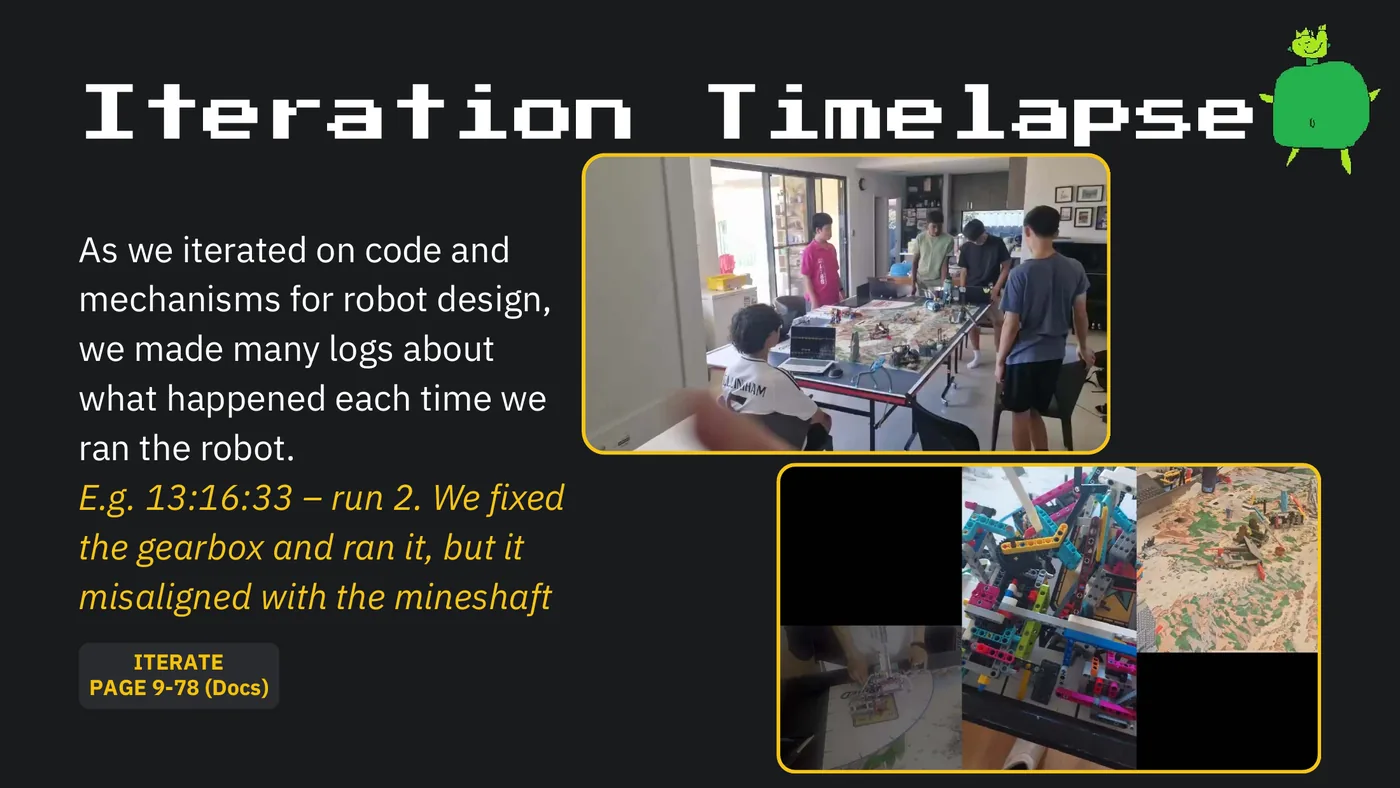
Iteration Timelapse As we iterated on code and mechanisms for robot design, we made many logs about what happened each time we ran the robot. E.g. 13:16:33 – run 2. We fixed the gearbox and ran it, but it misaligned with the mineshaft ITERATE PAGE 9-78 (Docs)
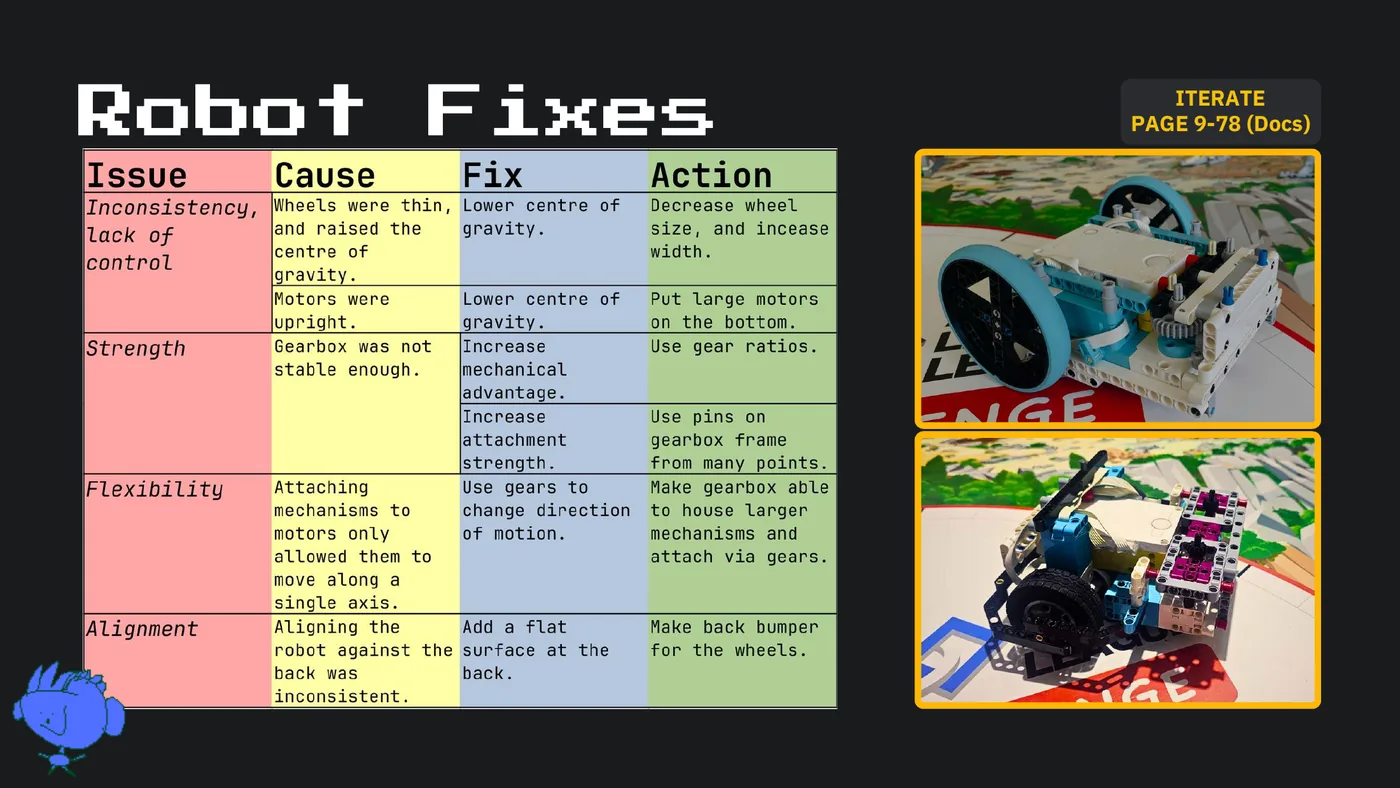
ITERATE Robot Fixes PAGE 9-78 (Docs)
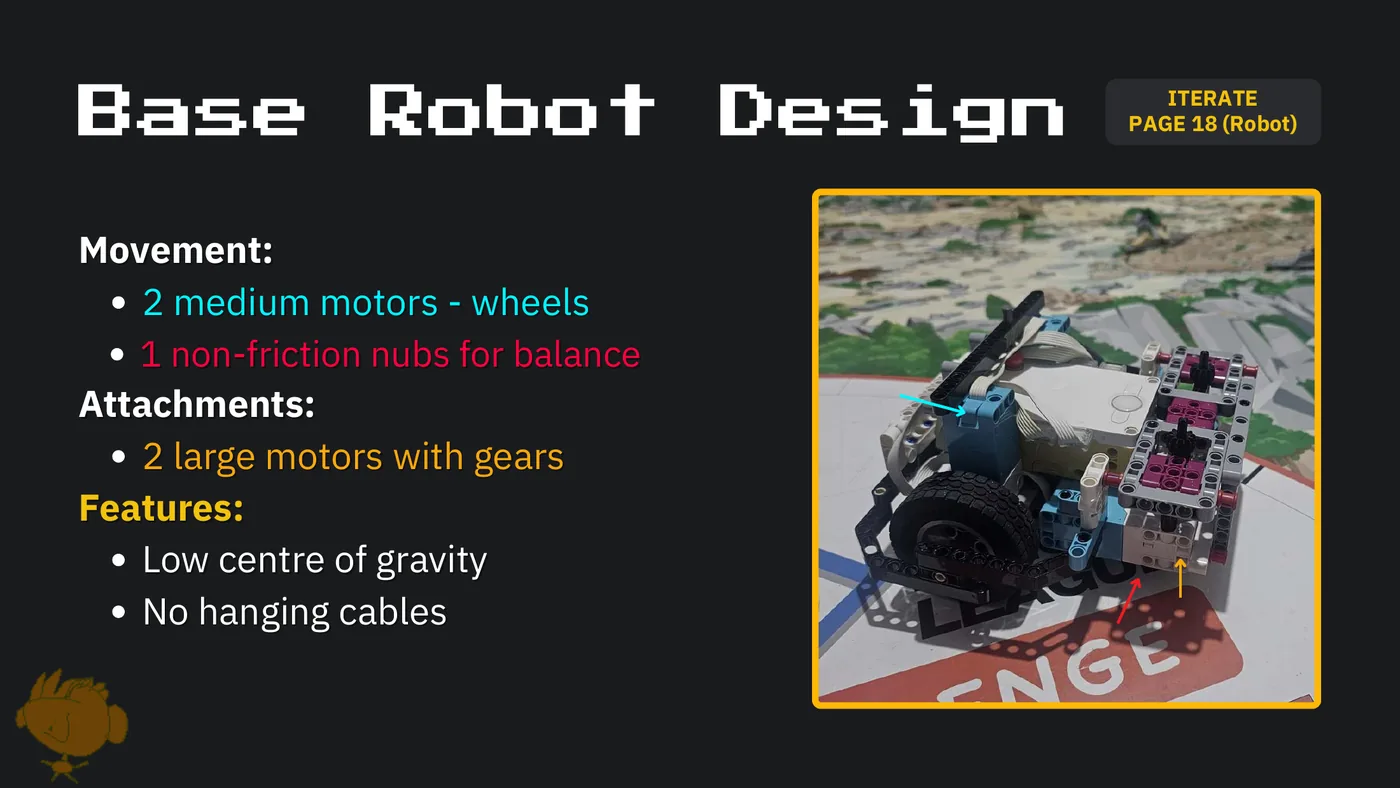
ITERATE Base Robot Design PAGE 18 (Robot) Movement: 2 medium motors - wheels 1 non-friction nubs for balance Attachments: 2 large motors with gears Features: Low centre of gravity No hanging cables
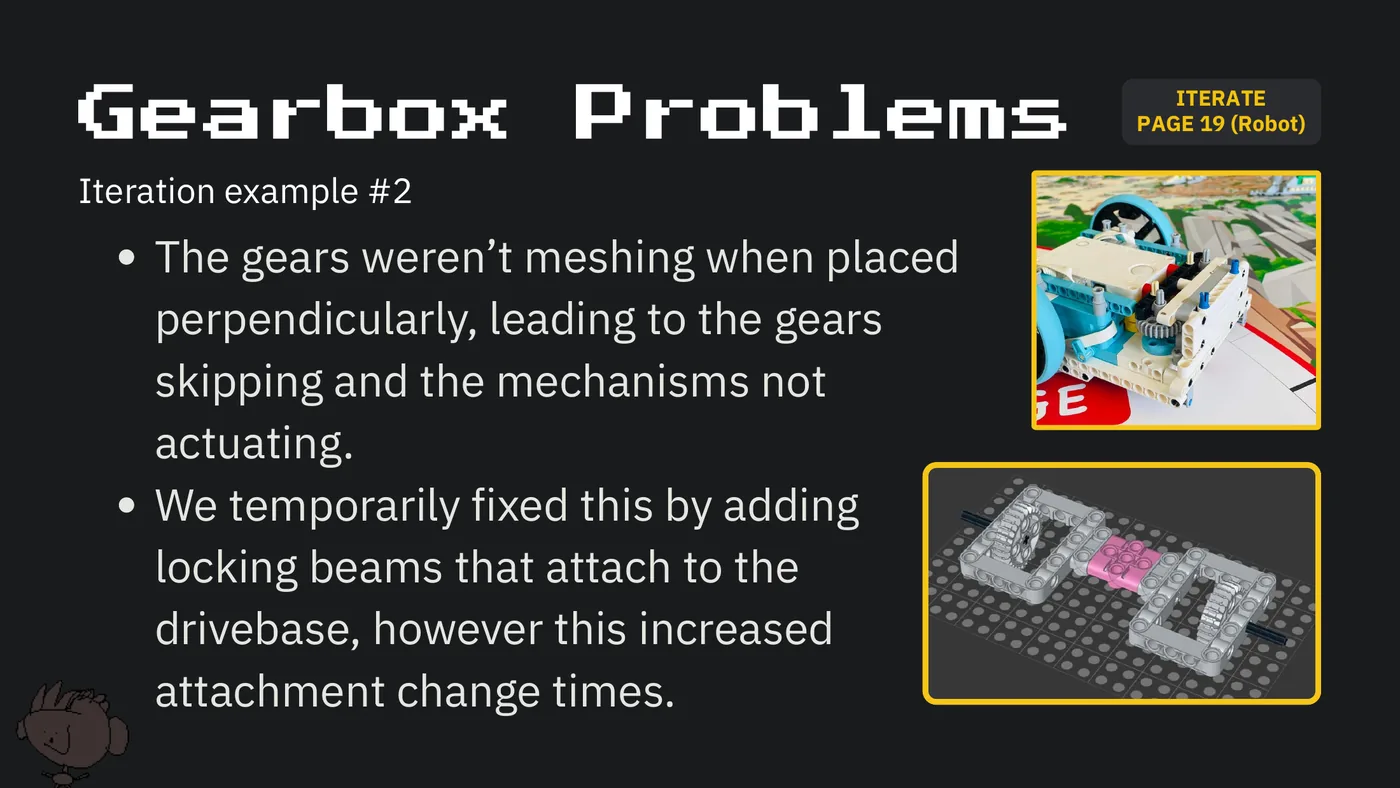
ITERATE Gearbox Problems PAGE 19 (Robot) Iteration example #2 The gears weren’t meshing when placed perpendicularly, leading to the gears skipping and the mechanisms not actuating. We temporarily fixed this by adding locking beams that attach to the drivebase, however this increased attachment change times.
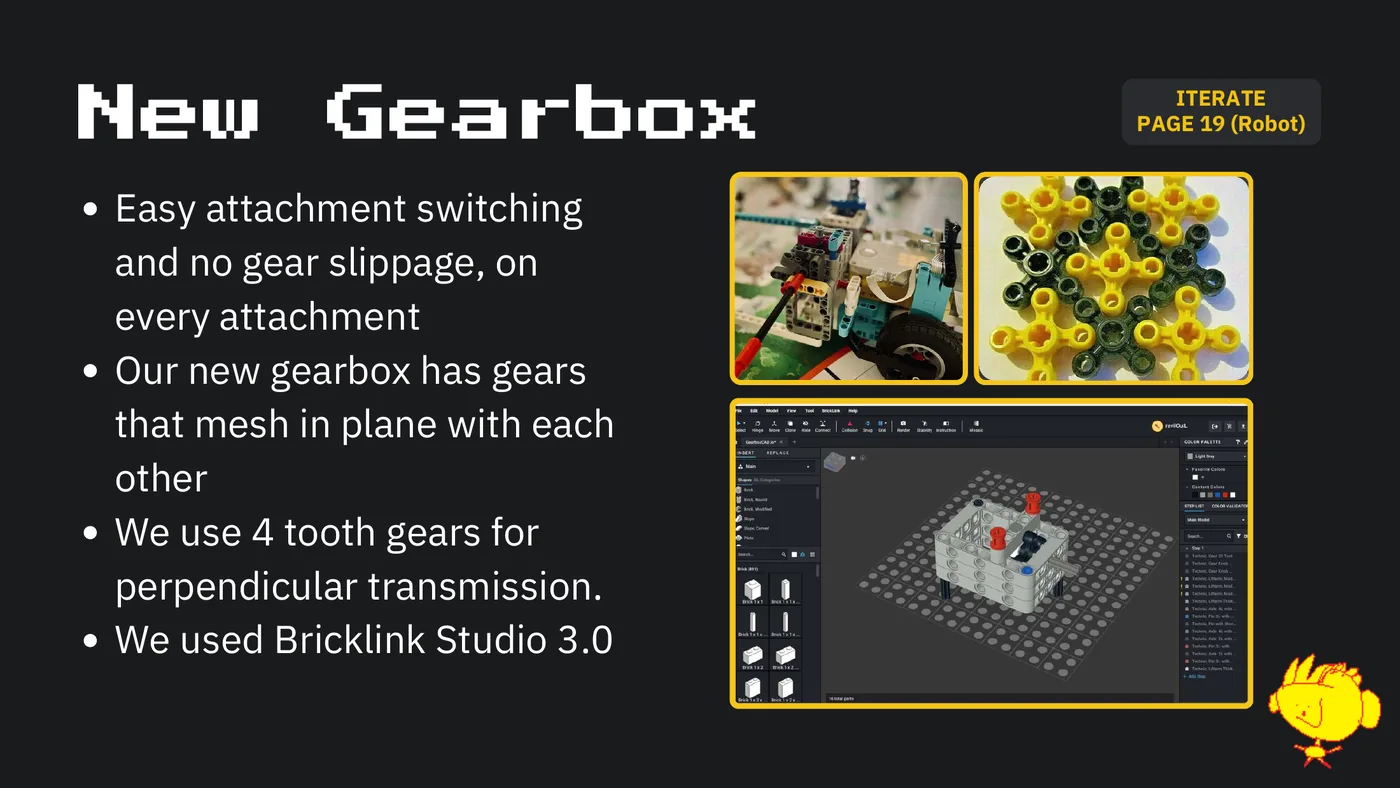
ITERATE New Gearbox PAGEITERATE 19 (Robot) Easy attachment switching and no gear slippage, on every attachment Our new gearbox has gears that mesh in plane with each other We use 4 tooth gears for perpendicular transmission. We used Bricklink Studio 3.0
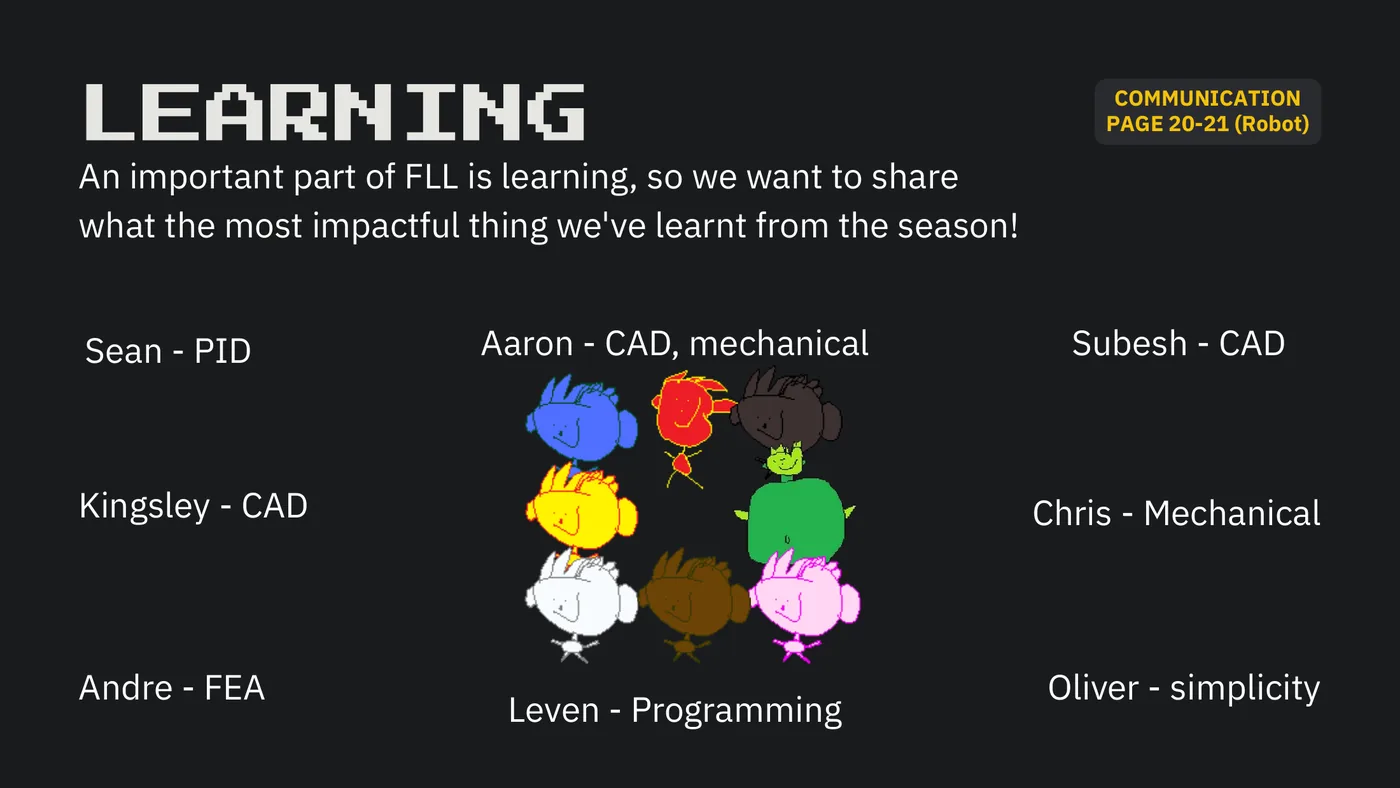
COMMUNICATION LEARNING PAGE 20-21 (Robot) An important part of FLL is learning, so we want to share what the most impactful thing we've learnt from the season! Sean - PID Aaron - CAD, mechanical Subesh - CAD Kingsley - CAD Chris - Mechanical Andre - FEA Oliver - simplicity Leven - Programming

Thanks to Our Sponsors!
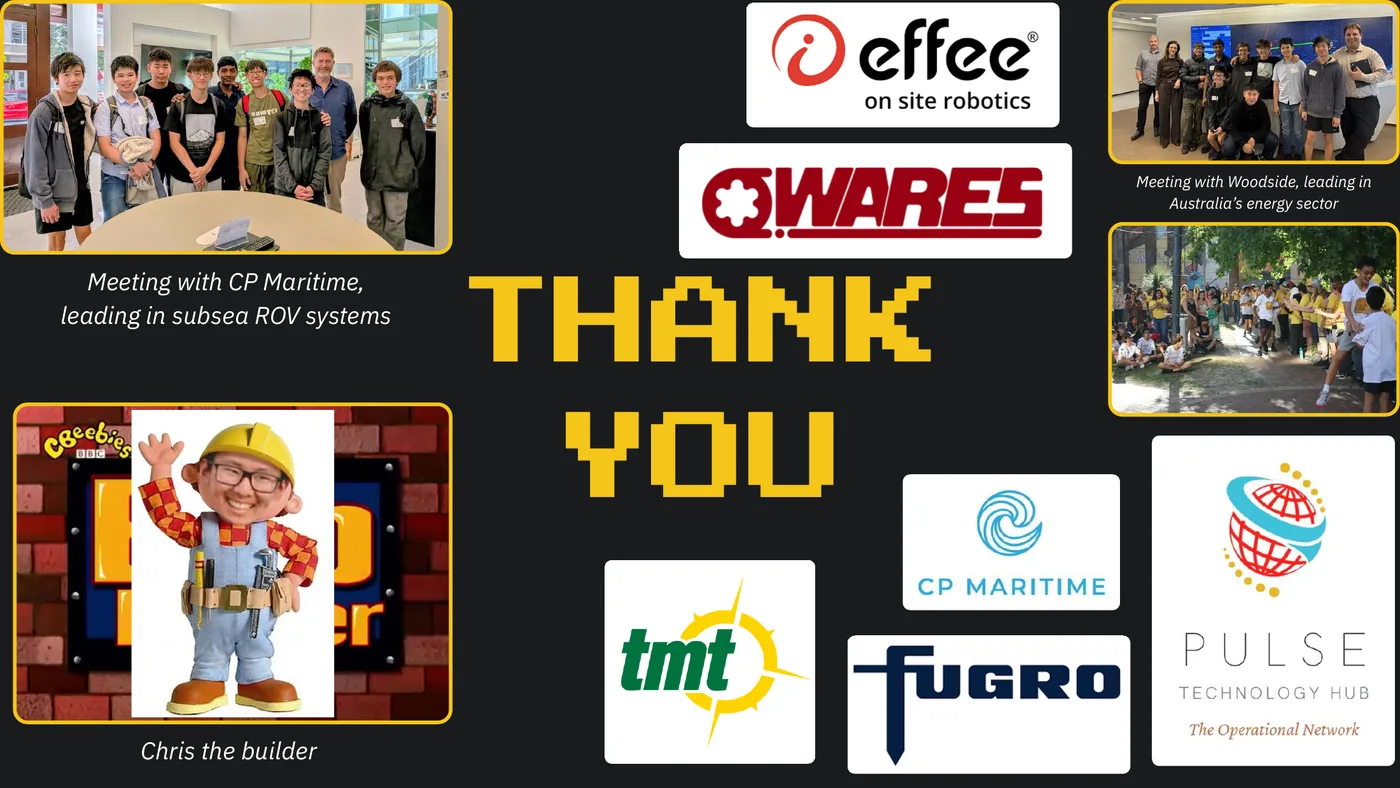
Meeting with Woodside, leading in Australia’s energy sector Meeting with CP Maritime, THANK leading in subsea ROV systems YOU Chris the builder

This slide carries no extractable text.